Oprettelse af Din Første Commit
Stryg for at vise menuen
Du har allerede lært, at et commit i Git repræsenterer et øjebliksbillede af dit projekt på et bestemt tidspunkt. Udforsk nu, hvordan man laver et commit.
Oprettelse af et commit
For at committe dine ændringer, skal du køre følgende kommando:
git commit -m "Commit message"
Erstat "Commit message" med en kort beskrivelse af de foretagne ændringer. En commit-besked kan enten være kort eller detaljeret, afhængigt af konteksten. Brug indtil videre korte beskeder.
Før du laver det første commit, skal du kontrollere status for working tree og staging area.
git status
Da den eneste ændring indtil videre er tilføjelse af en ny tekstfil, vil commit-kommandoen være:
git commit -m "Add a new text file"
Kør denne kommando i terminalen:
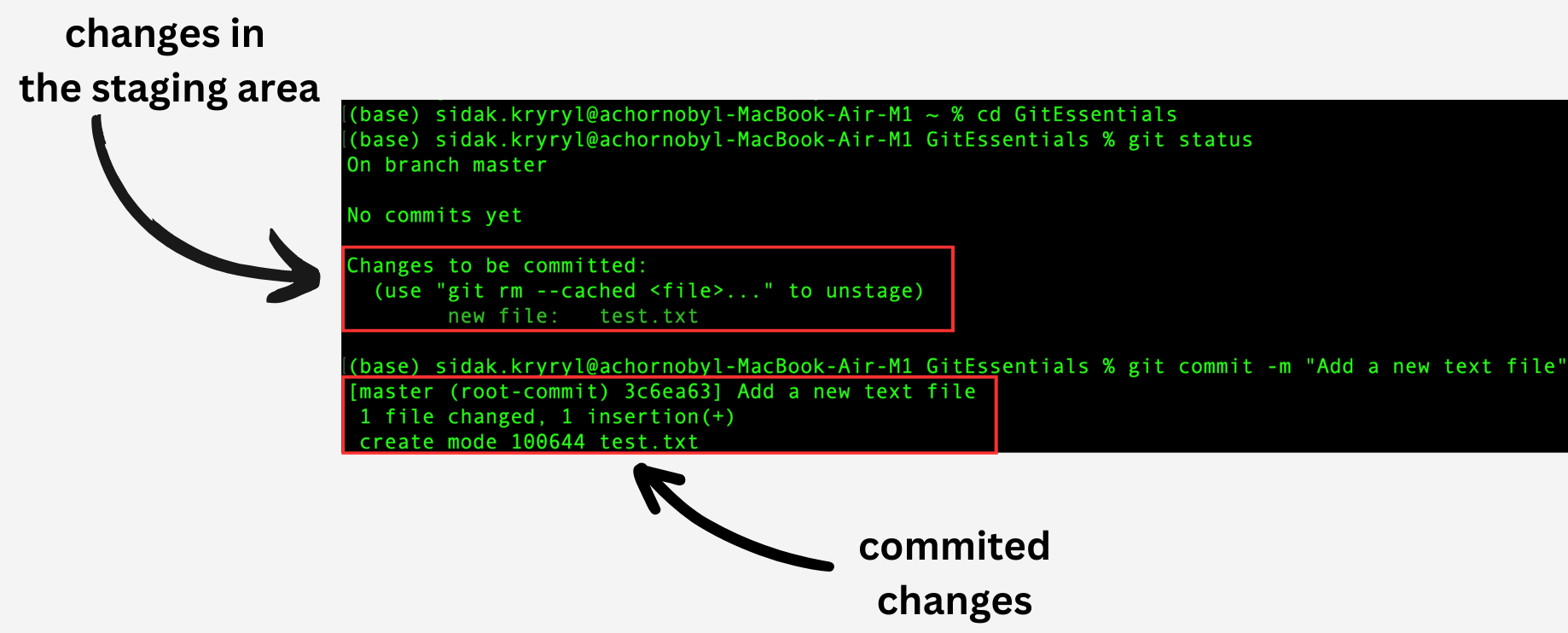
Ændringerne fra staging-området er nu committed.
Commit-arbejdsgang
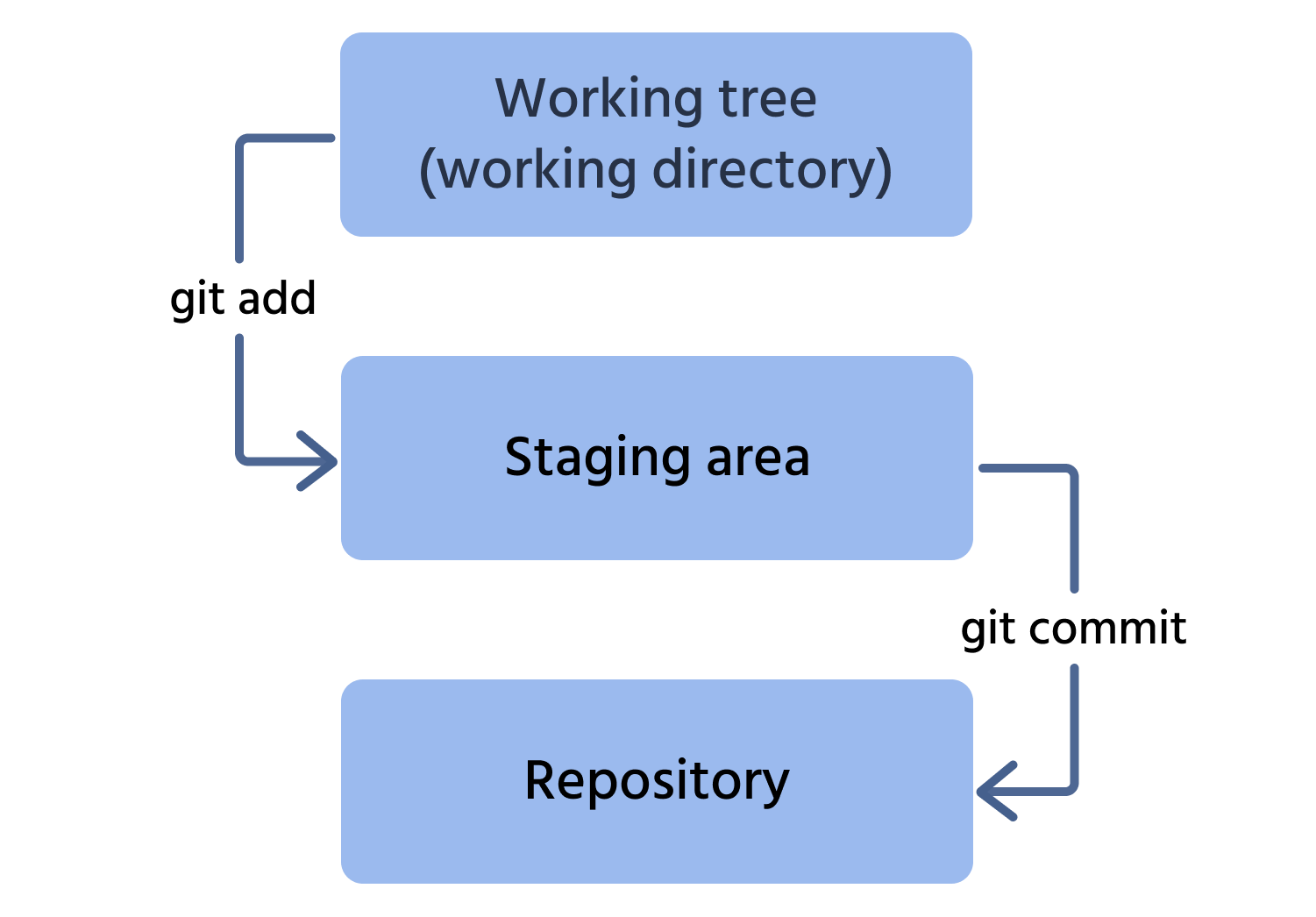
Her er processen for at committe en ændring til repositoryet:
- Tilføj filen fra working tree til staging-området;
- Commit denne ændring til repositoryet.
Tak for dine kommentarer!
Spørg AI

Spørg AI

Spørg om hvad som helst eller prøv et af de foreslåede spørgsmål for at starte vores chat
