Saving Data to Favorites
Stryg for at vise menuen
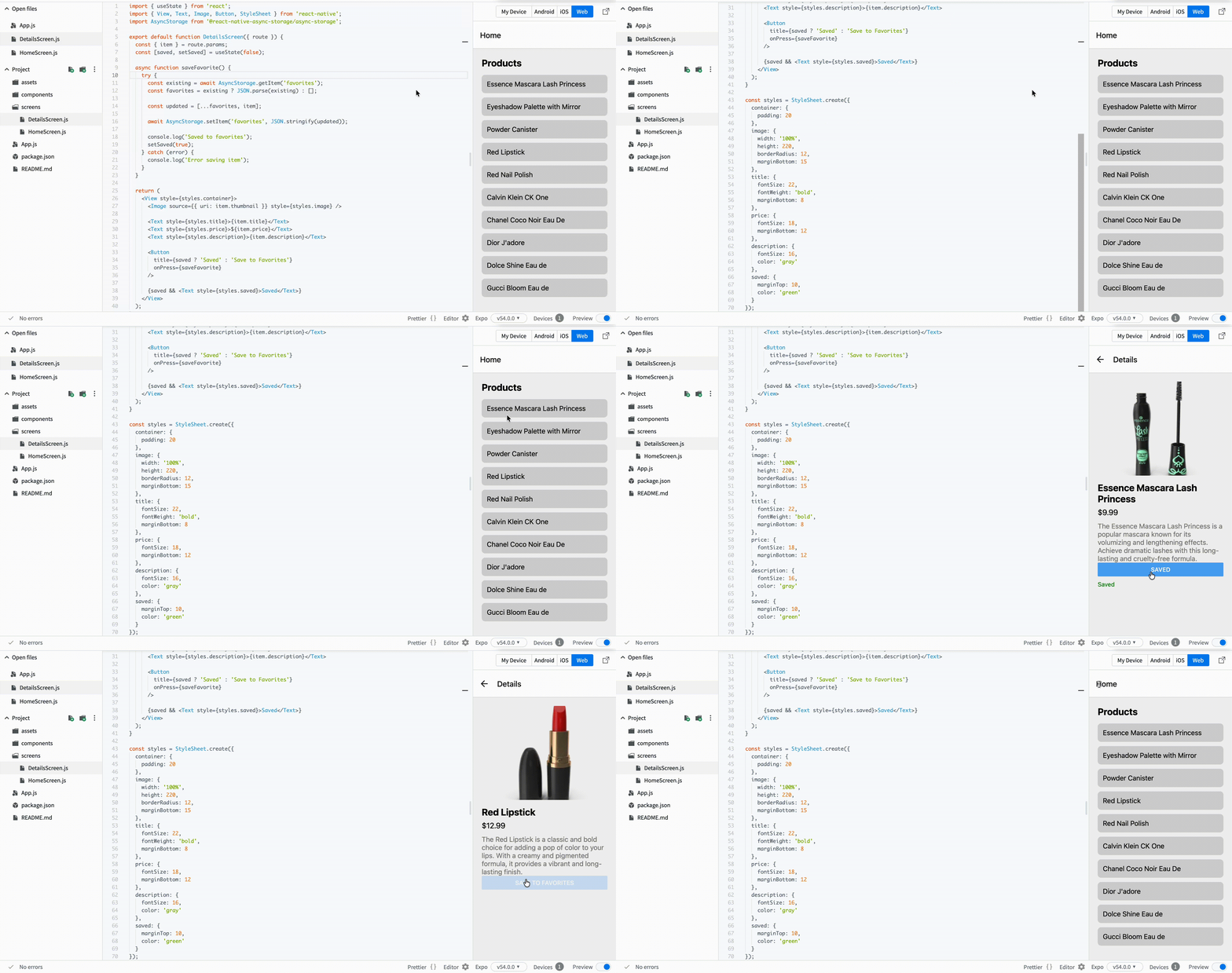
Now we want to let users save items. This is a common feature in real apps. Users often want to keep items and access them later.
To store data on the device, you will use AsyncStorage.
Step 1: Install AsyncStorage
npm install @react-native-async-storage/async-storage
Step 2: Save an Item with Feedback
Update your DetailsScreen.js:
// screens/DetailsScreen.js
import { useState } from 'react';
import { View, Text, Image, Button, StyleSheet } from 'react-native';
import AsyncStorage from '@react-native-async-storage/async-storage';

export default function DetailsScreen({ route }) {
  const { item } = route.params;
  const [saved, setSaved] = useState(false);

  async function saveFavorite() {
    try {
      const existing = await AsyncStorage.getItem('favorites');
      const favorites = existing ? JSON.parse(existing) : [];

      const updated = [...favorites, item];

      await AsyncStorage.setItem('favorites', JSON.stringify(updated));

      console.log('Saved to favorites');
      setSaved(true);
    } catch (error) {
      console.log('Error saving item');
    }
  }

  return (
    <View style={styles.container}>
      <Image source={{ uri: item.thumbnail }} style={styles.image} />

      <Text style={styles.title}>{item.title}</Text>
      <Text style={styles.price}>${item.price}</Text>
      <Text style={styles.description}>{item.description}</Text>

      <Button
        title={saved ? 'Saved' : 'Save to Favorites'}
        onPress={saveFavorite}
      />

      {saved && <Text style={styles.saved}>Saved</Text>}
    </View>
  );
}
Step 3: Add Style
const styles = StyleSheet.create({
  container: {
    padding: 20
  },
  image: {
    width: '100%',
    height: 220,
    borderRadius: 12,
    marginBottom: 15
  },
  title: {
    fontSize: 22,
    fontWeight: 'bold',
    marginBottom: 8
  },
  price: {
    fontSize: 18,
    marginBottom: 12
  },
  description: {
    fontSize: 16,
    color: 'gray'
  },
  saved: {
    marginTop: 10,
    color: 'green'
  }
});
What Changed
- You save data using AsyncStorage;
- You added
useStateto track action; - You show feedback to the user;
- Button text updates after saving.
Important Idea
User actions should always have visible feedback. Otherwise, even working features feel broken.
Tak for dine kommentarer!
Spørg AI

Spørg AI

Spørg om hvad som helst eller prøv et af de foreslåede spørgsmål for at starte vores chat
Saving Data to Favorites
Now we want to let users save items. This is a common feature in real apps. Users often want to keep items and access them later.
To store data on the device, you will use AsyncStorage.
Step 1: Install AsyncStorage
npm install @react-native-async-storage/async-storage
Step 2: Save an Item with Feedback
Update your DetailsScreen.js:
// screens/DetailsScreen.js
import { useState } from 'react';
import { View, Text, Image, Button, StyleSheet } from 'react-native';
import AsyncStorage from '@react-native-async-storage/async-storage';

export default function DetailsScreen({ route }) {
  const { item } = route.params;
  const [saved, setSaved] = useState(false);

  async function saveFavorite() {
    try {
      const existing = await AsyncStorage.getItem('favorites');
      const favorites = existing ? JSON.parse(existing) : [];

      const updated = [...favorites, item];

      await AsyncStorage.setItem('favorites', JSON.stringify(updated));

      console.log('Saved to favorites');
      setSaved(true);
    } catch (error) {
      console.log('Error saving item');
    }
  }

  return (
    <View style={styles.container}>
      <Image source={{ uri: item.thumbnail }} style={styles.image} />

      <Text style={styles.title}>{item.title}</Text>
      <Text style={styles.price}>${item.price}</Text>
      <Text style={styles.description}>{item.description}</Text>

      <Button
        title={saved ? 'Saved' : 'Save to Favorites'}
        onPress={saveFavorite}
      />

      {saved && <Text style={styles.saved}>Saved</Text>}
    </View>
  );
}
Step 3: Add Style
const styles = StyleSheet.create({
  container: {
    padding: 20
  },
  image: {
    width: '100%',
    height: 220,
    borderRadius: 12,
    marginBottom: 15
  },
  title: {
    fontSize: 22,
    fontWeight: 'bold',
    marginBottom: 8
  },
  price: {
    fontSize: 18,
    marginBottom: 12
  },
  description: {
    fontSize: 16,
    color: 'gray'
  },
  saved: {
    marginTop: 10,
    color: 'green'
  }
});
What Changed
- You save data using AsyncStorage;
- You added
useStateto track action; - You show feedback to the user;
- Button text updates after saving.
Important Idea
User actions should always have visible feedback. Otherwise, even working features feel broken.
Tak for dine kommentarer!
