Notice: This page requires JavaScript to function properly.
Please enable JavaScript in your browser settings or update your browser.
Lære Improving List Rendering with Real API Data | Section
Build a Real App with React Native

Improving List Rendering with Real API Data

Stryg for at vise menuen

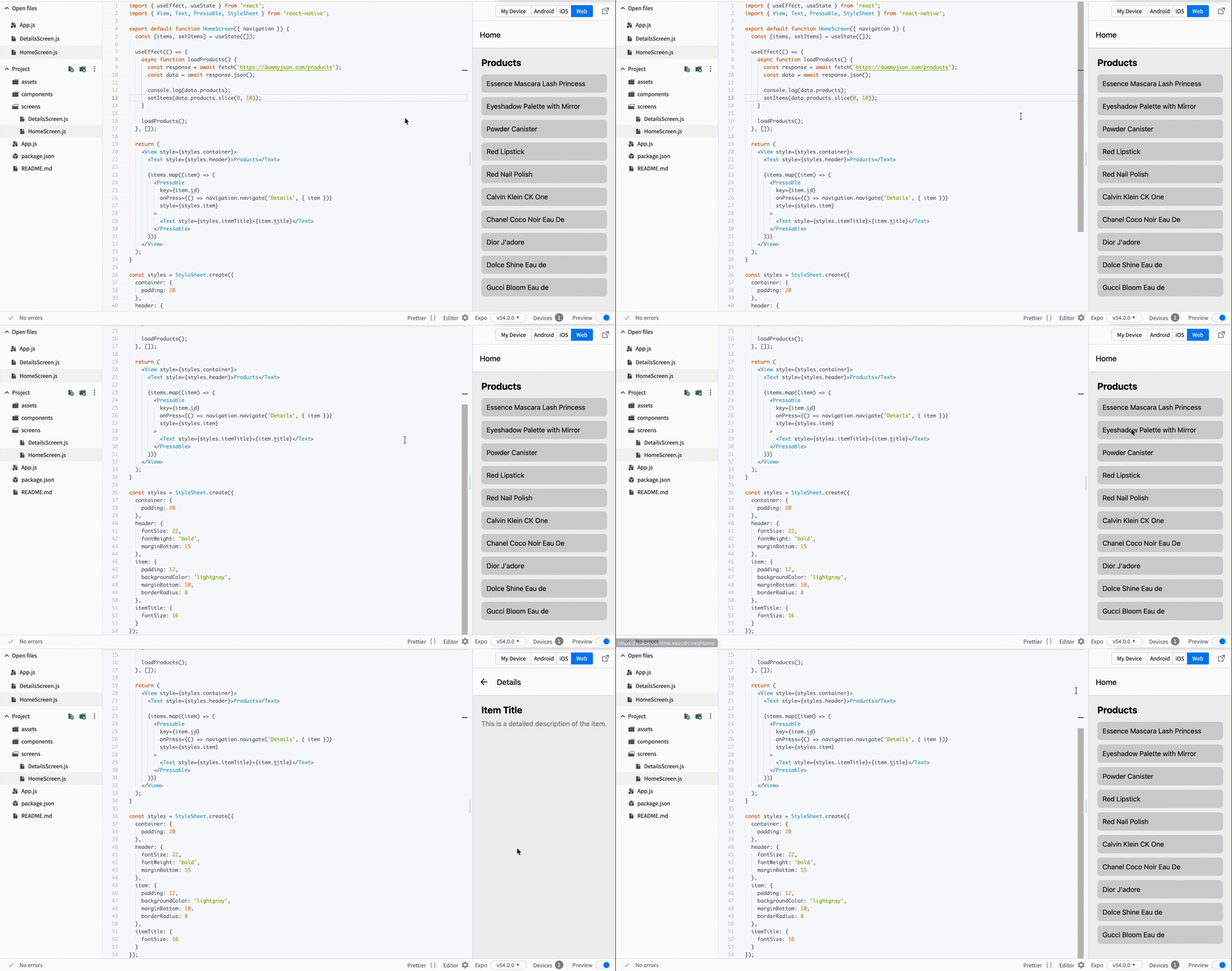
Now we want to make the list feel like a real app. Instead of mock data, you will load products from an API.

This gives you:

  • Real titles;
  • Descriptions;
  • Images (later useful for details screen).

Step 1: Fetch Data

Update your HomeScreen.js:

// screens/HomeScreen.js
import { useEffect, useState } from 'react';
import { View, Text, Pressable, StyleSheet } from 'react-native';

export default function HomeScreen({ navigation }) {
  const [items, setItems] = useState([]);

  useEffect(() => {
    async function loadProducts() {
      const response = await fetch('https://dummyjson.com/products');
      const data = await response.json();

      console.log(data.products);
      setItems(data.products.slice(0, 10));
    }

    loadProducts();
  }, []);

  return (
    <View style={styles.container}>
      <Text style={styles.header}>Products</Text>

      {items.map((item) => (
        <Pressable
          key={item.id}
          onPress={() => navigation.navigate('Details', { item })}
          style={styles.item}
        >
          <Text style={styles.itemTitle}>{item.title}</Text>
        </Pressable>
      ))}
    </View>
  );
}

Step 2: Add Styles

// screens/HomeScreen.js
const styles = StyleSheet.create({
  container: {
    padding: 20
  },
  header: {
    fontSize: 22,
    fontWeight: 'bold',
    marginBottom: 15
  },
  item: {
    padding: 12,
    backgroundColor: 'lightgray',
    marginBottom: 10,
    borderRadius: 8
  },
  itemTitle: {
    fontSize: 16
  }
});

What Changed

  • You now load real data from an API;
  • Each item represents a real product;
  • The app starts to feel realistic;
  • You pass full item data to the next screen.
Var alt klart?

Hvordan kan vi forbedre det?

Tak for dine kommentarer!

Sektion 1. Kapitel 4

Spørg AI

expand

Spørg AI

ChatGPT

Spørg om hvad som helst eller prøv et af de foreslåede spørgsmål for at starte vores chat

Improving List Rendering with Real API Data

Now we want to make the list feel like a real app. Instead of mock data, you will load products from an API.

This gives you:

  • Real titles;
  • Descriptions;
  • Images (later useful for details screen).

Step 1: Fetch Data

Update your HomeScreen.js:

// screens/HomeScreen.js
import { useEffect, useState } from 'react';
import { View, Text, Pressable, StyleSheet } from 'react-native';

export default function HomeScreen({ navigation }) {
  const [items, setItems] = useState([]);

  useEffect(() => {
    async function loadProducts() {
      const response = await fetch('https://dummyjson.com/products');
      const data = await response.json();

      console.log(data.products);
      setItems(data.products.slice(0, 10));
    }

    loadProducts();
  }, []);

  return (
    <View style={styles.container}>
      <Text style={styles.header}>Products</Text>

      {items.map((item) => (
        <Pressable
          key={item.id}
          onPress={() => navigation.navigate('Details', { item })}
          style={styles.item}
        >
          <Text style={styles.itemTitle}>{item.title}</Text>
        </Pressable>
      ))}
    </View>
  );
}

Step 2: Add Styles

// screens/HomeScreen.js
const styles = StyleSheet.create({
  container: {
    padding: 20
  },
  header: {
    fontSize: 22,
    fontWeight: 'bold',
    marginBottom: 15
  },
  item: {
    padding: 12,
    backgroundColor: 'lightgray',
    marginBottom: 10,
    borderRadius: 8
  },
  itemTitle: {
    fontSize: 16
  }
});

What Changed

  • You now load real data from an API;
  • Each item represents a real product;
  • The app starts to feel realistic;
  • You pass full item data to the next screen.
Var alt klart?

Hvordan kan vi forbedre det?

Tak for dine kommentarer!

Sektion 1. Kapitel 4
some-alt