AI for Meetings and Knowledge Management
Stryg for at vise menuen
Meetings are where a significant amount of business knowledge is created – decisions made, actions agreed, context shared. They are also where most of that knowledge disappears. Without a reliable system for capturing and distributing what happens in meetings, the same conversations get repeated, action items fall through the cracks, and people who were not in the room have no way to get up to speed.
AI fixes this problem almost entirely, and it does so without adding work to anyone's plate.
Otter.ai: From Recording to Structured Output
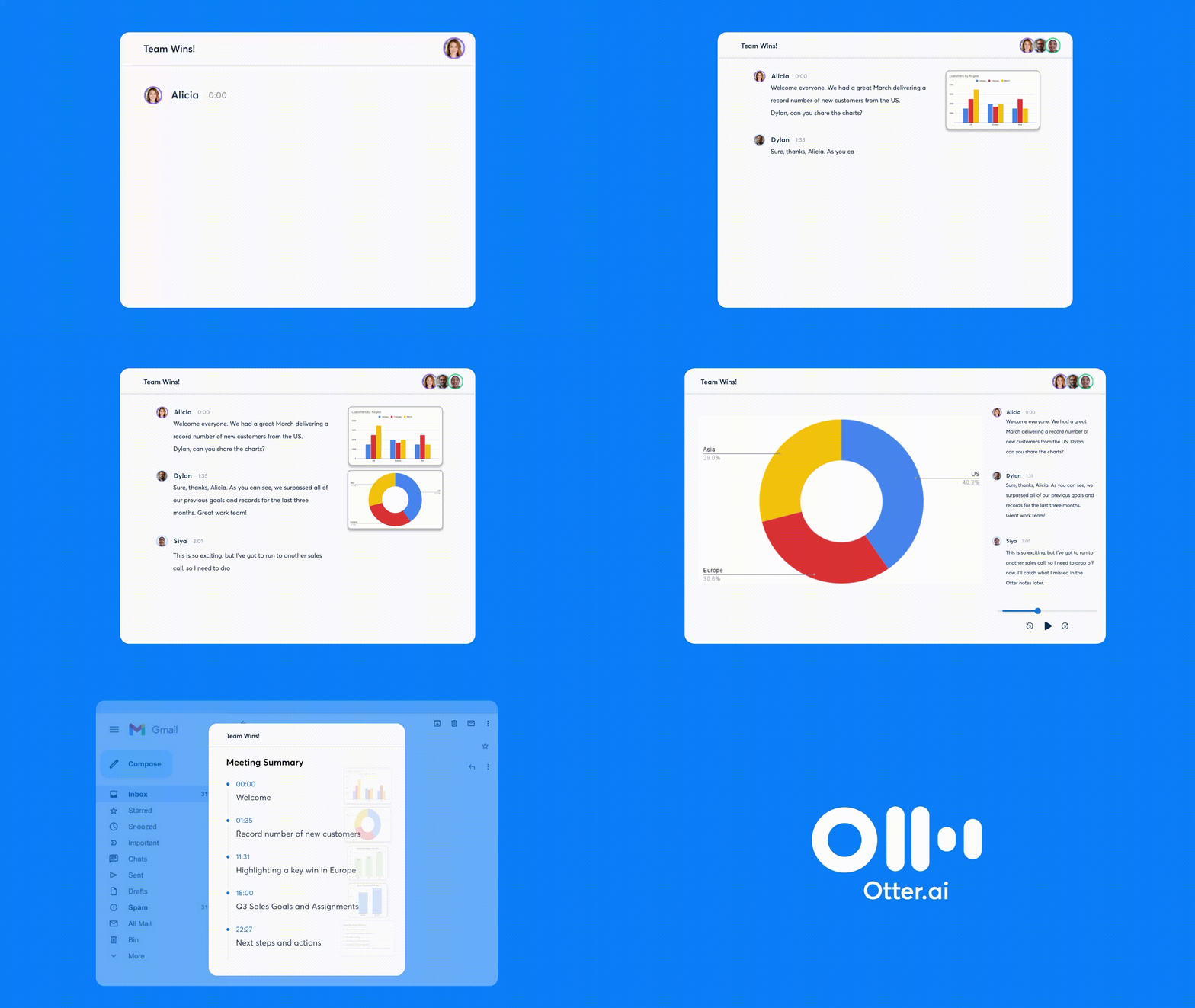
Otter.ai joins your meetings – in Google Meet, Zoom or Microsoft Teams – records the conversation, transcribes it in real time, and automatically generates a summary when the meeting ends. No one needs to take notes. No one needs to write the recap. It happens automatically.
The output includes a full transcript, an AI-generated summary, and a list of action items identified from the conversation. For most meetings, this is sufficient without any manual editing.

Always inform meeting participants that the session is being recorded and transcribed. In most jurisdictions this is a legal requirement, and in all contexts it is a matter of professional courtesy. Otter.ai displays a recording indicator to all participants, but a verbal heads-up at the start of the meeting is still good practice.
From Transcript to Action
The raw Otter.ai output is useful on its own, but combining it with Claude produces significantly more structured and actionable results. The pattern is simple:
- Copy the Otter.ai transcript or summary;
- Paste it into Claude with a prompt that specifies what you need;
- Get a formatted output ready to distribute.
Useful prompts for this workflow include:

- Read this meeting transcript and produce: 1) a one-paragraph summary for people who were not in the meeting, 2) a list of decisions made, 3) action items with owners and deadlines;
- Extract all commitments made in this transcript and format them as a table with columns for: action, owner, deadline, and dependencies;
- This is a client meeting transcript. Draft a follow-up email summarizing what was discussed and confirming the next steps we agreed.

Meeting intelligence – the systematic capture, processing and distribution of information generated in meetings. Tools like Otter.ai handle the capture layer; Claude handles the processing and formatting layer; Zapier can handle the distribution layer.
Building a Knowledge Base from Meetings
Over time, meeting transcripts and summaries accumulate into a valuable knowledge base – a record of decisions made, problems solved, and context established. Most organizations let this knowledge sit in individual inboxes or disappear entirely.
A simple system to prevent this: after each significant meeting, paste the Claude-formatted summary into a shared document or knowledge management tool. Over three months, you have a searchable record of everything your team has decided and discussed.
For teams using Notion, Gemini, or any other AI-enabled knowledge tool, this becomes even more powerful – you can ask the knowledge base questions and get answers drawn from months of accumulated meeting summaries.
What about Sensitive Meetings?
Not every meeting should be recorded and transcribed. Meetings involving personal performance discussions, sensitive HR matters, confidential strategic decisions or legal conversations are generally not appropriate for AI transcription tools.
A practical approach: establish a default of recording operational and project meetings, and a default of not recording anything involving personal feedback, HR discussions, executive strategy sessions, or legal matters. Communicate this policy to the team clearly so there is no ambiguity about which meetings will be captured.
For meetings that should not be recorded but still need follow-up, the manual note-taking approach remains – but you can still use Claude to structure and format your notes after the fact without having used a transcription tool during the meeting itself.
Tak for dine kommentarer!
Spørg AI

Spørg AI

Spørg om hvad som helst eller prøv et af de foreslåede spørgsmål for at starte vores chat
