Building a List Item Component
Swipe um das Menü anzuzeigen
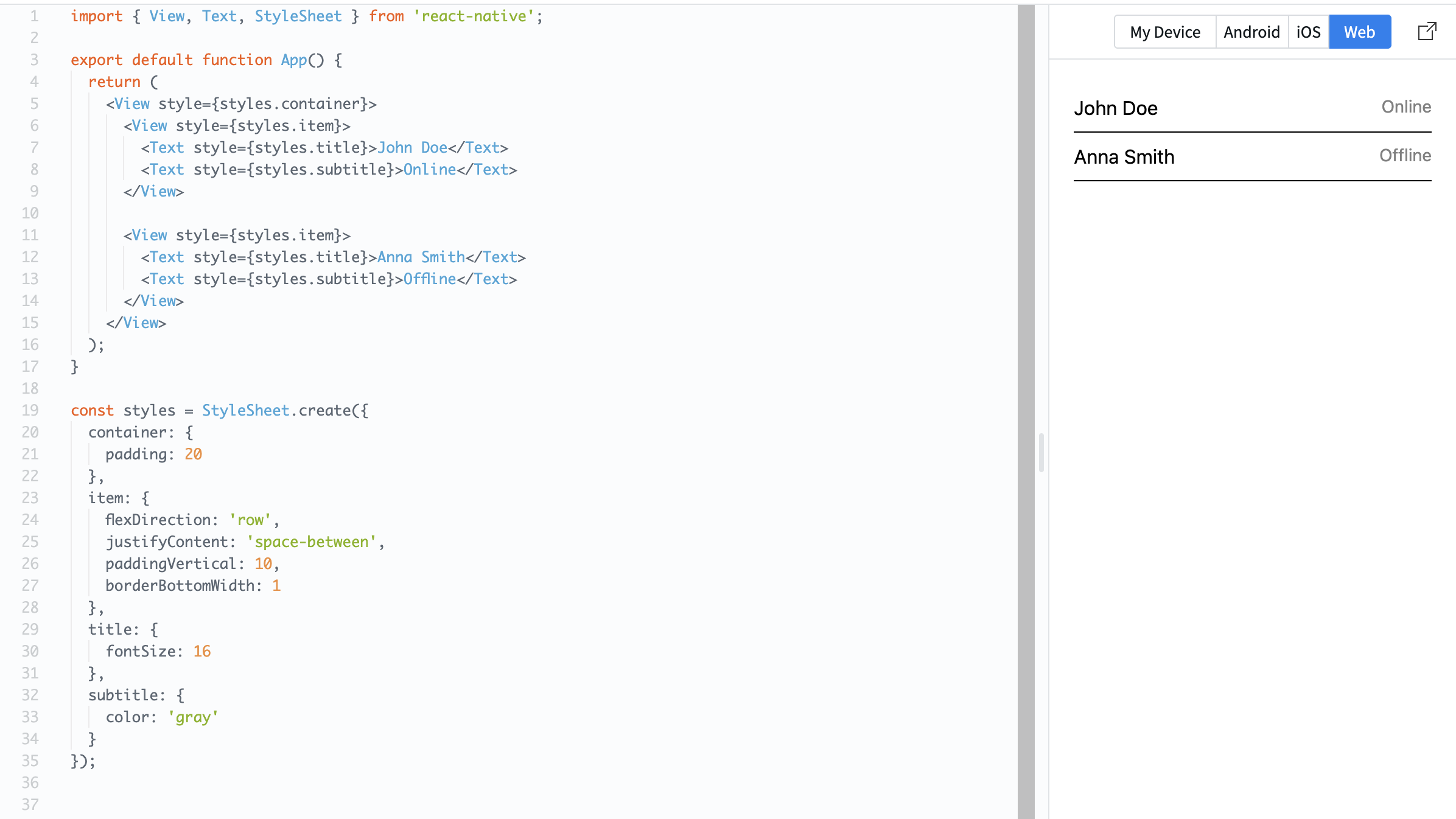
Many mobile apps display lists of items. Each item usually has the same structure: text, spacing, and sometimes an image or icon. You will build a simple list item using a row layout.
Example:
import { View, Text, StyleSheet } from 'react-native';

export default function App() {
  return (
    <View style={styles.container}>
      <View style={styles.item}>
        <Text style={styles.title}>John Doe</Text>
        <Text style={styles.subtitle}>Online</Text>
      </View>

      <View style={styles.item}>
        <Text style={styles.title}>Anna Smith</Text>
        <Text style={styles.subtitle}>Offline</Text>
      </View>
    </View>
  );
}

const styles = StyleSheet.create({
  container: {
    padding: 20
  },
  item: {
    flexDirection: 'row',
    justifyContent: 'space-between',
    paddingVertical: 10,
    borderBottomWidth: 1
  },
  title: {
    fontSize: 16
  },
  subtitle: {
    color: 'gray'
  }
});
Here:
- Each item is arranged in a row;
justifyContent: 'space-between'separates text;paddingVerticaladds spacing inside each item.
List items are important because most real apps display repeated data like messages, users, or products.
Danke für Ihr Feedback!
Fragen Sie AI

Fragen Sie AI

Fragen Sie alles oder probieren Sie eine der vorgeschlagenen Fragen, um unser Gespräch zu beginnen
Building a List Item Component
Many mobile apps display lists of items. Each item usually has the same structure: text, spacing, and sometimes an image or icon. You will build a simple list item using a row layout.
Example:
import { View, Text, StyleSheet } from 'react-native';

export default function App() {
  return (
    <View style={styles.container}>
      <View style={styles.item}>
        <Text style={styles.title}>John Doe</Text>
        <Text style={styles.subtitle}>Online</Text>
      </View>

      <View style={styles.item}>
        <Text style={styles.title}>Anna Smith</Text>
        <Text style={styles.subtitle}>Offline</Text>
      </View>
    </View>
  );
}

const styles = StyleSheet.create({
  container: {
    padding: 20
  },
  item: {
    flexDirection: 'row',
    justifyContent: 'space-between',
    paddingVertical: 10,
    borderBottomWidth: 1
  },
  title: {
    fontSize: 16
  },
  subtitle: {
    color: 'gray'
  }
});
Here:
- Each item is arranged in a row;
justifyContent: 'space-between'separates text;paddingVerticaladds spacing inside each item.
List items are important because most real apps display repeated data like messages, users, or products.
Danke für Ihr Feedback!
