Building a List Item Component
Desliza para mostrar el menú
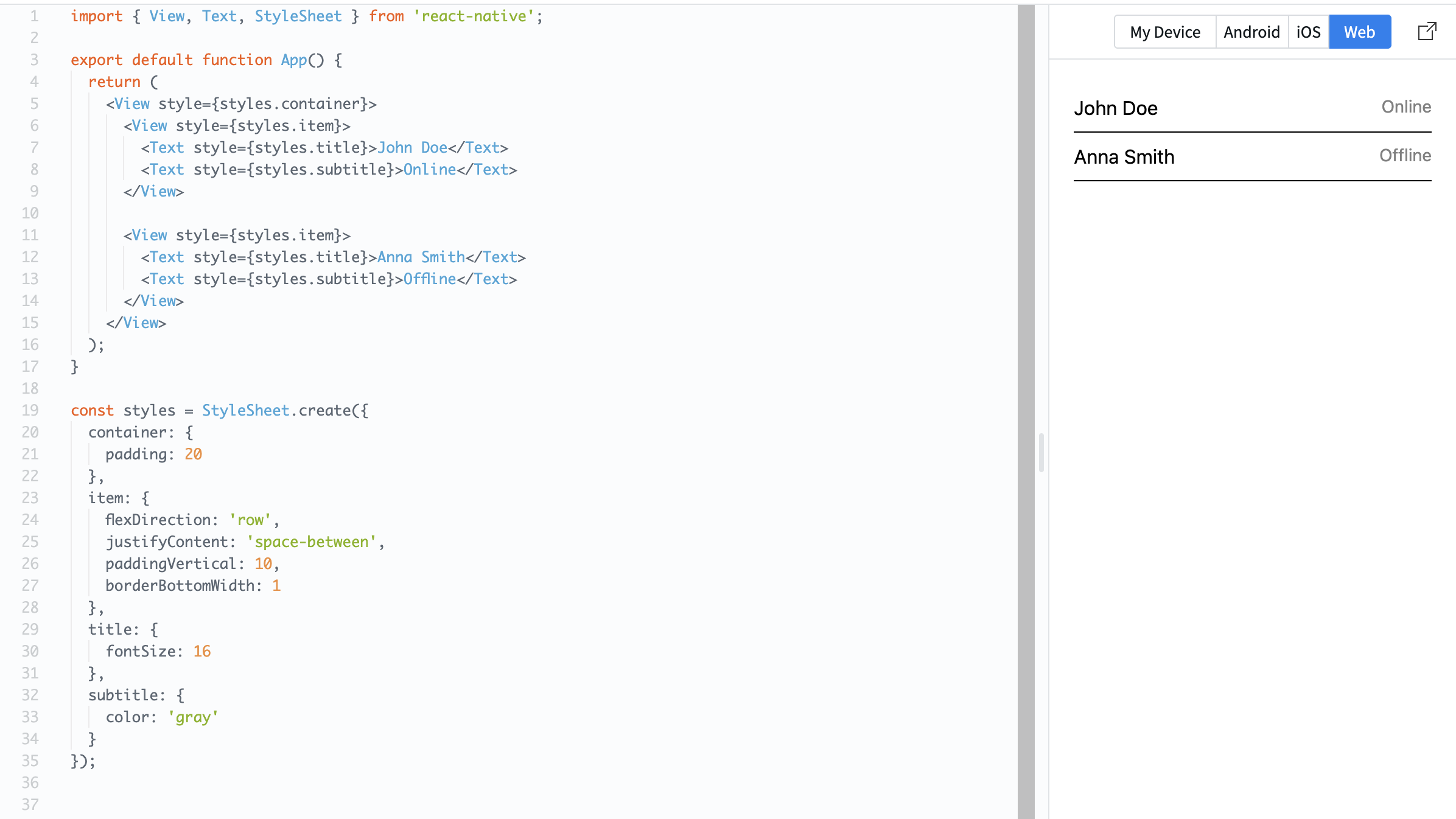
Many mobile apps display lists of items. Each item usually has the same structure: text, spacing, and sometimes an image or icon. You will build a simple list item using a row layout.
Example:
import { View, Text, StyleSheet } from 'react-native';

export default function App() {
  return (
    <View style={styles.container}>
      <View style={styles.item}>
        <Text style={styles.title}>John Doe</Text>
        <Text style={styles.subtitle}>Online</Text>
      </View>

      <View style={styles.item}>
        <Text style={styles.title}>Anna Smith</Text>
        <Text style={styles.subtitle}>Offline</Text>
      </View>
    </View>
  );
}

const styles = StyleSheet.create({
  container: {
    padding: 20
  },
  item: {
    flexDirection: 'row',
    justifyContent: 'space-between',
    paddingVertical: 10,
    borderBottomWidth: 1
  },
  title: {
    fontSize: 16
  },
  subtitle: {
    color: 'gray'
  }
});
Here:
- Each item is arranged in a row;
justifyContent: 'space-between'separates text;paddingVerticaladds spacing inside each item.
List items are important because most real apps display repeated data like messages, users, or products.
¿Todo estuvo claro?
¡Gracias por tus comentarios!
Sección 1. Capítulo 6
Pregunte a AI

Pregunte a AI

Pregunte lo que quiera o pruebe una de las preguntas sugeridas para comenzar nuestra charla
Sección 1. Capítulo 6
