Adding Images
Pyyhkäise näyttääksesi valikon
To display images in React Native, you use the Image component.
This allows you to show avatars, icons, or any visual content on the screen.
Example:
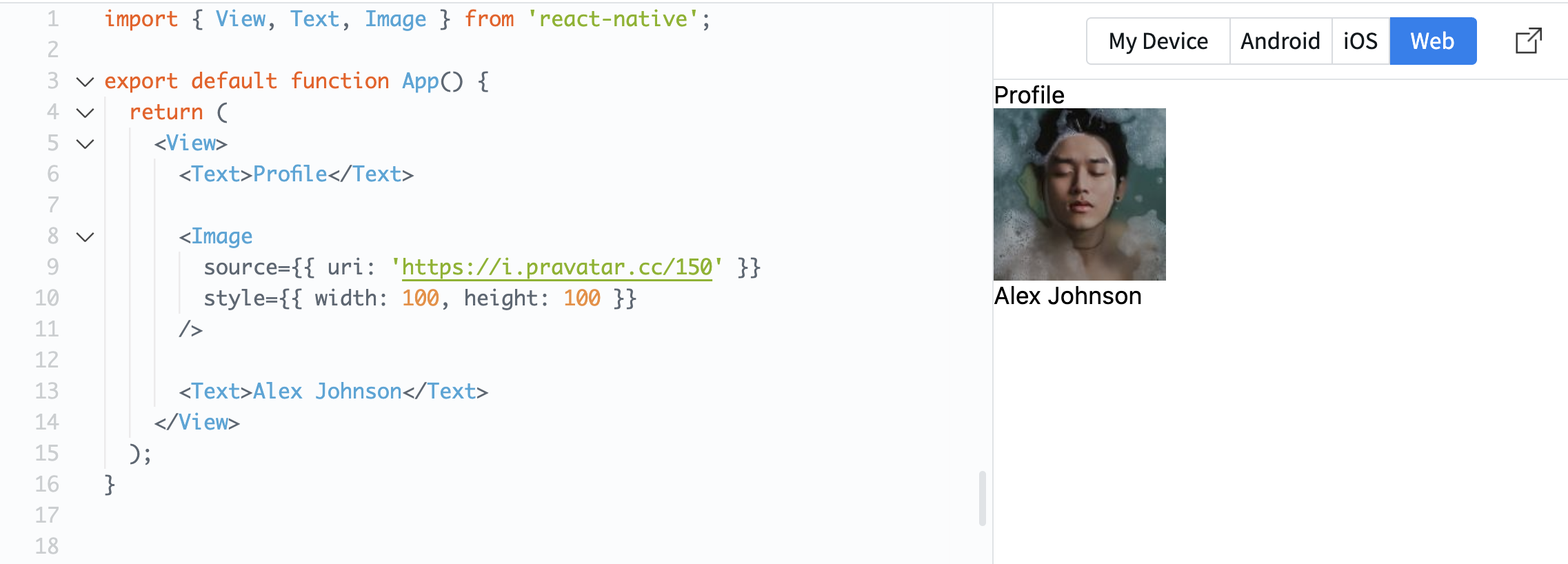
import { View, Text, Image } from 'react-native';

export default function App() {
  return (
    <View>
      <Text>Profile</Text>

      <Image
        source={{ uri: 'https://i.pravatar.cc/150' }}
        style={{ width: 100, height: 100 }}
      />

      <Text>Alex Johnson</Text>
    </View>
  );
}
The source property defines where the image comes from. In this case, it uses a URL.
The style property is required for images. Without width and height, the image will not be visible.
Now your screen starts to look more like a real mobile interface.
Oliko kaikki selvää?
Kiitos palautteestasi!
Osio 1. Luku 3
Kysy tekoälyä

Kysy tekoälyä

Kysy mitä tahansa tai kokeile jotakin ehdotetuista kysymyksistä aloittaaksesi keskustelumme
Osio 1. Luku 3
