Gestion des règles de mise en forme
Glissez pour afficher le menu
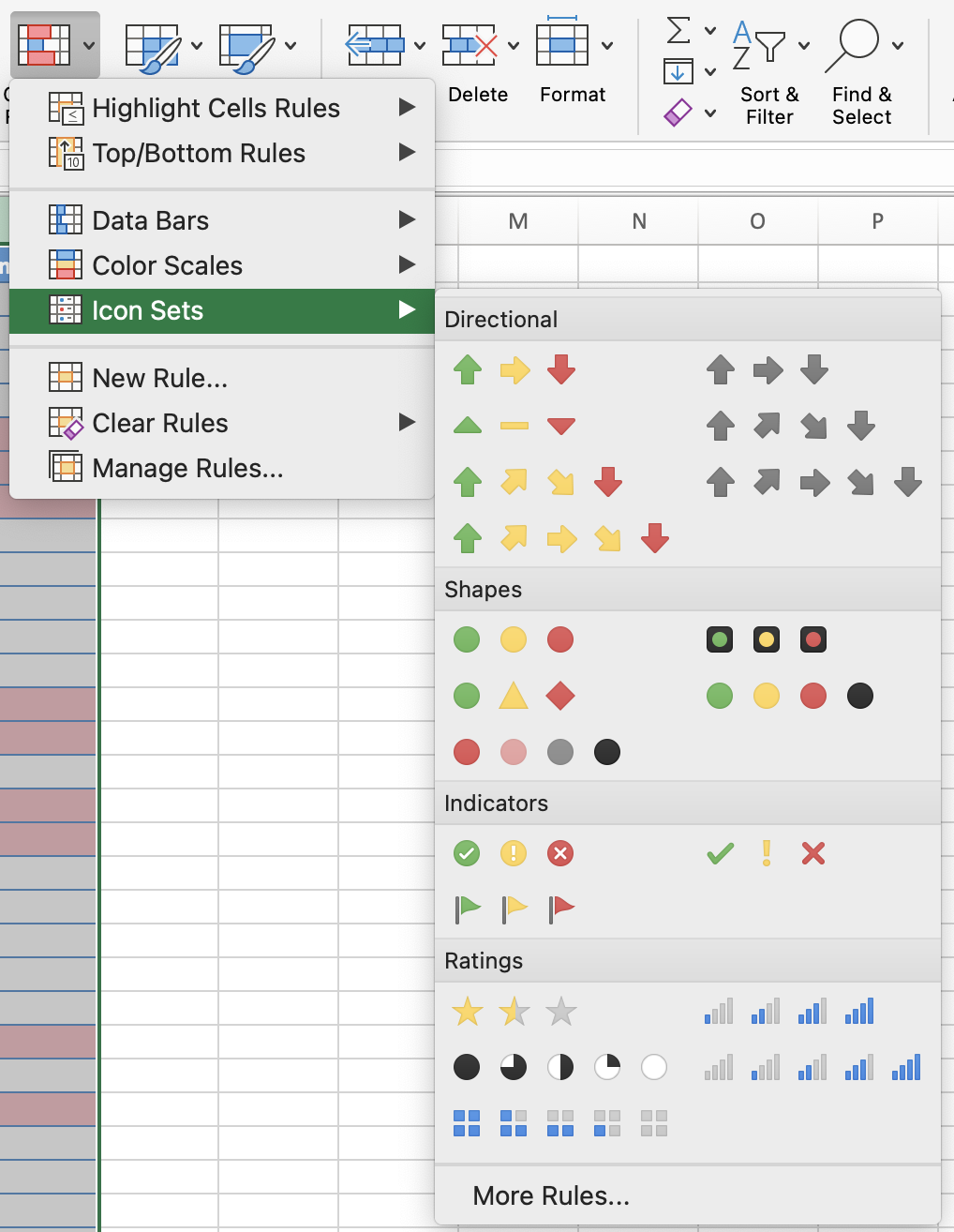
Jeux d'icônes placent un petit symbole visuel : un feu de signalisation, une flèche, un drapeau — directement dans la cellule. Le lecteur n'a pas besoin de lire le chiffre pour comprendre si quelque chose est satisfaisant, limite ou problématique.
Règles basées sur les dates
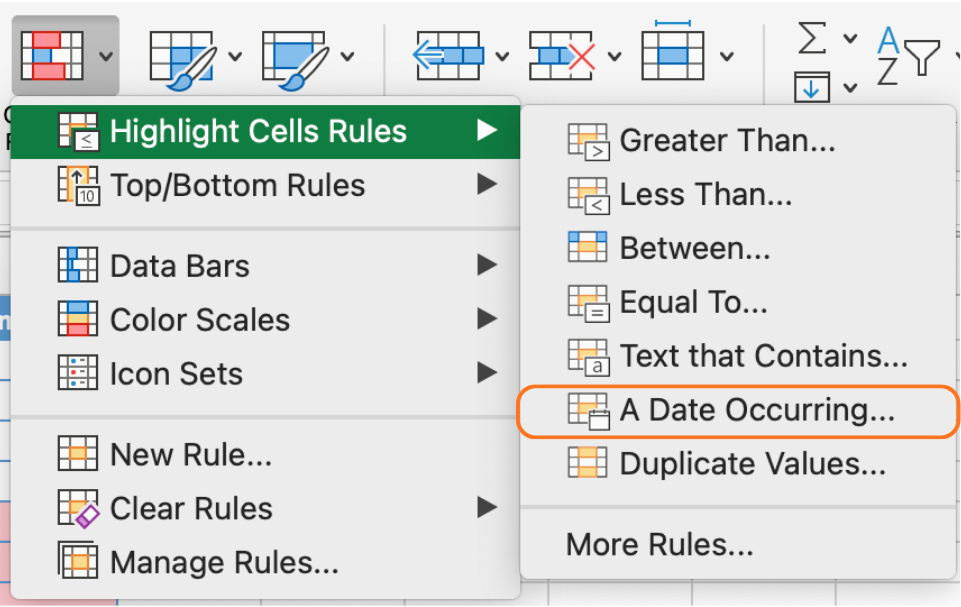
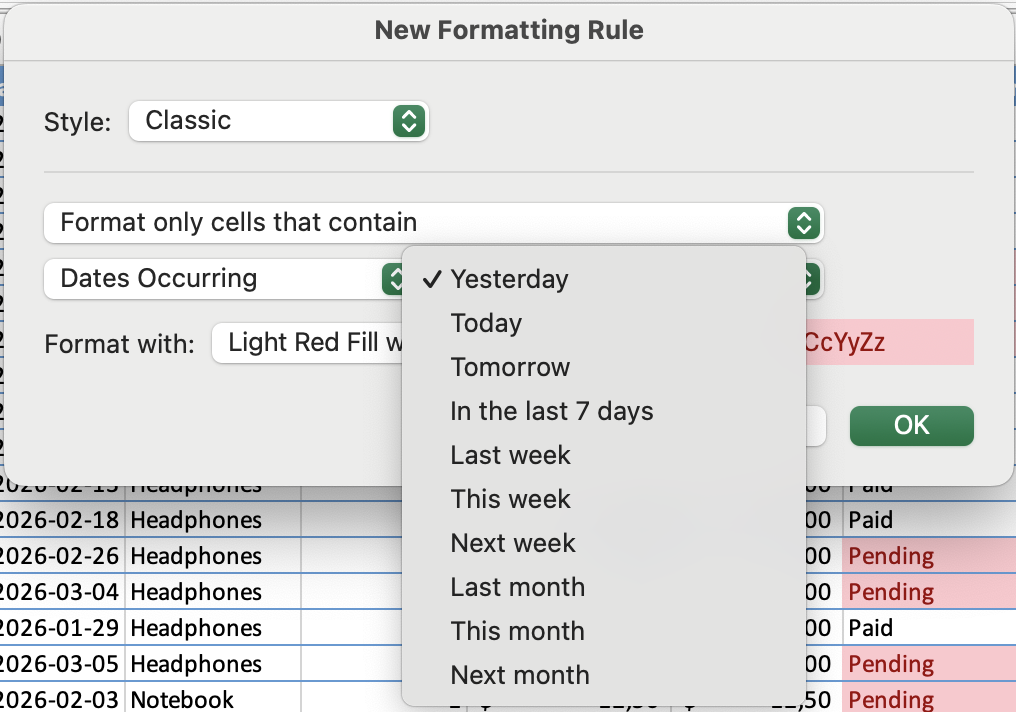
Les règles basées sur les dates sont particulièrement utiles pour les échéances, les dates limites et les calendriers de paiement. Une colonne de dates d'échéance de paiement peut mettre en surbrillance en ambre les dates tombant cette semaine, en rouge celles déjà dépassées, tandis que les dates à plus d'un mois restent non formatées.
Tâche
- Appliquer un jeu d’icônes aux Ventes totales (KPI)
Repérer la valeur Total Sales dans la section Résumé.
Aller dans Mise en forme conditionnelle → Jeux d’icônes → Autres règles.
Définir les seuils selon l’objectif de 3000 USD :
- Vert → valeur ≥ 3000
- Jaune → autour de 3000 (par exemple, ≥ 2500)
- Rouge → valeur < 2500
Vérifier que l’icône reflète la valeur actuelle de Total Sales.
- Afficher uniquement l’icône
Ouvrir Mise en forme conditionnelle → Gérer les règles et modifier la règle du jeu d’icônes.
Activer Afficher uniquement l’icône.
Vérifier que seule l’icône est visible (sans le nombre).
- Tester le comportement dynamique
Ajouter une nouvelle commande pour augmenter Total Sales.
Revenir à la section Résumé.
Vérifier que l’icône se met à jour automatiquement selon le nouveau total.
- Appliquer une règle basée sur la date
Sélectionner la colonne Payment Deadline.
Aller dans Mise en forme conditionnelle → Règles de mise en surbrillance des cellules → Une date se produisant.
Choisir une condition telle que Cette semaine ou La semaine prochaine.
Vérifier que seules les dates correspondantes sont mises en surbrillance.
- Revoir et gérer les règles
Ouvrir Mise en forme conditionnelle → Gérer les règles.
Repérer les deux règles (jeu d’icônes et règle de date).
Vérifier que vous pouvez modifier les seuils, changer la mise en forme, supprimer ou réorganiser les règles.
Merci pour vos commentaires !
Demandez à l'IA

Demandez à l'IA

Posez n'importe quelle question ou essayez l'une des questions suggérées pour commencer notre discussion
