スレッドからのコンテキストを使用した返信
メニューを表示するにはスワイプしてください
メールに返信する際、スレッド全体を読んで状況を把握するのは時間がかかります。Geminiは、既存の会話内容に基づいて返信文を生成するのに役立ちます。
状況
マネージャーから複数のタスクの進捗状況について問い合わせるメッセージを受信。 メールにはすでにすべての状況、締切、期待事項が記載されています。 完了した内容と進行中の内容を明確に示して返信する必要があります。

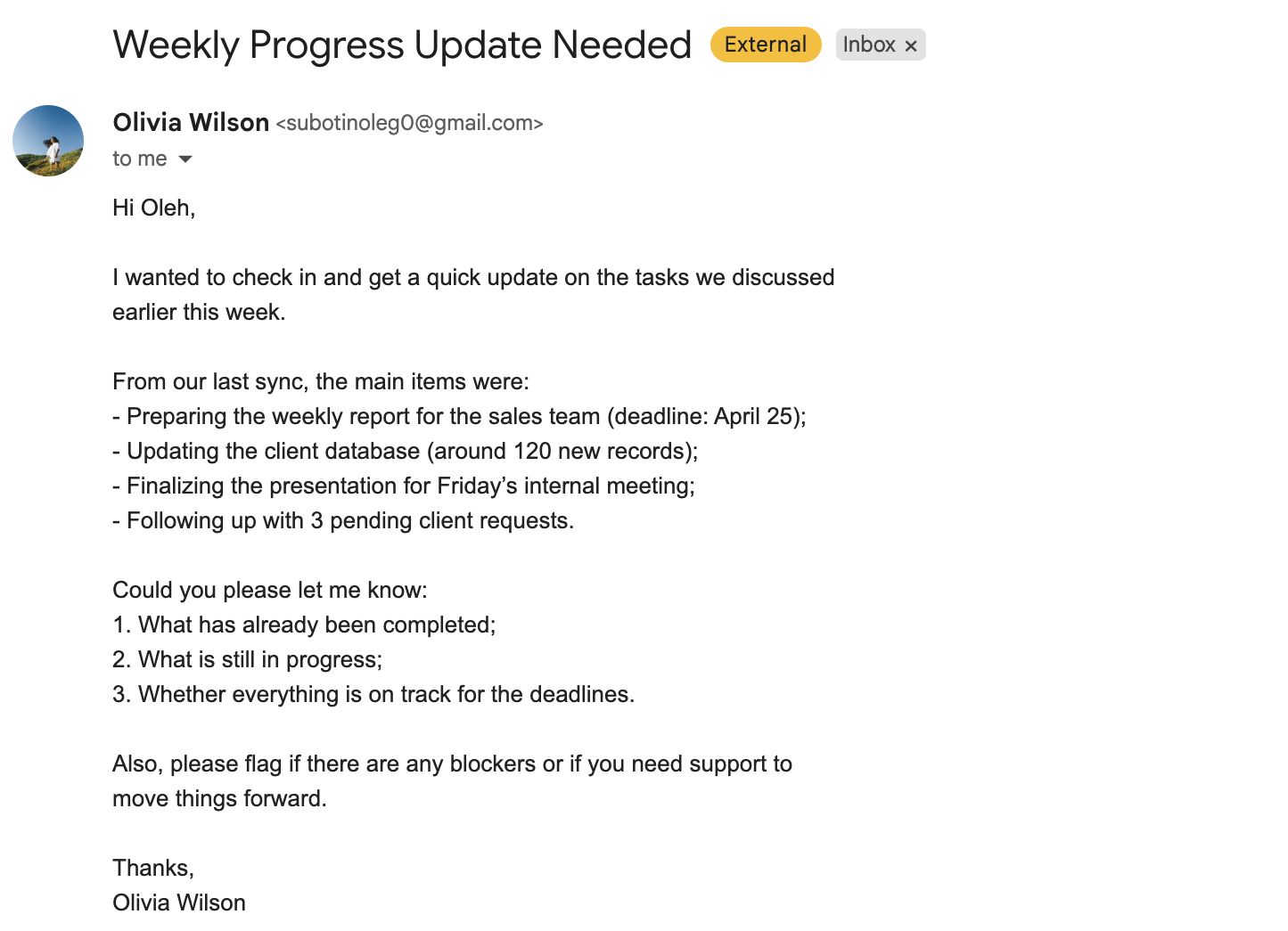
Hi,
I wanted to check in and get a quick update on the tasks we discussed earlier this week.
From our last sync, the main items were:
- Preparing the weekly report for the sales team (deadline: April 25);
- Updating the client database (around 120 new records);
- Finalizing the presentation for Friday's internal meeting;
- Following up with 3 pending client requests.
Could you please let me know:
- What has already been completed;
- What is still in progress;
- Whether everything is on track for the deadlines.
Also, please flag if there are any blockers or if you need support to move things forward.
Thanks, Olivia Wilson
仕組み
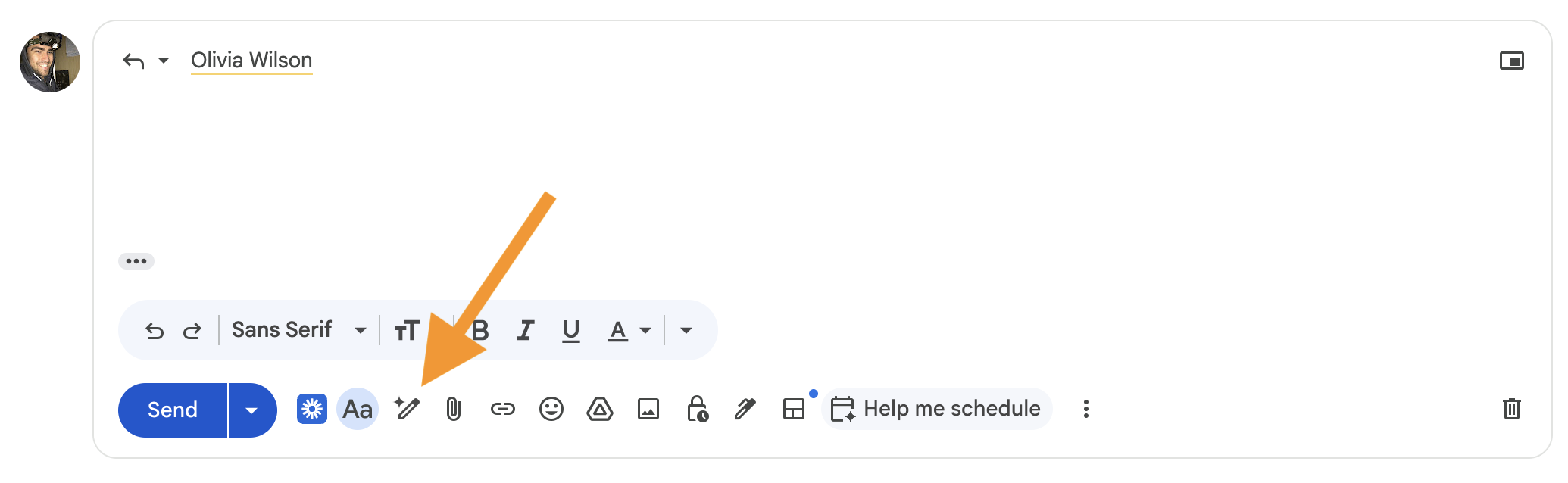
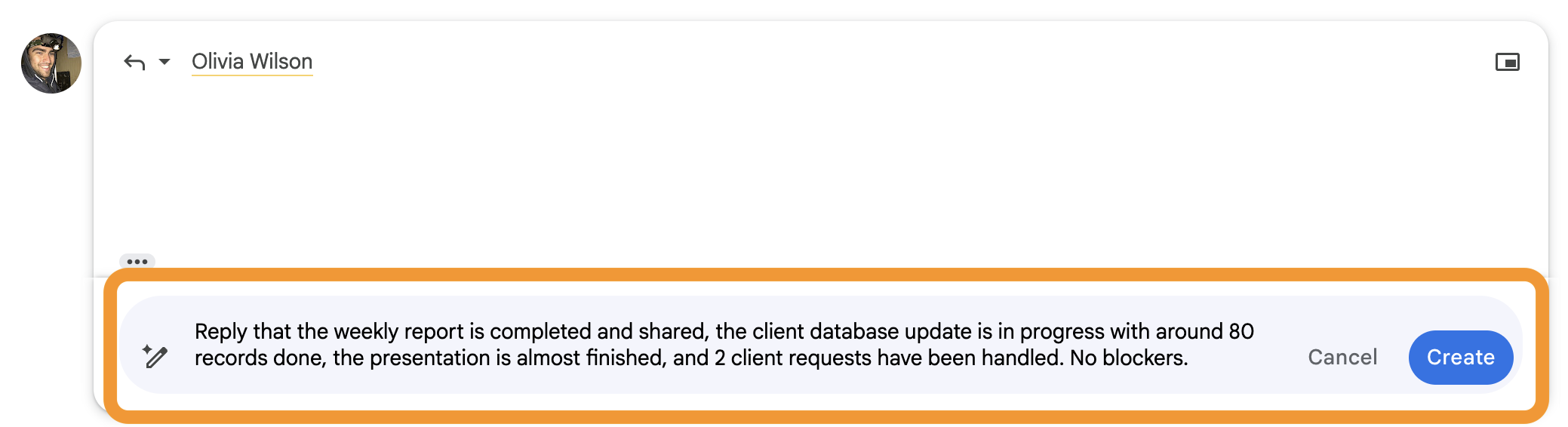
Gmail内でスレッドを開き、「ヘルプミーライティング」をクリック。 メール全体を繰り返す必要はありません。 変更点のみを記述。

週次レポートが完了し共有済みであること、クライアントデータベースの更新は進行中で約80件が完了していること、プレゼンテーションはほぼ完成していること、2件のクライアントリクエストに対応済みであること、ブロッカーはなし。
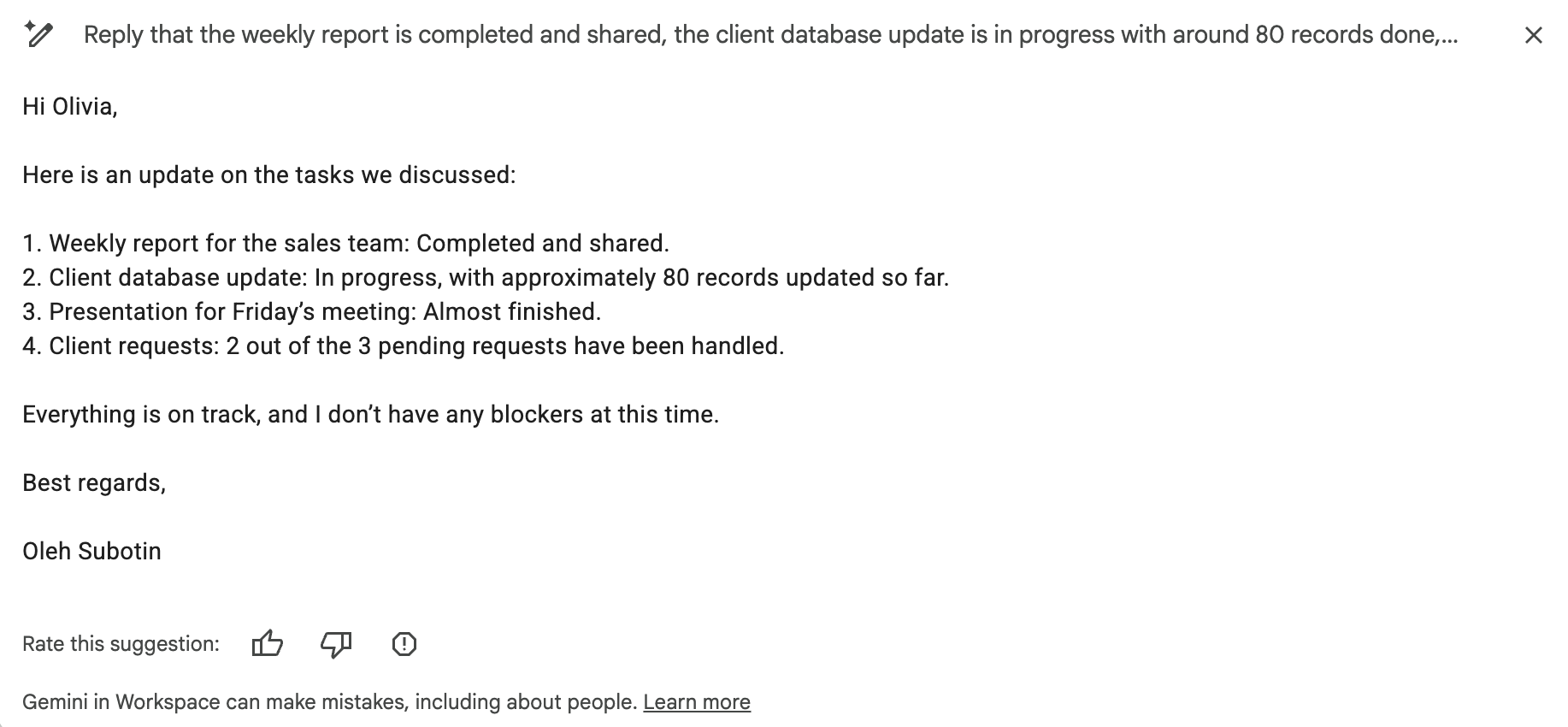
返信内容:
- 元のメール内容を反映
- 実際の進捗状況を含む
- すべての質問に明確に回答
全体の文脈を書き直す必要はありません。 更新内容のみを記述し、Geminiが完全な返信を作成します。
フィードバックありがとうございます!
AIに質問する

AIに質問する

何でも質問するか、提案された質問の1つを試してチャットを始めてください
