マージコンフリクト
メニューを表示するにはスワイプしてください
マージコンフリクトの理解
マージコンフリクトは、2つの分岐したブランチで行われた変更をGitが自動的に統合できない場合に発生します。これは通常、両方のブランチで同じファイルの同じ行に対して、最後の共通の祖先以降に変更が加えられた場合に発生します。
ワークフロー例
まず、リポジトリ内のすべてのブランチを一覧表示します:
git branch
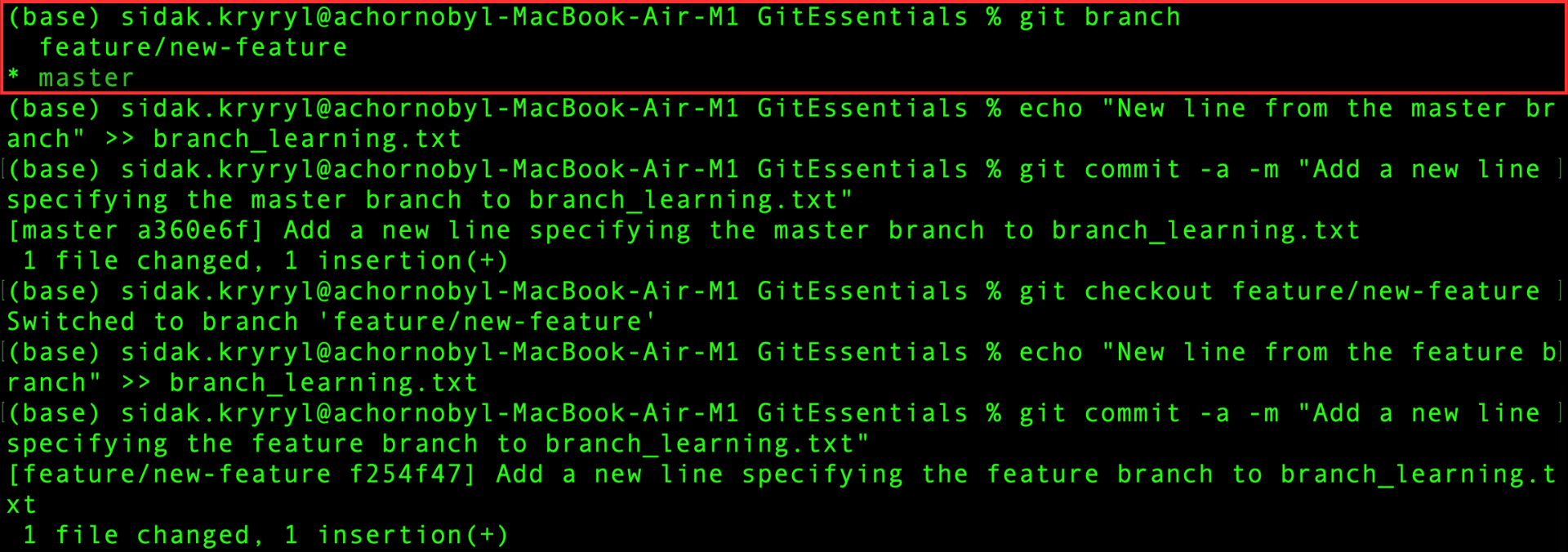
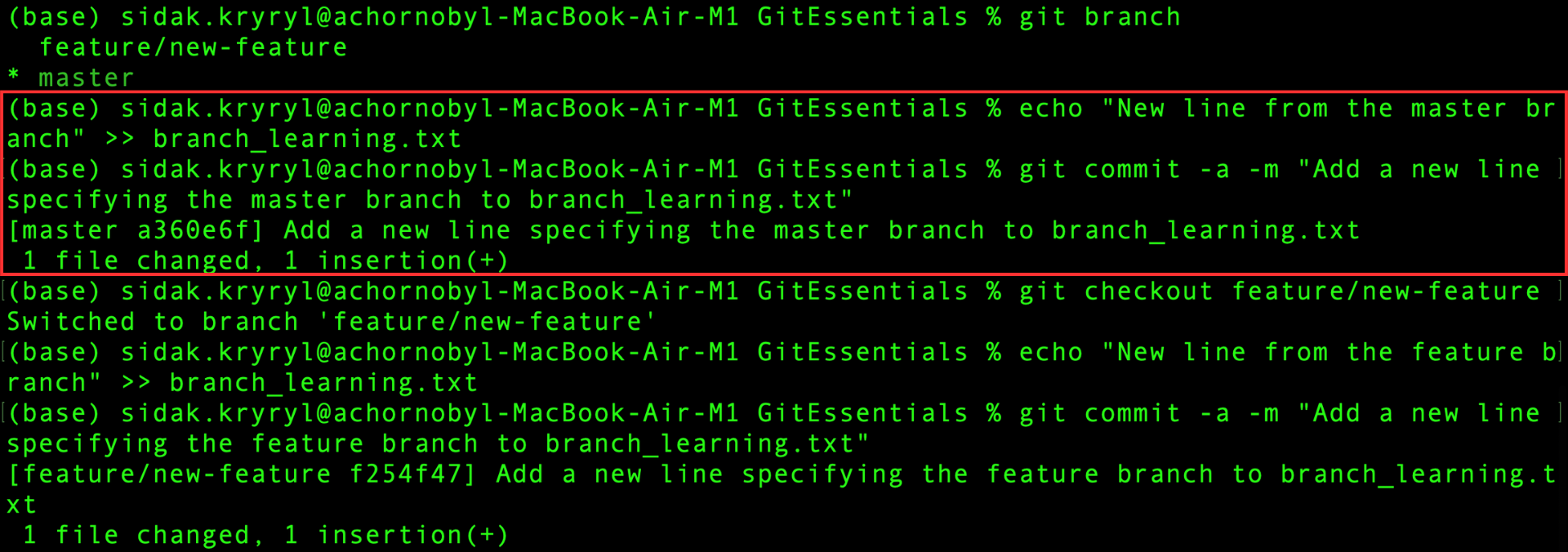
現在、master ブランチ上にいるため、branch_learning.txt ファイルに新しい行を追加し、この変更を直接コミットします:
echo "New line from the master branch" >> branch_learning.txt
git commit -a -m "Add a new line specifying the master branch to branch_learning.txt"
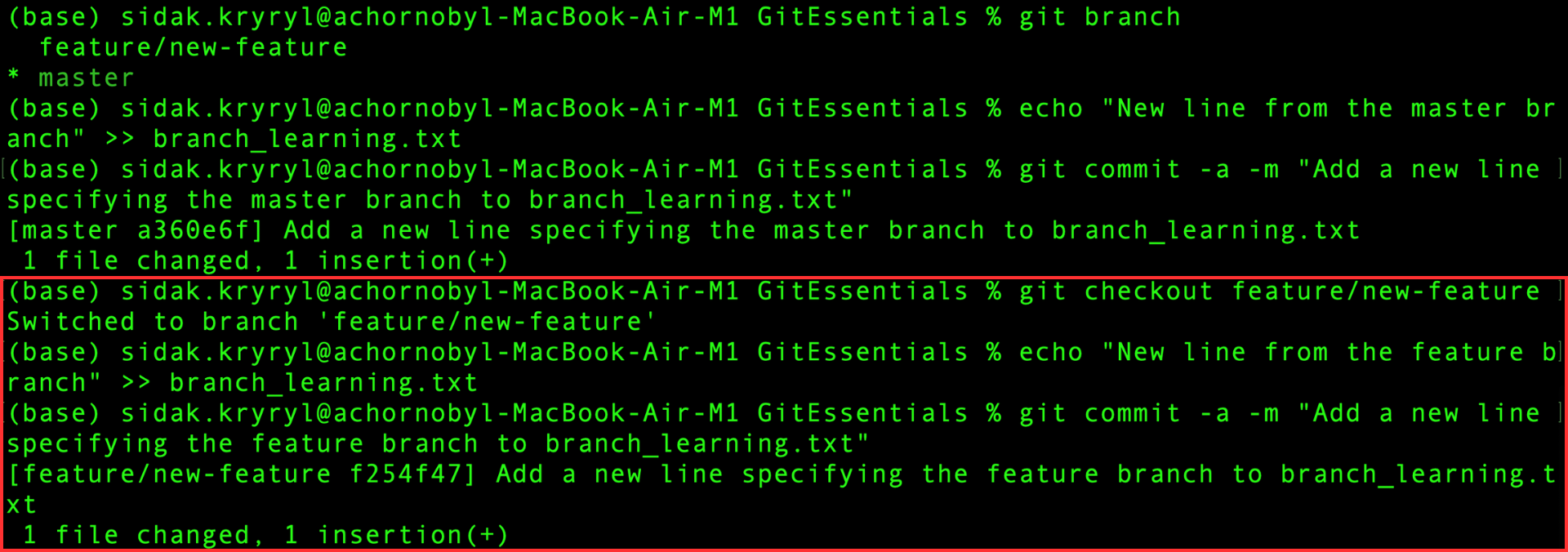
次に、feature ブランチに切り替え、branch_learning.txt ファイルに別の新しい行を追加し、この変更を直接コミットします:
git checkout feature/new-feature
echo "New line from the feature branch" >> branch_learning.txt
git commit -a -m "Add a new line specifying the feature branch to branch_learning.txt"
両方のコミットが成功したので、masterブランチに戻り、featureブランチをマージします:
git checkout master
git merge feature/new-feature
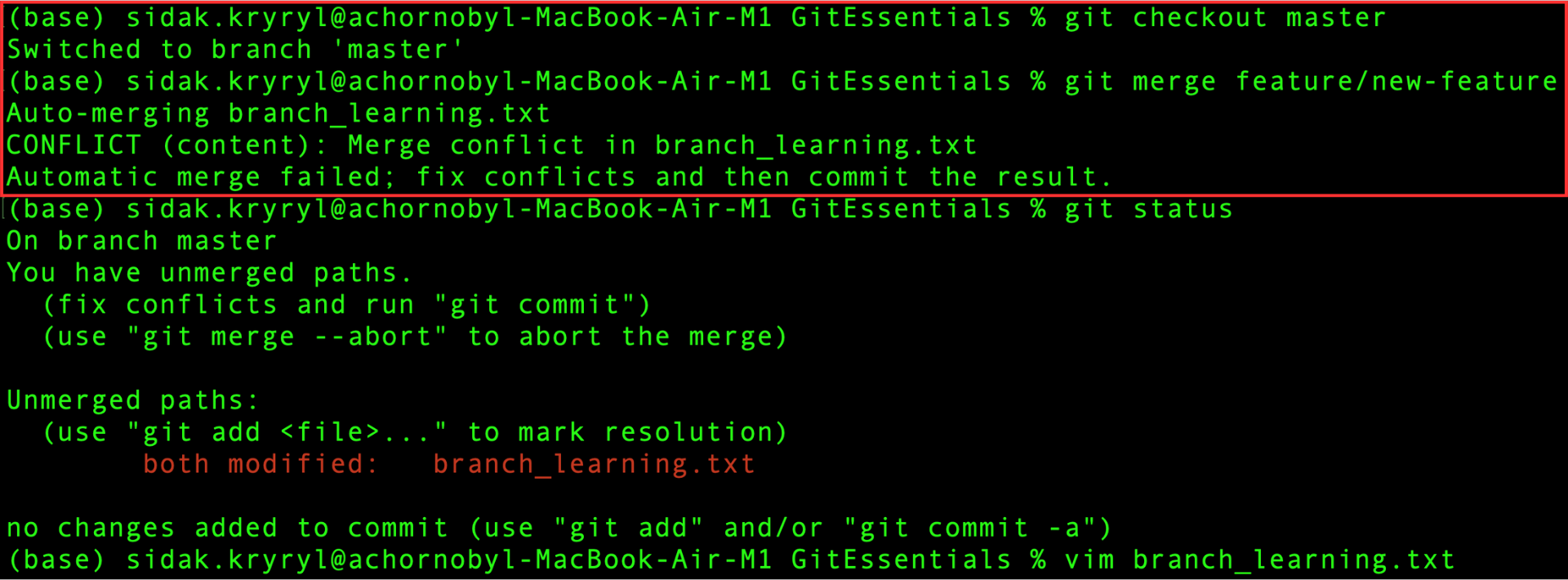
同じファイルの同じ行がブランチ間で異なるため、マージコンフリクトが発生。Gitは自動的に解決できません。
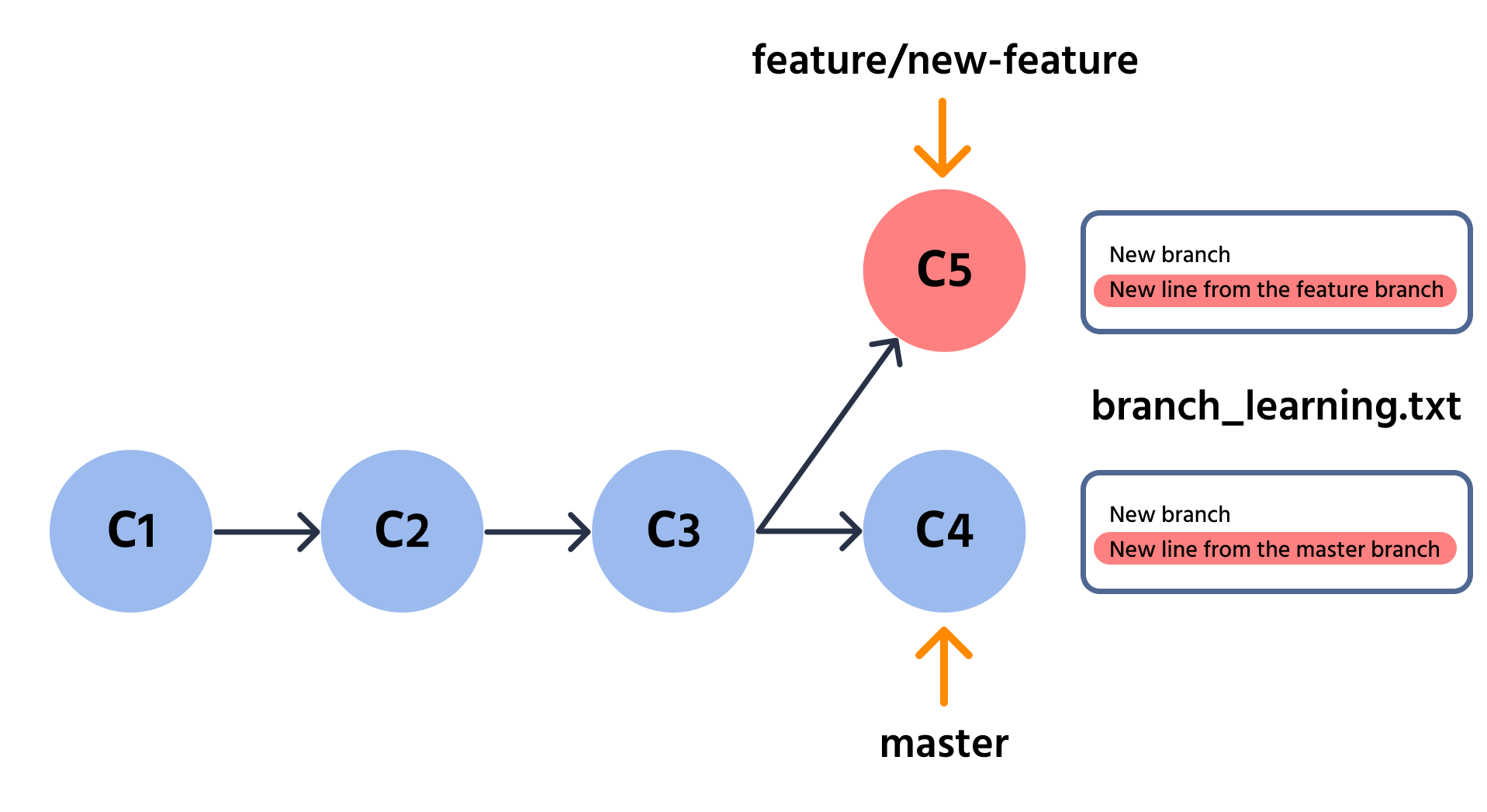
git status コマンドを実行して、コンフリクトに関する詳細情報を確認します:
git status
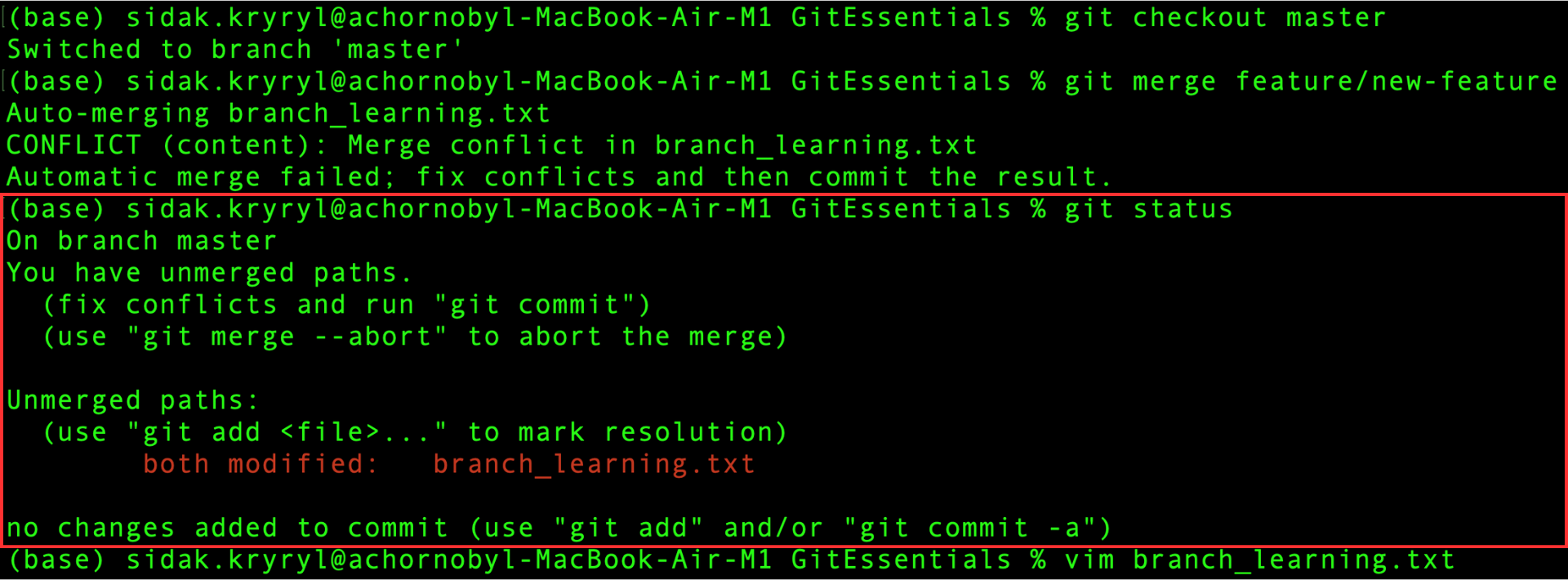
このメッセージは、マージを中止するか、コンフリクトを解消して変更をコミットする必要があることを示しています。 後者の方法で進め、次の章でコンフリクトを解消します。
すべて明確でしたか?
フィードバックありがとうございます!
セクション 4. 章 5
AIに質問する

AIに質問する

何でも質問するか、提案された質問の1つを試してチャットを始めてください
