Notice: This page requires JavaScript to function properly.
Please enable JavaScript in your browser settings or update your browser.
学ぶ Git Directory and Working Tree | Introduction to Git
Git Essentials

bookGit Directory and Working Tree

メニューを表示するにはスワイプしてください

You have just created a local Git repository for your project. As mentioned earlier, running the git init command also creates a hidden .git directory. Now, explore this directory in more detail.

Git Directory

Run the ls -la command to list all files and directories, including hidden ones that start with a dot, inside your project directory:

Listing all directories and files

Here, you can see that our project directory indeed contains the hidden .git directory. If you are not already in the project directory , use the cd command to change your current working directory to it.

Note
Note

All of the three entries of the list start with the d character indicating that the entry is a directory.

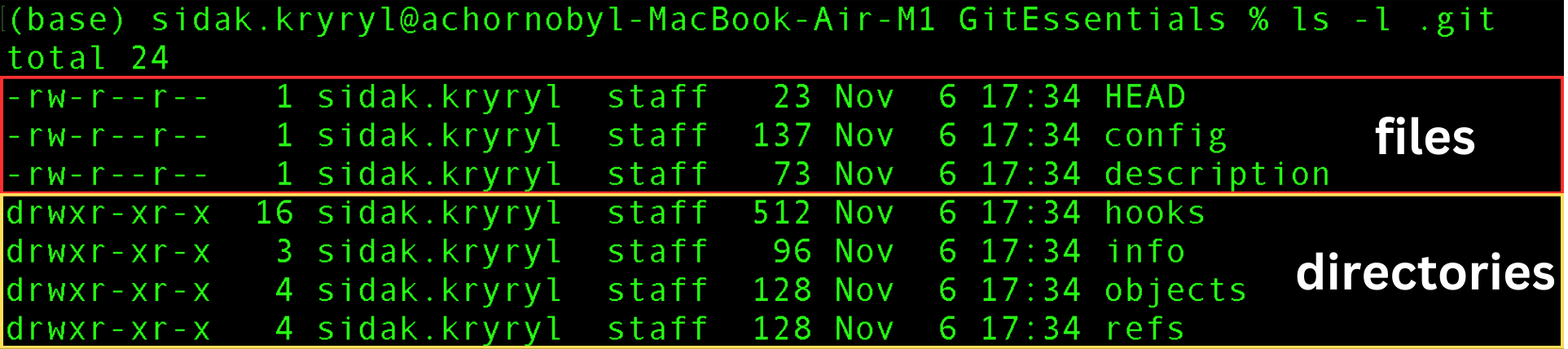
Run the ls -l .git command to list all regular (non-hidden) files and directories inside the .git directory:

Listing regular files and directories inside the .git directory

The first three entries that start with the - character are regular files, and the last four entries are directories. For now, these files and directories will not be discussed in detail. You will use commands to interact with them rather than modifying them directly.

Basically, you can treat the .git directory as the centralized database for your project, responsible for storing changes and their history. Once again, when you initialize a new repository using git init, a new .git directory is created. Similarly, when you clone a repository, this .git directory is copied to your local machine.

Working Tree

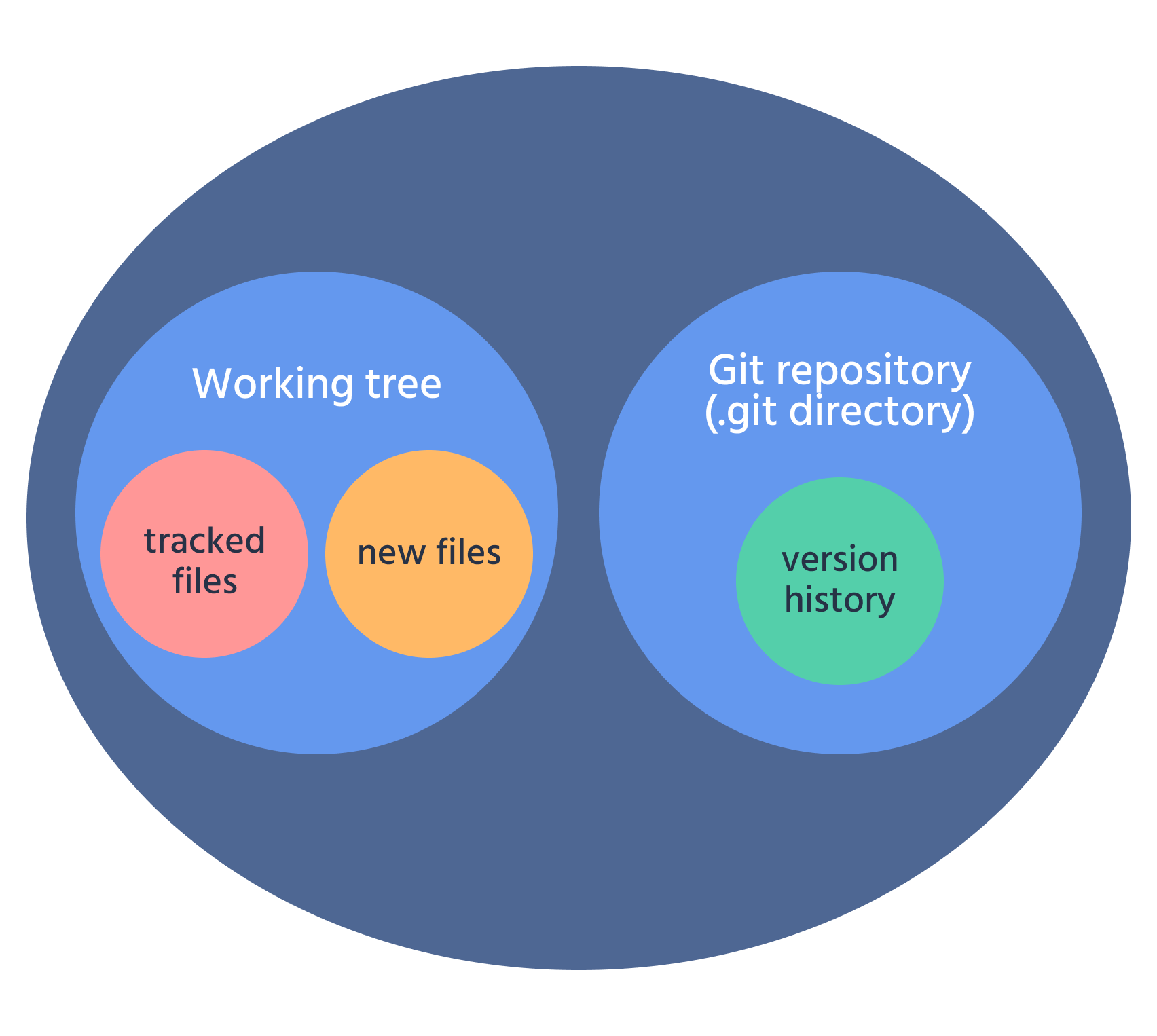
The working tree (or working directory) is the directory that represents the current state or version of your project. It is where you make all modifications and updates to your files.

Note
Note

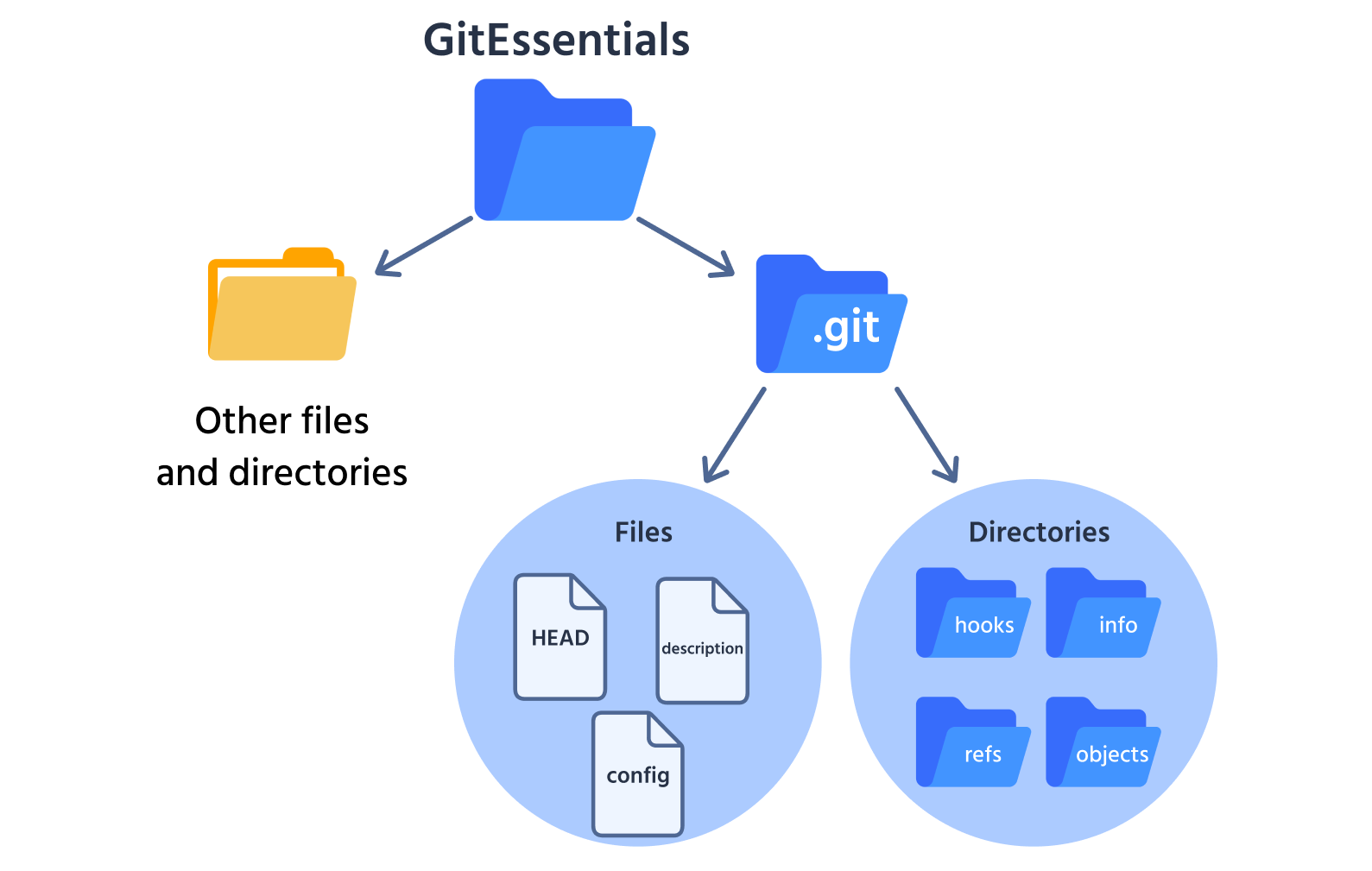
The working tree contains all the files and folders outside the .git directory.

Take a look at the visualization to make this concept clear:

The .git directory does not include the working tree.

The working tree contains all files currently tracked by Git, along with any new files that have not yet been added to tracking. Use the following command to check the state (status) of the working tree:

Run the git status command to check the state of your working tree:

Empty working tree

The working tree is empty because the project directory does not contain any files yet.

question mark

What does the git init command do, and what is the purpose of the hidden .git directory?

正しい答えを選んでください

すべて明確でしたか?

どのように改善できますか?

フィードバックありがとうございます!

セクション 1.  6

AIに質問する

expand

AIに質問する

ChatGPT

何でも質問するか、提案された質問の1つを試してチャットを始めてください

セクション 1.  6
some-alt