Notice: This page requires JavaScript to function properly.
Please enable JavaScript in your browser settings or update your browser.
学ぶ Reverting Staged Changes | Undoing Changes
Git Essentials

bookReverting Staged Changes

メニューを表示するにはスワイプしてください

Sometimes, changes are staged for commit, but upon further consideration, you realize that certain modifications should not be included. Luckily, it is possible to revert staged changes in Git, ensuring that your commits accurately reflect the intended modifications.

Undoing Staged Changes with git restore

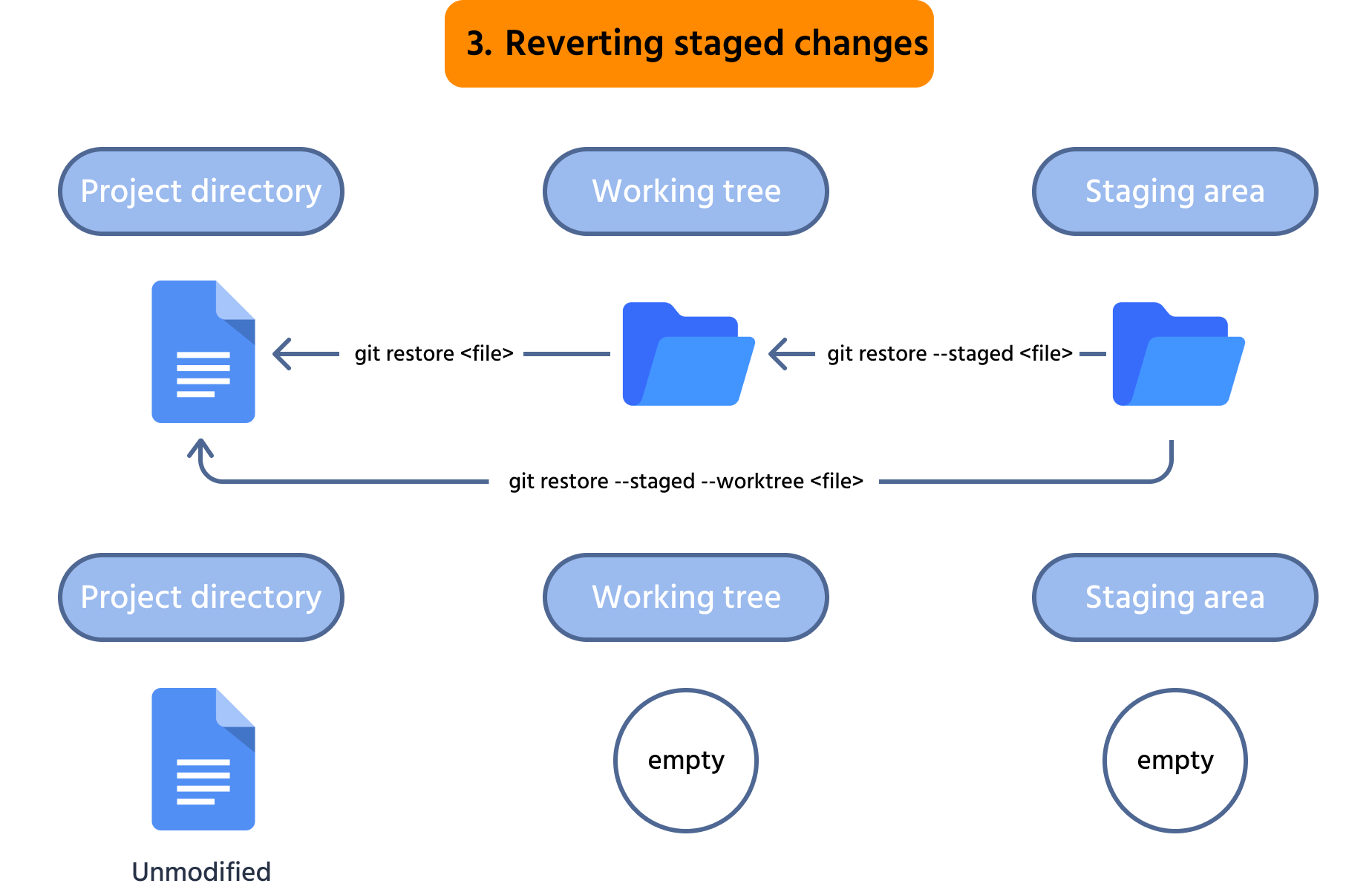
The git restore command is a powerful tool for reverting staged changes. To undo modifications in files that have been staged but not yet committed, you can use the following command:

git restore --staged <file>

Where <file> is the name of the files or its path relative to the project directory. The --staged flag here "tells" Git to restore the changes in the staging area. After running this command the changes in the <file> will be unstaged.

Note
Note

This command doesn't revert the changes in the working tree. Instead, it only unstages them.

In case you want to unstage and then revert the changes in the working directory, you can use the following command:

git restore --staged --worktree <file>

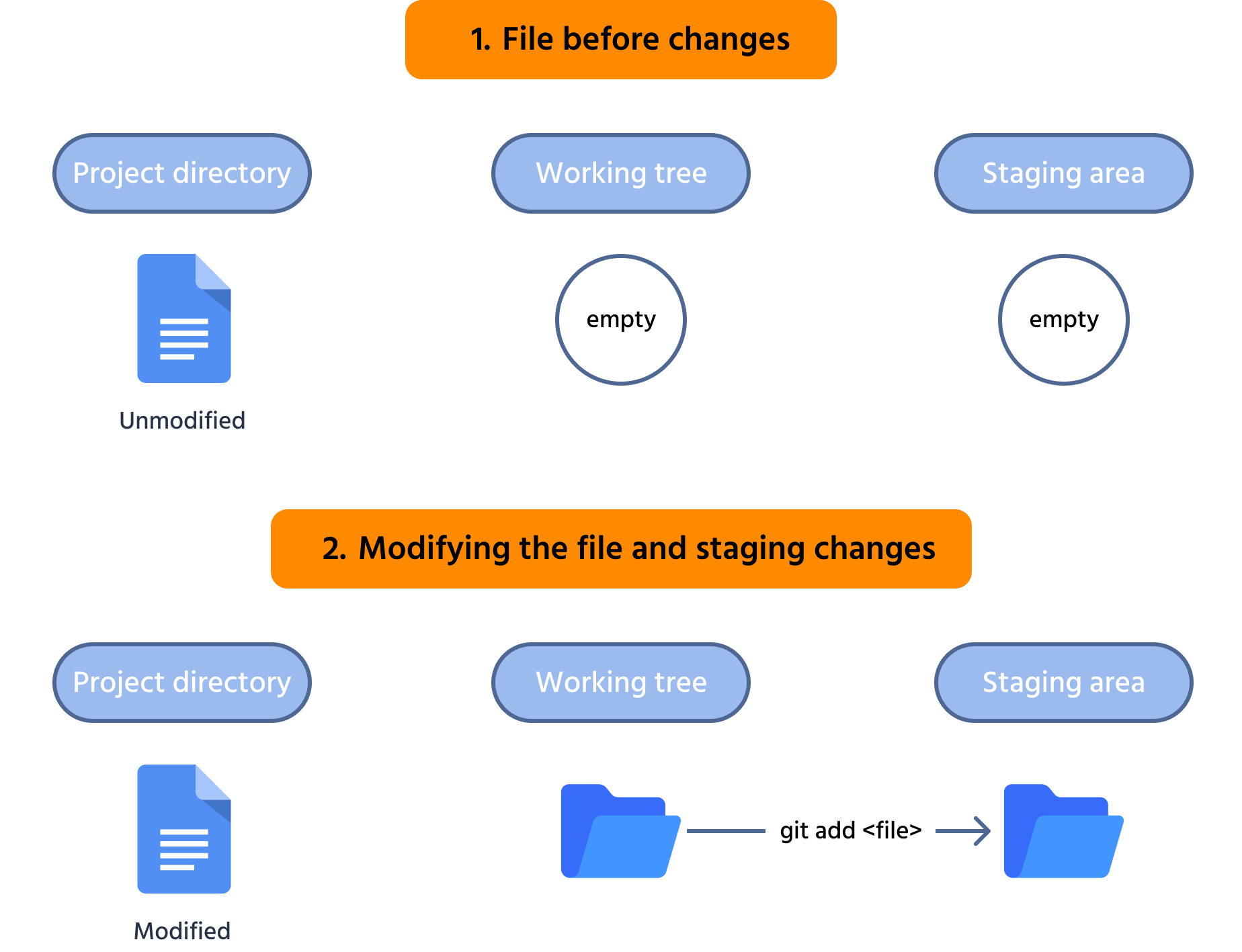
Here is an image to make things clear:

Example Workflow

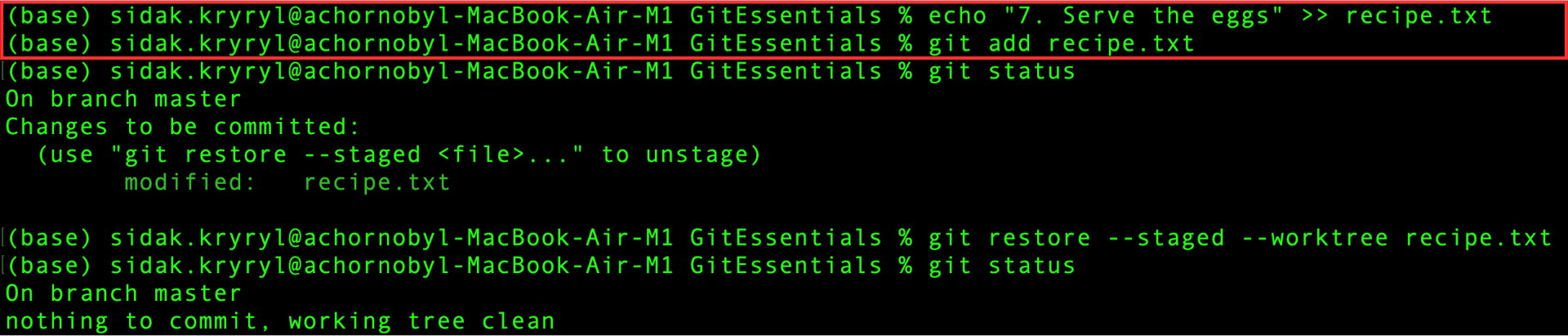
Suppose you want to add another line with the next step of the recipe:

Unlike in the previous chapter, no mistake was made, so stage this change:

Modifying the recipe.txt file

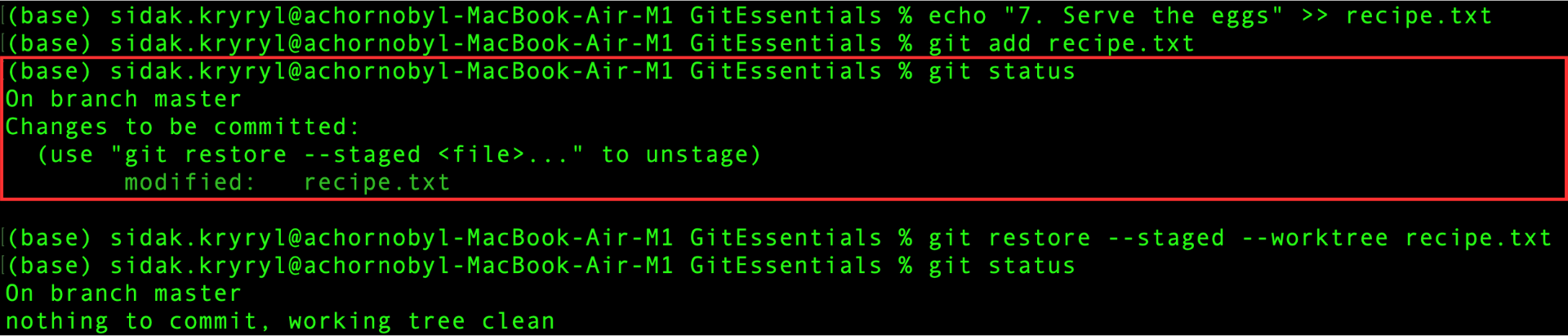
However, after reconsidering before committing, it appears that adding this line to the recipe file is unnecessary. Therefore, completely revert this change. First, check the status of the working tree and staging area:

Checking status

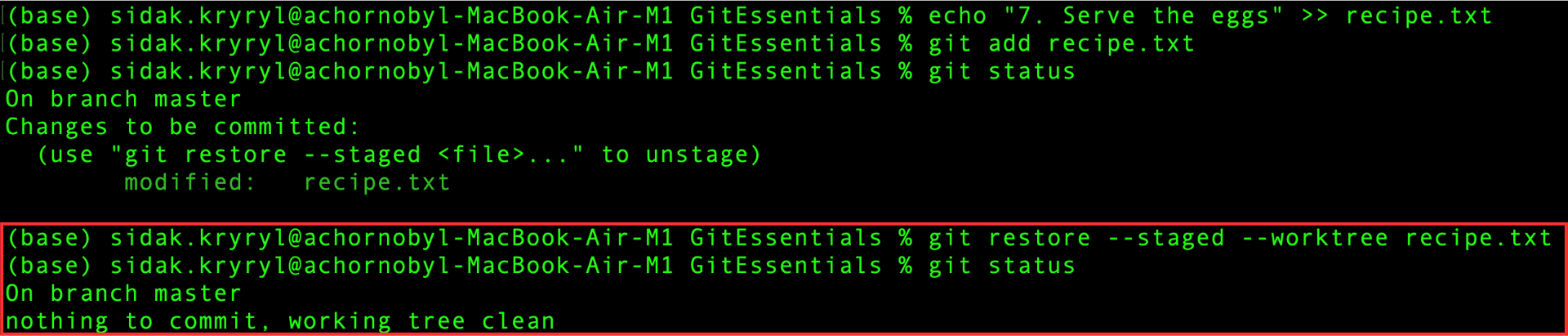
This change is indeed staged, so run the git restore command with the appropriate flags to fully revert it:

Finally, verify that both the working tree and staging area are clean:

Reverting staged changes
question-icon

Match the actions with the respective commands.

Unstage changes:
Unstage and revert the changes in the working directory:

Revert the changes in the working directory:

クリックまたはドラッグ`n`ドロップして空欄を埋めてください

すべて明確でしたか?

どのように改善できますか?

フィードバックありがとうございます!

セクション 3.  2

AIに質問する

expand

AIに質問する

ChatGPT

何でも質問するか、提案された質問の1つを試してチャットを始めてください

セクション 3.  2
some-alt