AI for Reporting and Data Analysis
メニューを表示するにはスワイプしてください
Reporting is one of the highest-cost, lowest-satisfaction tasks in most operations teams. It is time-consuming, repetitive, and rarely feels like the work that actually moves the business forward. It is also one of the clearest AI wins available – because the process is predictable, the inputs are consistent, and the output format is usually well-defined.
What AI Can Do with Your Data
Claude can work directly with the data you give it – uploaded spreadsheets, pasted tables, CSV files, or even a raw dump of numbers from your CRM. It does not need a database connection or a custom integration. You give it the data, tell it what you need, and it produces the analysis.
What this looks like in practice:
- Upload last month's sales data and ask for a summary of performance by region with variance from target;
- Paste your weekly support ticket log and ask for the top five issue categories ranked by volume and average resolution time;
- Give it three months of operational metrics and ask it to identify trends, flag anomalies, and suggest two areas to investigate further.
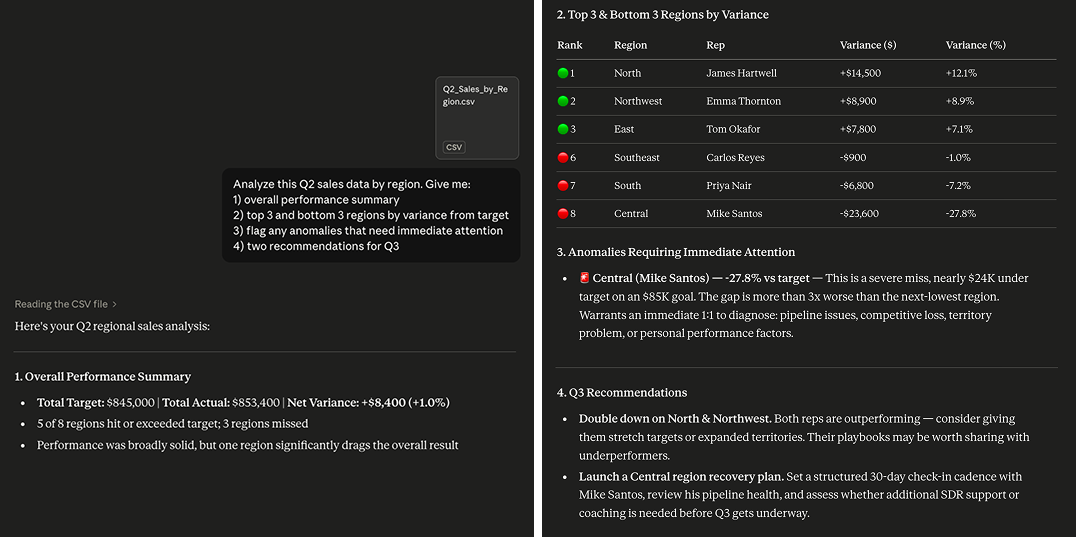

Claude works best with clean, well-structured data. If your spreadsheet has merged cells, inconsistent formatting or multiple header rows, clean it up before uploading. A few minutes of preparation significantly improves the quality of the output.
Building a Recurring Reporting Workflow
The most valuable reporting use of Claude is not a one-off analysis – it is a repeatable workflow that produces a consistent output every week or month with minimal manual effort.
The pattern looks like this:
- Export your data from whatever system it lives in – your CRM, your project management tool, your support platform;
- Upload it to Claude with a saved prompt template that specifies exactly what analysis you need and in what format;
- Review the output, make any adjustments, and distribute.
What previously took 3 hours of manual compilation and formatting now takes 15 minutes of export, upload and review.
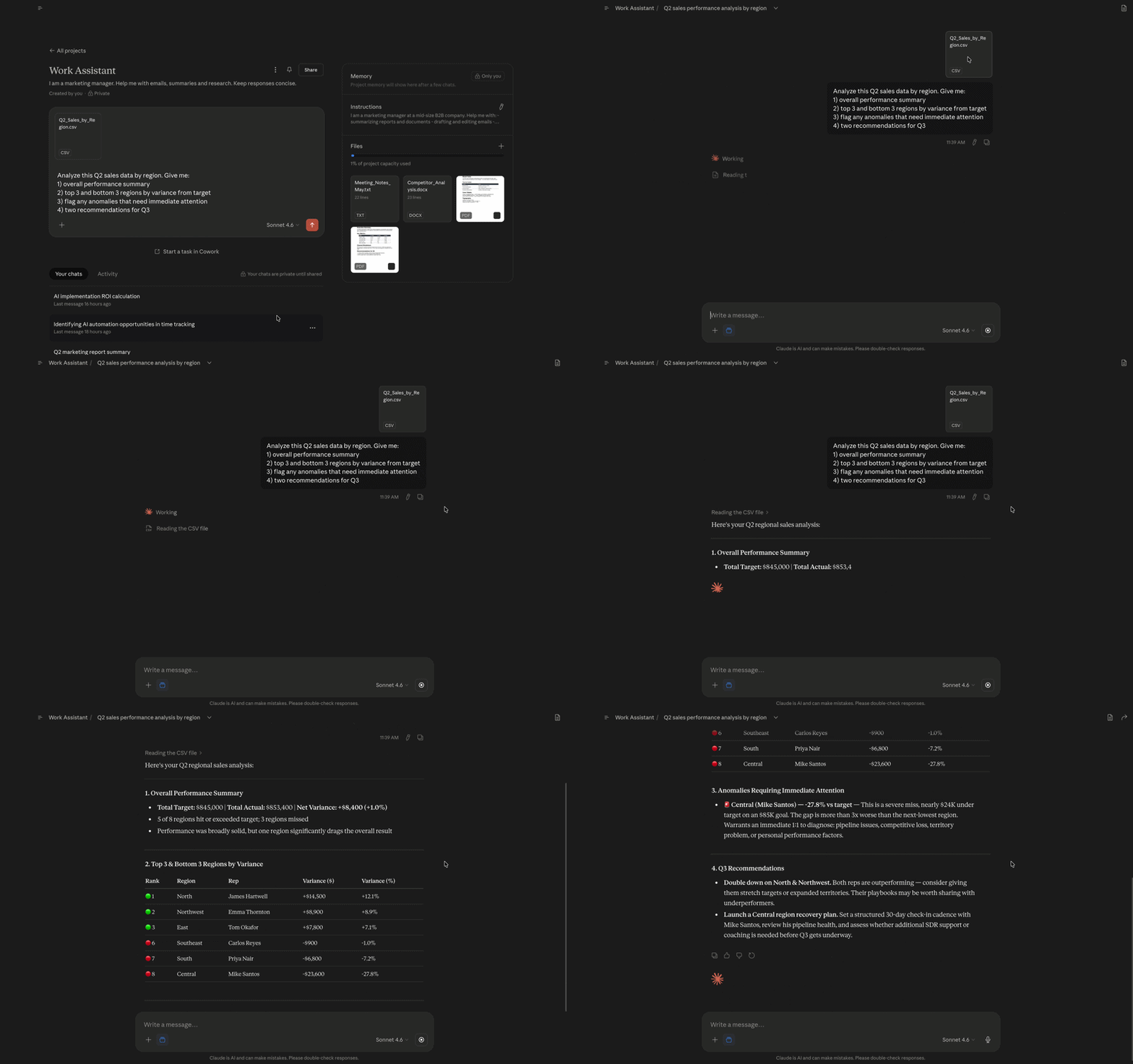

| Region | Sales Rep | Q2 Target ($) | Q2 Actual ($) | Variance ($) | Variance (%) |
|---|---|---|---|---|---|
| North | James Hartwell | 120,000 | 134,500 | +14,500 | +12.1% |
| South | Priya Nair | 95,000 | 88,200 | -6,800 | -7.2% |
| East | Tom Okafor | 110,000 | 117,800 | +7,800 | +7.1% |
| West | Laura Chen | 130,000 | 131,200 | +1,200 | +0.9% |
| Central | Mike Santos | 85,000 | 61,400 | -23,600 | -27.8% |
| Northwest | Emma Thornton | 100,000 | 108,900 | +8,900 | +8.9% |
| Southeast | Carlos Reyes | 90,000 | 89,100 | -900 | -1.0% |
| Midwest | Anna Berg | 115,000 | 122,300 | +7,300 | +6.3% |

Prompt template for reporting – a reusable set of instructions that tells Claude exactly what analysis to perform, what format to use, and what to flag or highlight. Saved once and applied each reporting cycle, it ensures consistent output regardless of who runs the process.
When to Bring in Zapier
For reporting processes that run on a fixed schedule and pull from systems with Zapier integrations, you can remove the manual export step entirely. A Zapier automation can pull the data on a schedule, pass it to Claude for analysis, and route the output to wherever it needs to go – a Slack channel, an email, a Google Doc.
This is worth building when the reporting cycle is weekly or more frequent and the data source supports Zapier integration. For monthly or quarterly reports, the manual export approach is usually sufficient.
What about More Complex Data Analysis?
Claude handles straightforward analysis well – summaries, trends, rankings, variance calculations, anomaly flagging. For more complex statistical analysis, predictive modeling or large-scale data processing, dedicated business intelligence tools are more appropriate.
The practical distinction: if a skilled analyst could do the analysis in Excel without specialist statistical knowledge, Claude can likely handle it. If the analysis requires regression modeling, cohort analysis or real-time data feeds, you need a BI tool alongside Claude rather than instead of it.
For most operations teams, Claude covers 80% of their reporting needs. The remaining 20% that requires deeper analysis is where tools like Google Looker Studio or Power BI remain the right choice.
フィードバックありがとうございます!
AIに質問する

AIに質問する

何でも質問するか、提案された質問の1つを試してチャットを始めてください
