パイプラインによる効率的なデータ前処理
メニューを表示するにはスワイプしてください
make_column_transformer 関数を使用して列ごとに変換を行う機能を活用した後は、パイプラインの構築が次のステップとなります。パイプラインは、前処理の手順を整理し、それらを順番に適用するコンテナです。

Scikit-learn におけるパイプラインは、Pipeline モジュールの make_pipeline クラスコンストラクタまたは sklearn.pipeline 関数のいずれかを使って作成できます。本コースでは、より簡単に適用できる make_pipeline に焦点を当てます。
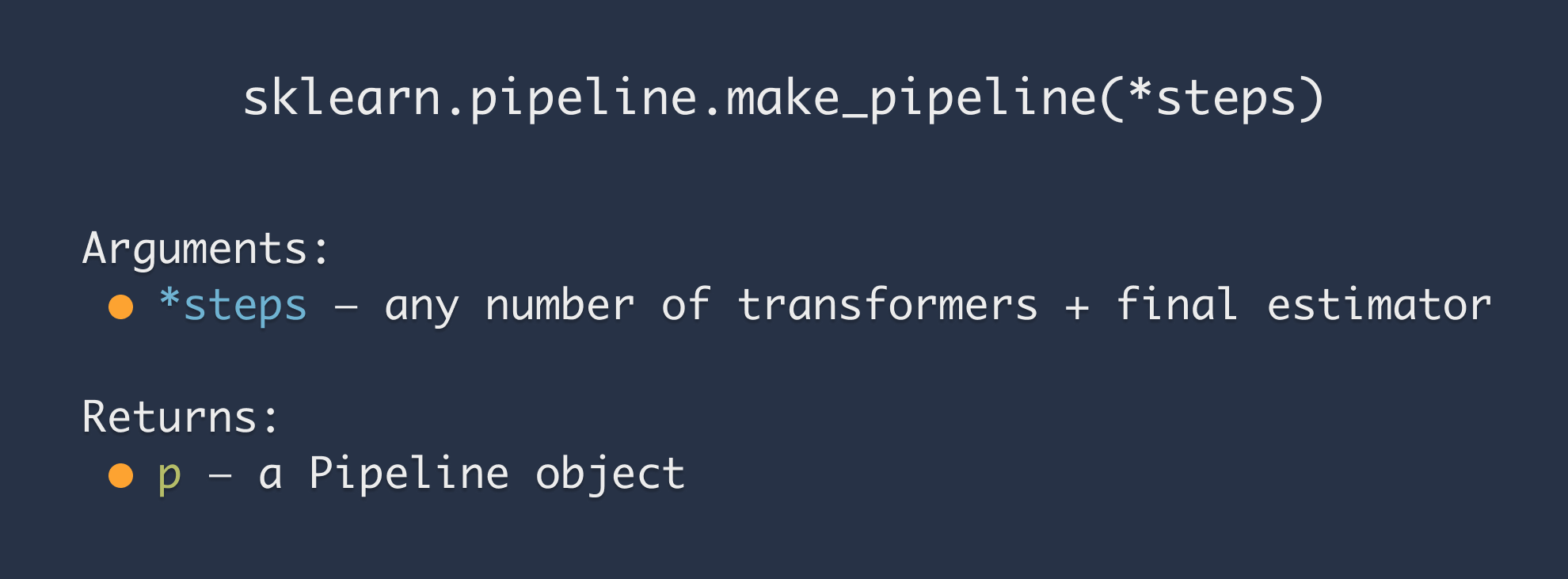
すべてのトランスフォーマーを関数の引数として渡すだけで十分です。パイプラインの作成は非常に簡単です。
ただし、.fit_transform(X)オブジェクトでPipelineメソッドを呼び出すと、パイプライン内のすべてのトランスフォーマーに対して.fit_transform(X)が適用されます。そのため、特定のカラムを異なる方法で処理したい場合は、ColumnTransformerを使用し、それをmake_pipeline()に渡す必要があります。

前の章と同じファイルを使用してパイプラインを構築。パイプラインには、SimpleImputerに加えてカテゴリカル特徴量用のエンコーダを含めること。データセットには名義特徴量と順序特徴量の両方が含まれているため、ColumnTransformerを使用して個別に処理すること。
1234567891011121314151617import pandas as pd from sklearn.compose import make_column_transformer from sklearn.preprocessing import OneHotEncoder, OrdinalEncoder from sklearn.impute import SimpleImputer from sklearn.pipeline import make_pipeline df = pd.read_csv('https://codefinity-content-media.s3.eu-west-1.amazonaws.com/a65bbc96-309e-4df9-a790-a1eb8c815a1c/exams.csv') # Making a column transformer edu_categories = ['high school', 'some high school', 'some college', "associate's degree", "bachelor's degree", "master's degree"] ct = make_column_transformer( (OrdinalEncoder(categories=[edu_categories]), ['parental level of education']), (OneHotEncoder(), ['gender', 'race/ethnicity', 'lunch', 'test preparation course']), remainder='passthrough' ) # Making a Pipeline pipe = make_pipeline(ct, SimpleImputer(strategy='most_frequent')) print(pipe.fit_transform(df))
フィードバックありがとうございます!
AIに質問する

AIに質問する

何でも質問するか、提案された質問の1つを試してチャットを始めてください
パイプラインによる効率的なデータ前処理
make_column_transformer 関数を使用して列ごとに変換を行う機能を活用した後は、パイプラインの構築が次のステップとなります。パイプラインは、前処理の手順を整理し、それらを順番に適用するコンテナです。
Scikit-learn におけるパイプラインは、Pipeline モジュールの make_pipeline クラスコンストラクタまたは sklearn.pipeline 関数のいずれかを使って作成できます。本コースでは、より簡単に適用できる make_pipeline に焦点を当てます。
すべてのトランスフォーマーを関数の引数として渡すだけで十分です。パイプラインの作成は非常に簡単です。
ただし、.fit_transform(X)オブジェクトでPipelineメソッドを呼び出すと、パイプライン内のすべてのトランスフォーマーに対して.fit_transform(X)が適用されます。そのため、特定のカラムを異なる方法で処理したい場合は、ColumnTransformerを使用し、それをmake_pipeline()に渡す必要があります。
前の章と同じファイルを使用してパイプラインを構築。パイプラインには、SimpleImputerに加えてカテゴリカル特徴量用のエンコーダを含めること。データセットには名義特徴量と順序特徴量の両方が含まれているため、ColumnTransformerを使用して個別に処理すること。
1234567891011121314151617import pandas as pd from sklearn.compose import make_column_transformer from sklearn.preprocessing import OneHotEncoder, OrdinalEncoder from sklearn.impute import SimpleImputer from sklearn.pipeline import make_pipeline df = pd.read_csv('https://codefinity-content-media.s3.eu-west-1.amazonaws.com/a65bbc96-309e-4df9-a790-a1eb8c815a1c/exams.csv') # Making a column transformer edu_categories = ['high school', 'some high school', 'some college', "associate's degree", "bachelor's degree", "master's degree"] ct = make_column_transformer( (OrdinalEncoder(categories=[edu_categories]), ['parental level of education']), (OneHotEncoder(), ['gender', 'race/ethnicity', 'lunch', 'test preparation course']), remainder='passthrough' ) # Making a Pipeline pipe = make_pipeline(ct, SimpleImputer(strategy='most_frequent')) print(pipe.fit_transform(df))
フィードバックありがとうございます!
