最終Photoshopプロジェクト:高度な編集スキルの応用
メニューを表示するにはスワイプしてください
動画内で紹介した、役立つポイント:
Ctrl/Cmd+ 新規レイヤー作成アイコンで、選択中のレイヤーの下に新しいレイヤーを作成;Ctrl/Cmd+ マウスクリックでレイヤーのサムネイルをクリックすると、そのレイヤーの要素を選択範囲にできる;- レイヤーを作成するたびに名前を付けて、整理整頓を心がける;
- 常に非破壊ワークフローを意識する(レイヤーマスク、グループ、スマートオブジェクト、スマートフィルターなどを活用)。
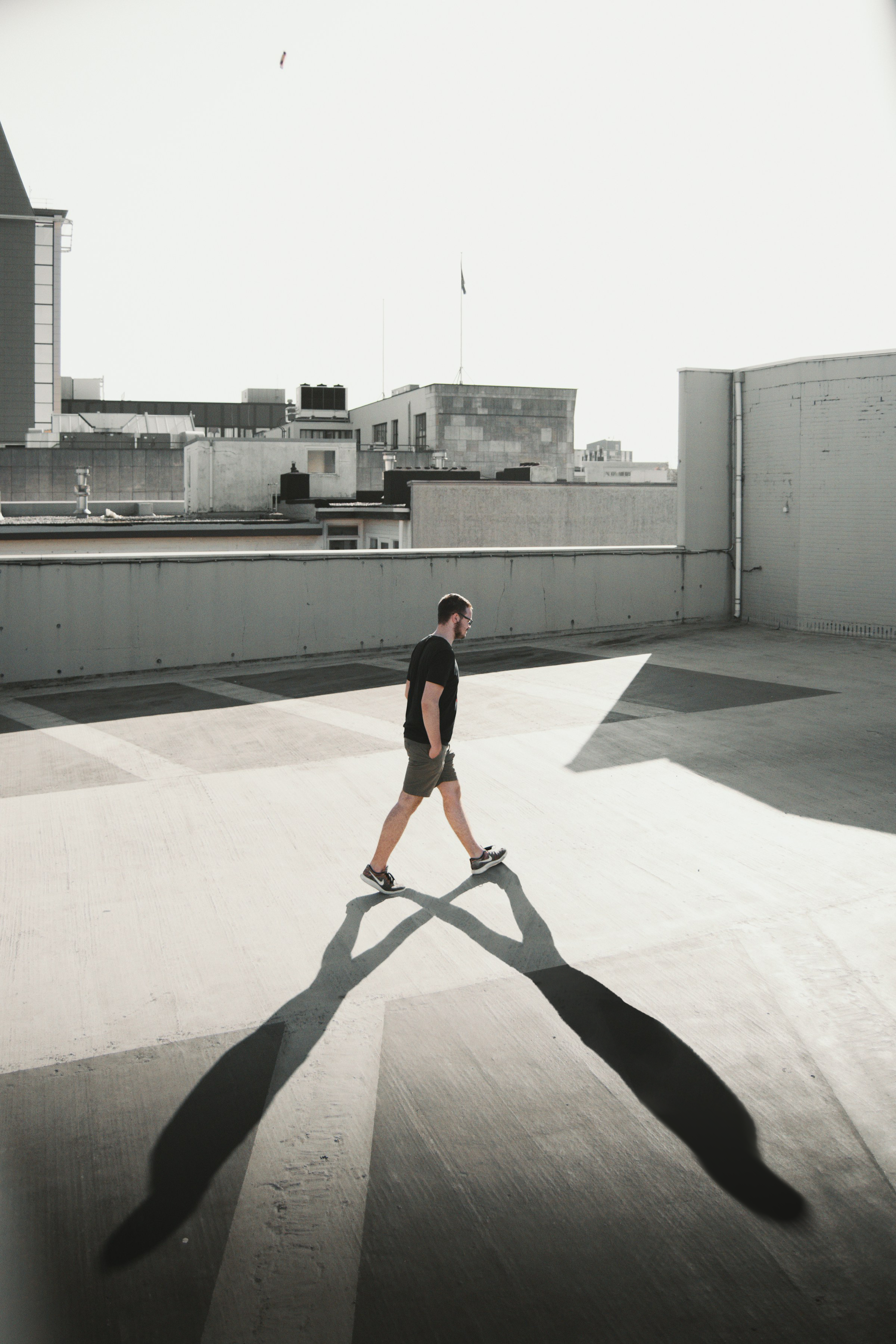
このチャプターに添付されている画像をダウンロードし、歩いている男性に2つ目の影を追加してください。こちらが参考画像です:
いくつかのヒント:マスキング、不透明度、ぼかし、ブラシ、ブレンディング。
すべて明確でしたか?
フィードバックありがとうございます!
セクション 6. 章 5
AIに質問する

AIに質問する

何でも質問するか、提案された質問の1つを試してチャットを始めてください
最終Photoshopプロジェクト:高度な編集スキルの応用
動画内で紹介した、役立つポイント:
Ctrl/Cmd+ 新規レイヤー作成アイコンで、選択中のレイヤーの下に新しいレイヤーを作成;Ctrl/Cmd+ マウスクリックでレイヤーのサムネイルをクリックすると、そのレイヤーの要素を選択範囲にできる;- レイヤーを作成するたびに名前を付けて、整理整頓を心がける;
- 常に非破壊ワークフローを意識する(レイヤーマスク、グループ、スマートオブジェクト、スマートフィルターなどを活用)。
このチャプターに添付されている画像をダウンロードし、歩いている男性に2つ目の影を追加してください。こちらが参考画像です:
いくつかのヒント:マスキング、不透明度、ぼかし、ブラシ、ブレンディング。
すべて明確でしたか?
フィードバックありがとうございます!
セクション 6. 章 5
