If Statement
メニューを表示するにはスワイプしてください
An if statement, also known as conditional statement, is a method of executing a block of code based on a condition. The syntax of an if statement is the following:
if(condition) {
    // code to execute
}
It takes an expression and executes the code block if the expression is true.
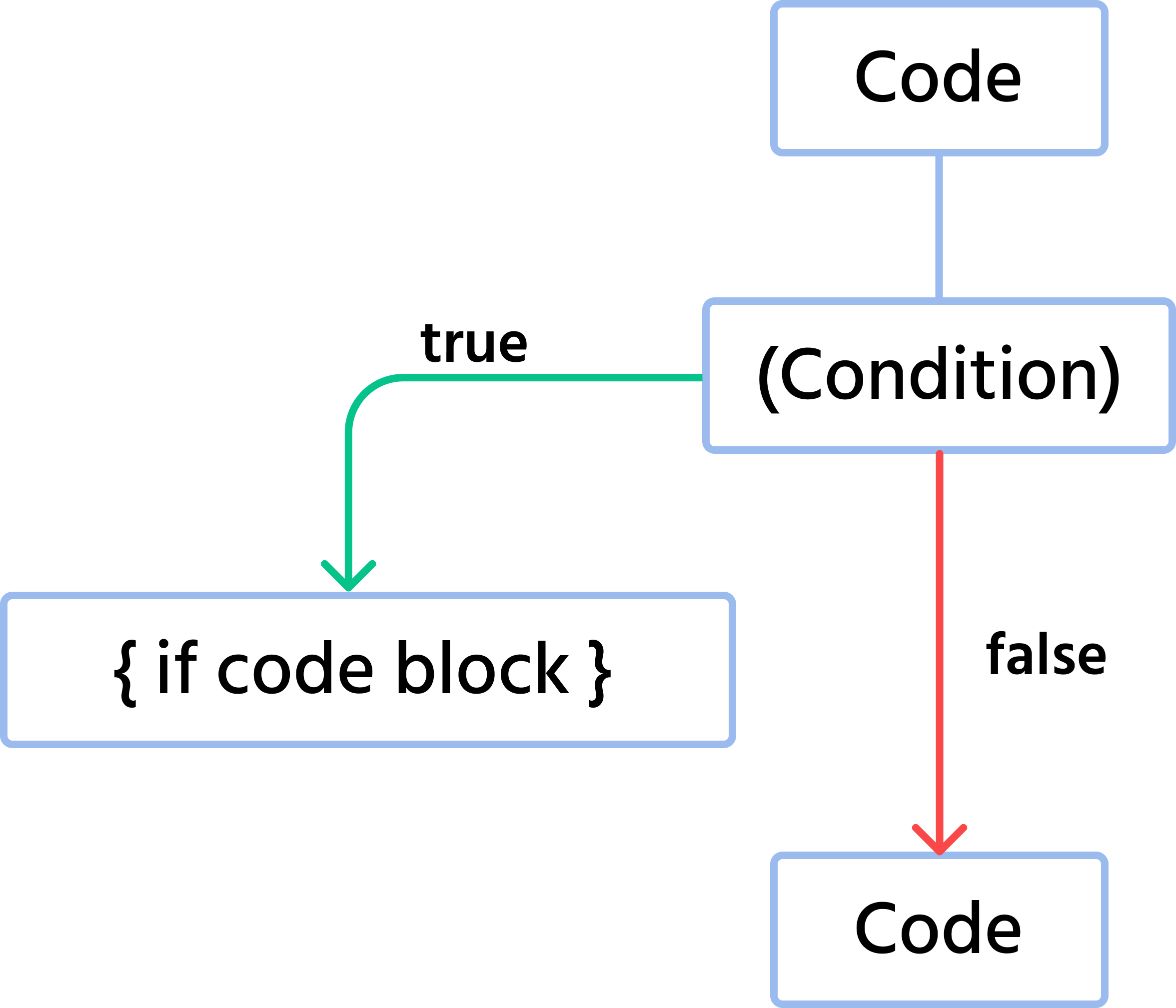
For example:

main.cs
12345678910111213141516using System; namespace ConsoleApp { internal class Program { static void Main(string[] args) { Console.WriteLine("Before Conditional"); if(10 > 9) { Console.WriteLine("10 is greater than 9"); } Console.WriteLine("After Conditional"); } } }
In case the condition is false the code block is ignored:
main.cs
12345678910111213141516using System; namespace ConsoleApp { internal class Program { static void Main(string[] args) { Console.WriteLine("Before Conditional"); if(10 > 10) { Console.WriteLine("10 is greater than 9"); } Console.WriteLine("After Conditional"); } } }
すべて明確でしたか?
フィードバックありがとうございます!
セクション 1. 章 29
AIに質問する

AIに質問する

何でも質問するか、提案された質問の1つを試してチャットを始めてください
