Order of Operations
メニューを表示するにはスワイプしてください
In case there's only one operator used multiple times then the expression is evaluated from left to right.
For the examples we will use true and false literals for simplicity. In case we have a long expression like false || false || true || false, the expression will be evaluated from the left side:

main.cs
123456789101112using System; namespace ConsoleApp { internal class Program { static void Main(string[] args) { Console.WriteLine(false || false || true || false); // Output: True } } }
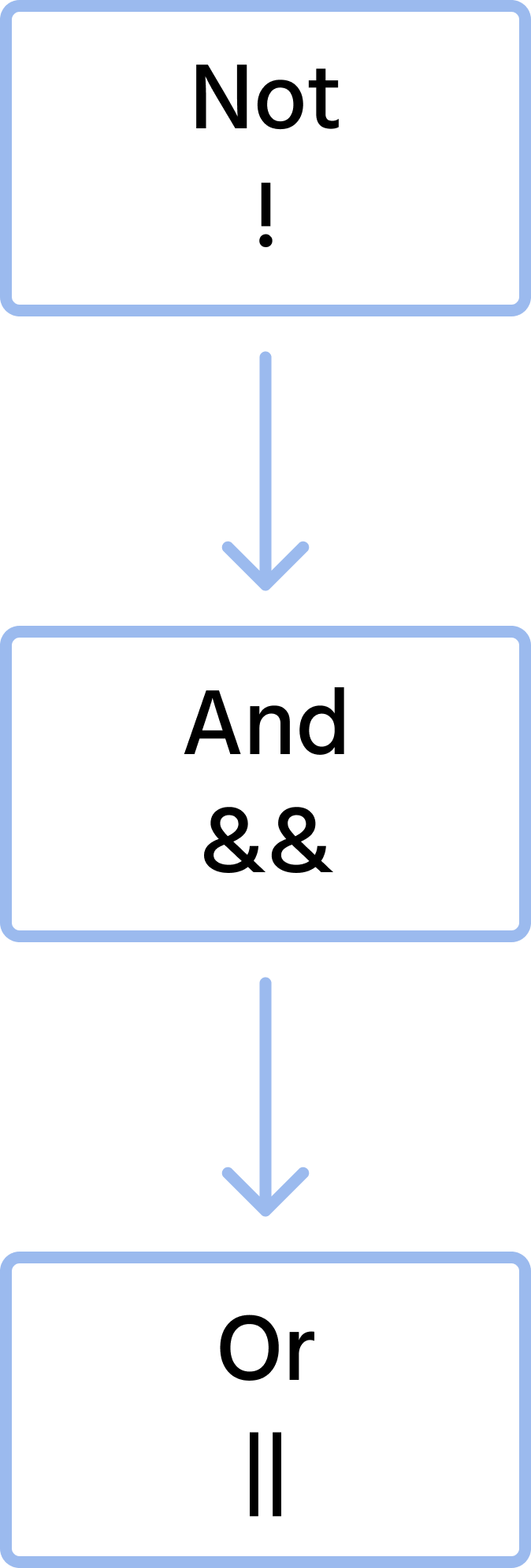
The order of the logical operators is the following:
Following is a more complex example which includes multiple different operators. It will be a good code reading exercise to read and try to understand it:
main.cs
1234567891011121314151617181920using System; namespace ConsoleApp { internal class Program { static void Main(string[] args) { int x = 50; // We can store results of boolean / logical expressions in boolean variables or constants. bool inRange = (1 <= x) && (x <= 10) || (90 <= x) && (x <= 100); Console.WriteLine($"The value {x} is in the range 1-10 or 90-100: {inRange}"); // Output: False x = 99; inRange = (1 <= x) && (x <= 10) || (90 <= x) && (x <= 100); Console.WriteLine($"The value {x} is in the range 1-10 or 90-100: {inRange}"); // Output: True } } }
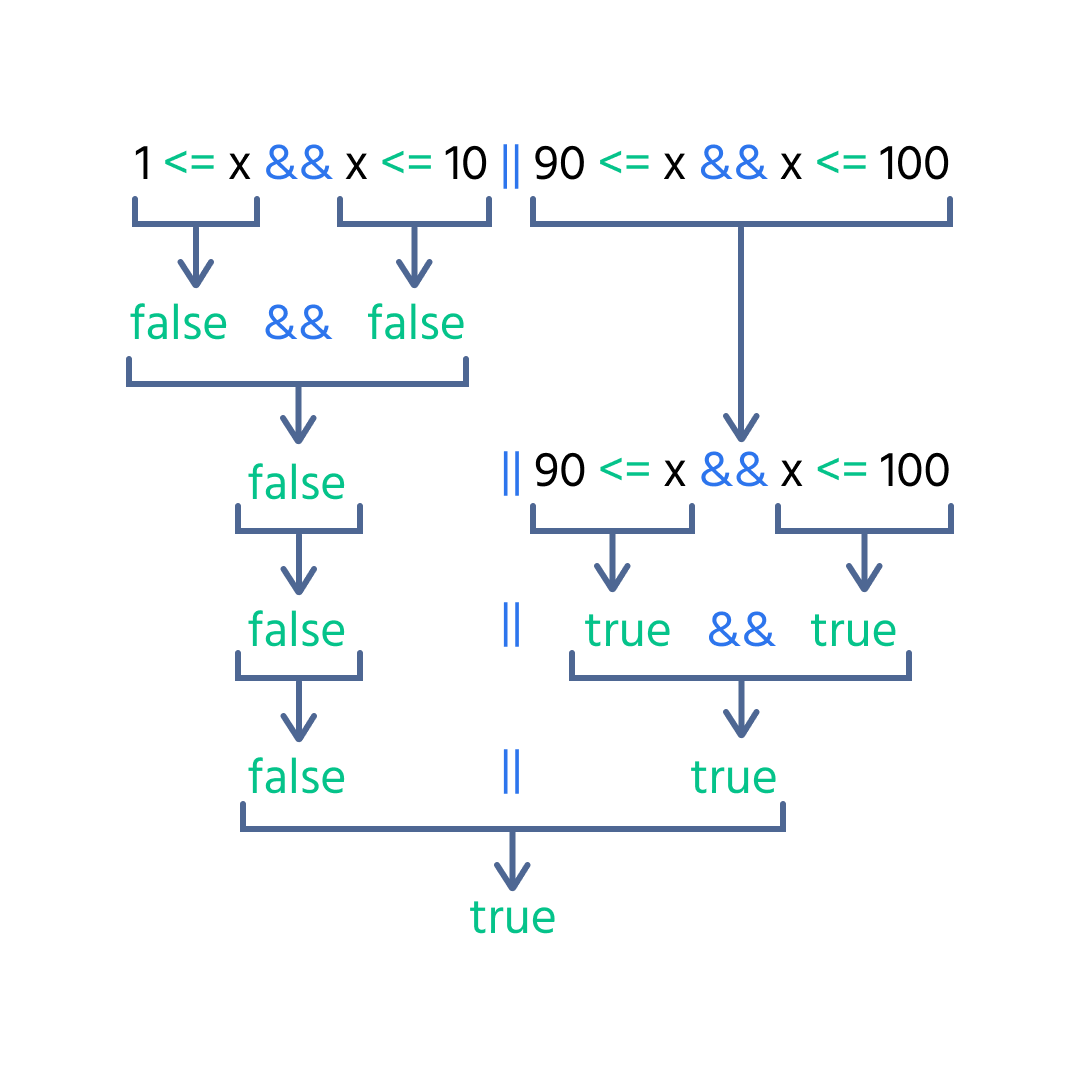
In the above code, we have the expression (1 <= x) && (x <= 10) || (90 <= x) && (x <= 100), which checks if x is in the range 1-10 or 90-100.
Considering the order of operators, the expression will be evaluated as follows:
フィードバックありがとうございます!
AIに質問する

AIに質問する

何でも質問するか、提案された質問の1つを試してチャットを始めてください
