シェイプレイヤー
メニューを表示するにはスワイプしてください

定義
シェイプレイヤーは、パス、ストローク、塗り、その他さまざまなプロパティを保持する多用途コンテナであり、プロジェクト内でシェイプを作成およびアニメーション化するための基本要素。
この章で学んだ内容:
- シェイプレイヤーとは何か、およびその作成方法;
- シェイプレイヤー内でシェイプを手動で追加・調整する方法;
- シェイプのグループ化がプロパティや挙動に与える影響;
- 塗り、ストローク、その他のプロパティを効率的に適用・調整する方法。
記載されたショートカット
課題
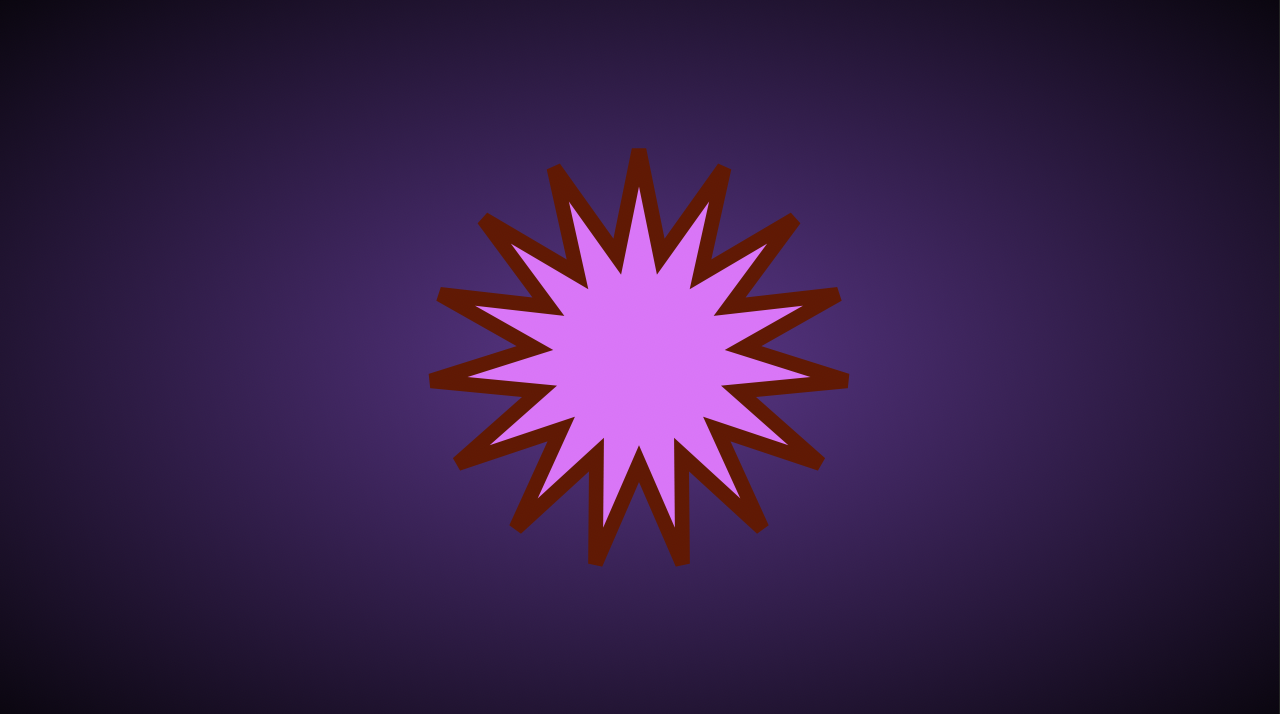
15個の頂点を持つ星形、ピンクの塗り、茶色の破線ストロークを持つシェイプレイヤーの作成。 以下のような見た目にすること:
1. After Effectsでシェイプツールのアイコンを押し続けるとどうなりますか?
2. シェイプレイヤー内のグループ化されたシェイプの外側にストロークを適用するとどうなりますか?
すべて明確でしたか?
フィードバックありがとうございます!
セクション 2. 章 1
AIに質問する

AIに質問する

何でも質問するか、提案された質問の1つを試してチャットを始めてください
シェイプレイヤー
定義
シェイプレイヤーは、パス、ストローク、塗り、その他さまざまなプロパティを保持する多用途コンテナであり、プロジェクト内でシェイプを作成およびアニメーション化するための基本要素。
この章で学んだ内容:
- シェイプレイヤーとは何か、およびその作成方法;
- シェイプレイヤー内でシェイプを手動で追加・調整する方法;
- シェイプのグループ化がプロパティや挙動に与える影響;
- 塗り、ストローク、その他のプロパティを効率的に適用・調整する方法。
記載されたショートカット
課題
15個の頂点を持つ星形、ピンクの塗り、茶色の破線ストロークを持つシェイプレイヤーの作成。 以下のような見た目にすること:
すべて明確でしたか?
フィードバックありがとうございます!
セクション 2. 章 1
