What are Lists?
メニューを表示するにはスワイプしてください


Imagine we have a situation where we want to store the names of all the students that are taking a certain course. The first solution we can come up is to create an Array:

index.cs
123456using System; class Program { string[] studentNames = new string[50]; }
However, if at some point are more than 50 students, we won't be able to store their names. Similarly, in a situation where there are less than 50 students, the unoccupied spaces in the array will be a waste of memory - this becomes a problem in especially large arrays.
Here we need a new structure which can store a variable amount of elements. Luckily such a structure already exists, it's called a List.
Lists are very similar to Arrays, however the number of elements that are stored in a list are changeable.
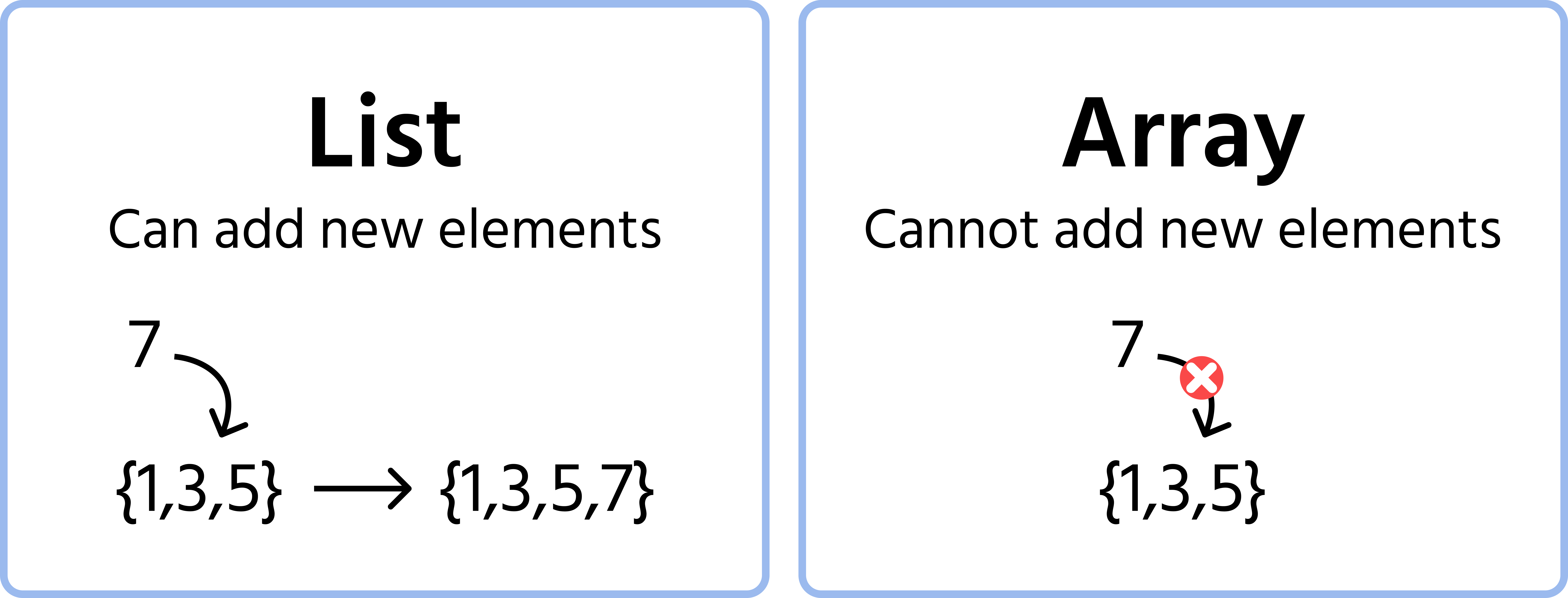

It is possible to modify existing elements in an Array however we cannot add new entires to it.
Following is the syntax for declaring an empty list:
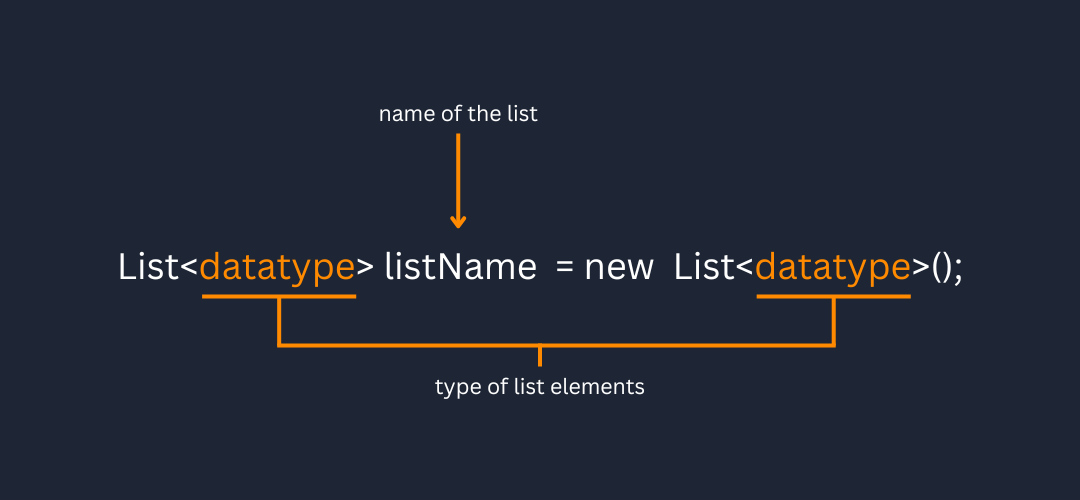
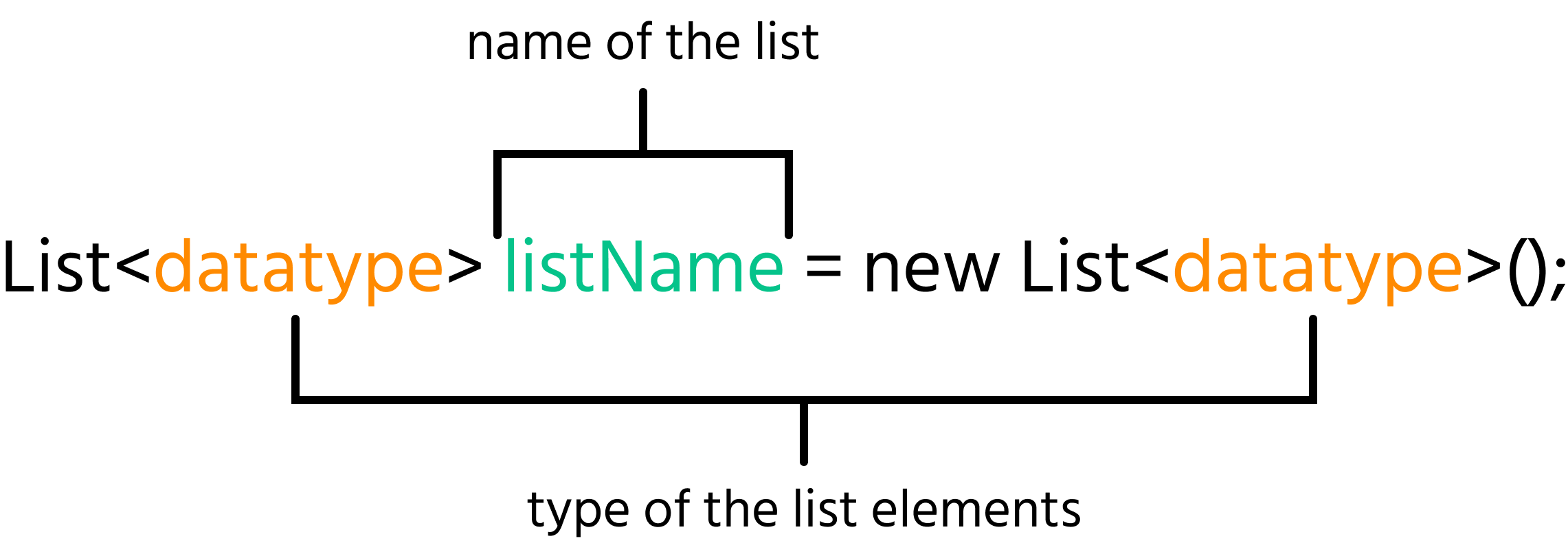
Using this syntax we can create a list for storing the Students' names:
index.cs
12345678910using System; using System.Collections.Generic; class Program { static void Main(string[] args) { List<string> students = new List<string>(); } }
It is important to note that we need to import the Generic module to be able to use Lists.
index.cs
1using System.Collections.Generic;
You simply need to add this line under using System; to import the required module.
Add() Method
We can add elements to a list by using the Add method:
index.cs
123456789101112131415using System; using System.Collections.Generic; class Program { static void Main(string[] args) { List<string> students = new List<string>(); students.Add("Anna"); students.Add("Laura"); students.Add("Jacob"); students.Add("Aron"); } }
The above code will add four elements to the students list.
Just like an Array of type string can only contain string elements. A list of type string can only accept string elements.
Indexing
The first element is Anna hence it will have the index 0, while Laura will have the index 1 and so on. Elements of a list can be accessed via indexing just like an array:
index.cs
1234567891011121314151617using System; using System.Collections.Generic; class Program { static void Main(string[] args) { List<string> students = new List<string>(); students.Add("Anna"); students.Add("Laura"); students.Add("Jacob"); students.Add("Aron"); Console.WriteLine(students[2]); } }
Count() Method
We can retrieve the length of a list using its Count attribute:
index.cs
123456789101112131415161718using System; using System.Collections.Generic; class Program { static void Main(string[] args) { List<string> students = new List<string>(); students.Add("Anna"); students.Add("Laura"); students.Add("Jacob"); students.Add("Aron"); Console.WriteLine(students[2]); Console.WriteLine(students.Count); } }
Dynamic Length
Note that the length of a list is dynamic (changeable), so it changes as we add elements:
index.cs
1234567891011121314151617181920using System; using System.Collections.Generic; class Program { static void Main(string[] args) { List<string> students = new List<string>(); Console.WriteLine(students.Count); students.Add("Anna"); Console.WriteLine(students.Count); students.Add("Laura"); Console.WriteLine(students.Count); students.Add("Jacob"); Console.WriteLine(students.Count); students.Add("Aron"); Console.WriteLine(students.Count); } }
Initialization
We can also initialize a list with some elements using the following syntax:
List<dataType> listName = new List<dataType>{ element1, element2, … };
index.cs
12345678910111213141516using System; using System.Collections.Generic; class Program { static void Main(string[] args) { List<string> students = new List<string> { "Anna", "Laura", "Jacob", "Aron" }; // It is still possible to add additional elements after initialization students.Add("Markus"); Console.WriteLine(students.Count); Console.WriteLine(students[4]); } }
Looping Through Lists
Looping through a List similar to how we would loop through Arrays
Using a for-loop
index.cs
123456789101112131415using System; using System.Collections.Generic; class Program { static void Main(string[] args) { List<string> students = new List<string> { "Anna", "Laura", "Jacob", "Aron" }; for (int i = 0; i < students.Count; i++) { Console.WriteLine(students[i]); } } }
Using a foreach loop
index.cs
123456789101112131415using System; using System.Collections.Generic; class Program { static void Main(string[] args) { List<string> students = new List<string> { "Anna", "Laura", "Jacob", "Aron" }; foreach (string studentName in students) { Console.WriteLine(studentName); } } }
To make the declaration syntax shorter we can also use implicit declaration. To recall, an explicit declaration is when we specify the data type during variable declaration.
index.cs
1float number = 7.9f;
On the other hand, in implicit declaration we can simply use the var keyword and the compiler automatically infers the data type of the variable according to the assigned value:
index.cs
1var number = 7.9f;
We can use implicit declaration when declaring lists as well:
index.cs
1var numbers = new List<int> { 1, 2, 3, 4, 5 };
1. What will be the output of the following code:
2. Which module is needed to be imported for using lists?
3. Which method is used for retrieving the size (length) of a list?
フィードバックありがとうございます!
AIに質問する

AIに質問する

何でも質問するか、提案された質問の1つを試してチャットを始めてください
