Notice: This page requires JavaScript to function properly.
Please enable JavaScript in your browser settings or update your browser.
Lære Layout with Flexbox | Section
React Native Basics

Layout with Flexbox

Sveip for å vise menyen

React Native uses Flexbox to control layout.

Flexbox helps you position elements on the screen.

The most important properties are:

  • flexDirection: layout direction;
  • justifyContent: alignment on the main axis;
  • alignItems: alignment on the cross axis.

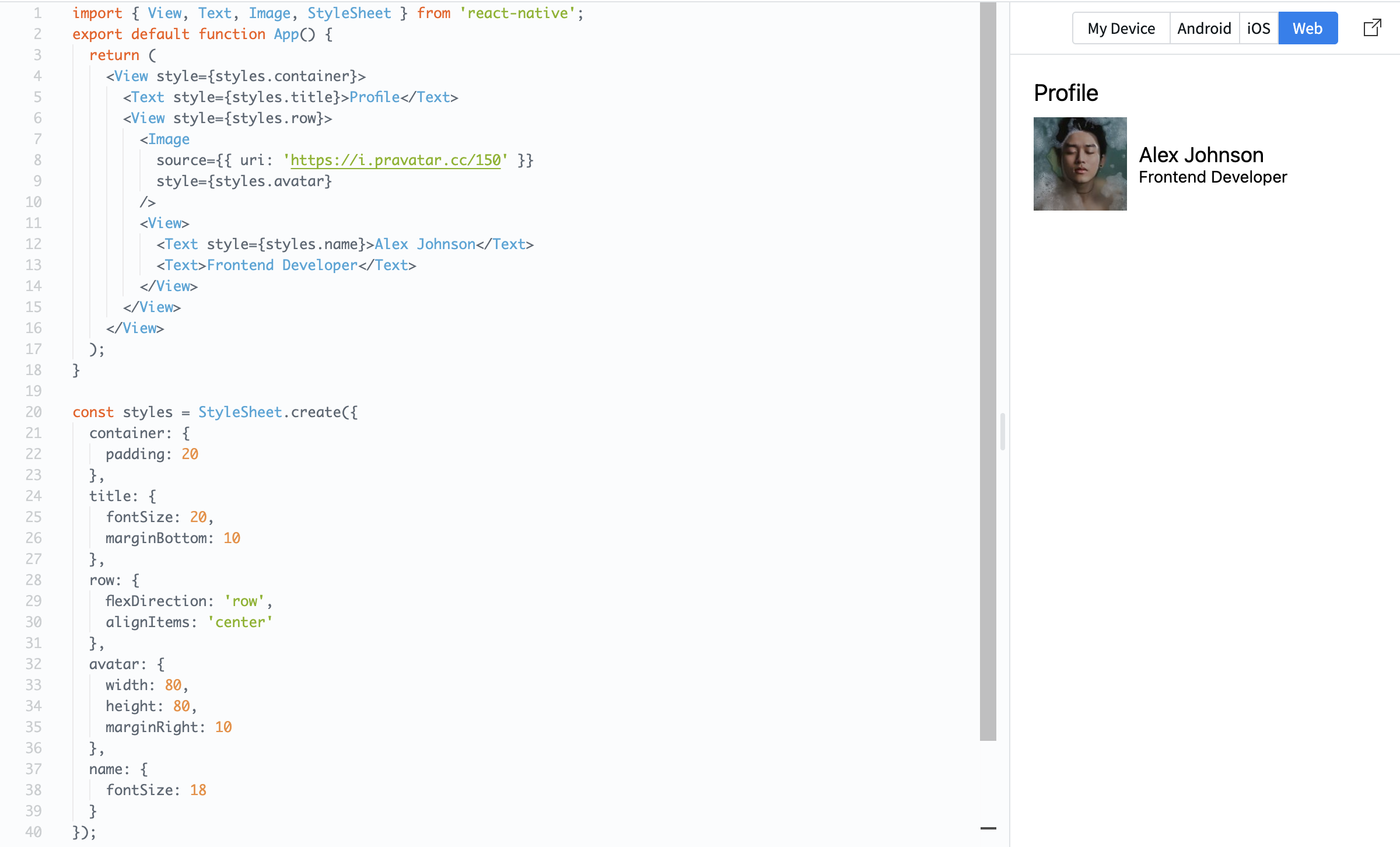
Example:

import { View, Text, Image, StyleSheet } from 'react-native';

export default function App() {
  return (
    <View style={styles.container}>
      <Text style={styles.title}>Profile</Text>

      <View style={styles.row}>
        <Image
          source={{ uri: 'https://i.pravatar.cc/150' }}
          style={styles.avatar}
        />

        <View>
          <Text style={styles.name}>Alex Johnson</Text>
          <Text>Frontend Developer</Text>
        </View>
      </View>
    </View>
  );
}

const styles = StyleSheet.create({
  container: {
    padding: 20
  },
  title: {
    fontSize: 20,
    marginBottom: 10
  },
  row: {
    flexDirection: 'row',
    alignItems: 'center'
  },
  avatar: {
    width: 80,
    height: 80,
    marginRight: 10
  },
  name: {
    fontSize: 18
  }
});

Here, flexDirection: 'row' places items side by side, and alignItems: 'center' aligns them vertically.

Flexbox is essential because it controls how your layout looks on different screen sizes.
question mark

What does flexDirection: 'row' do?

Velg det helt riktige svaret

Alt var klart?

Hvordan kan vi forbedre det?

Takk for tilbakemeldingene dine!

Seksjon 1. Kapittel 5

Spør AI

expand

Spør AI

ChatGPT

Spør om hva du vil, eller prøv ett av de foreslåtte spørsmålene for å starte chatten vår

Layout with Flexbox

React Native uses Flexbox to control layout.

Flexbox helps you position elements on the screen.

The most important properties are:

  • flexDirection: layout direction;
  • justifyContent: alignment on the main axis;
  • alignItems: alignment on the cross axis.

Example:

import { View, Text, Image, StyleSheet } from 'react-native';

export default function App() {
  return (
    <View style={styles.container}>
      <Text style={styles.title}>Profile</Text>

      <View style={styles.row}>
        <Image
          source={{ uri: 'https://i.pravatar.cc/150' }}
          style={styles.avatar}
        />

        <View>
          <Text style={styles.name}>Alex Johnson</Text>
          <Text>Frontend Developer</Text>
        </View>
      </View>
    </View>
  );
}

const styles = StyleSheet.create({
  container: {
    padding: 20
  },
  title: {
    fontSize: 20,
    marginBottom: 10
  },
  row: {
    flexDirection: 'row',
    alignItems: 'center'
  },
  avatar: {
    width: 80,
    height: 80,
    marginRight: 10
  },
  name: {
    fontSize: 18
  }
});

Here, flexDirection: 'row' places items side by side, and alignItems: 'center' aligns them vertically.

Flexbox is essential because it controls how your layout looks on different screen sizes.

Alt var klart?

Hvordan kan vi forbedre det?

Takk for tilbakemeldingene dine!

Seksjon 1. Kapittel 5
some-alt