Building a List Item Component
Sveip for å vise menyen
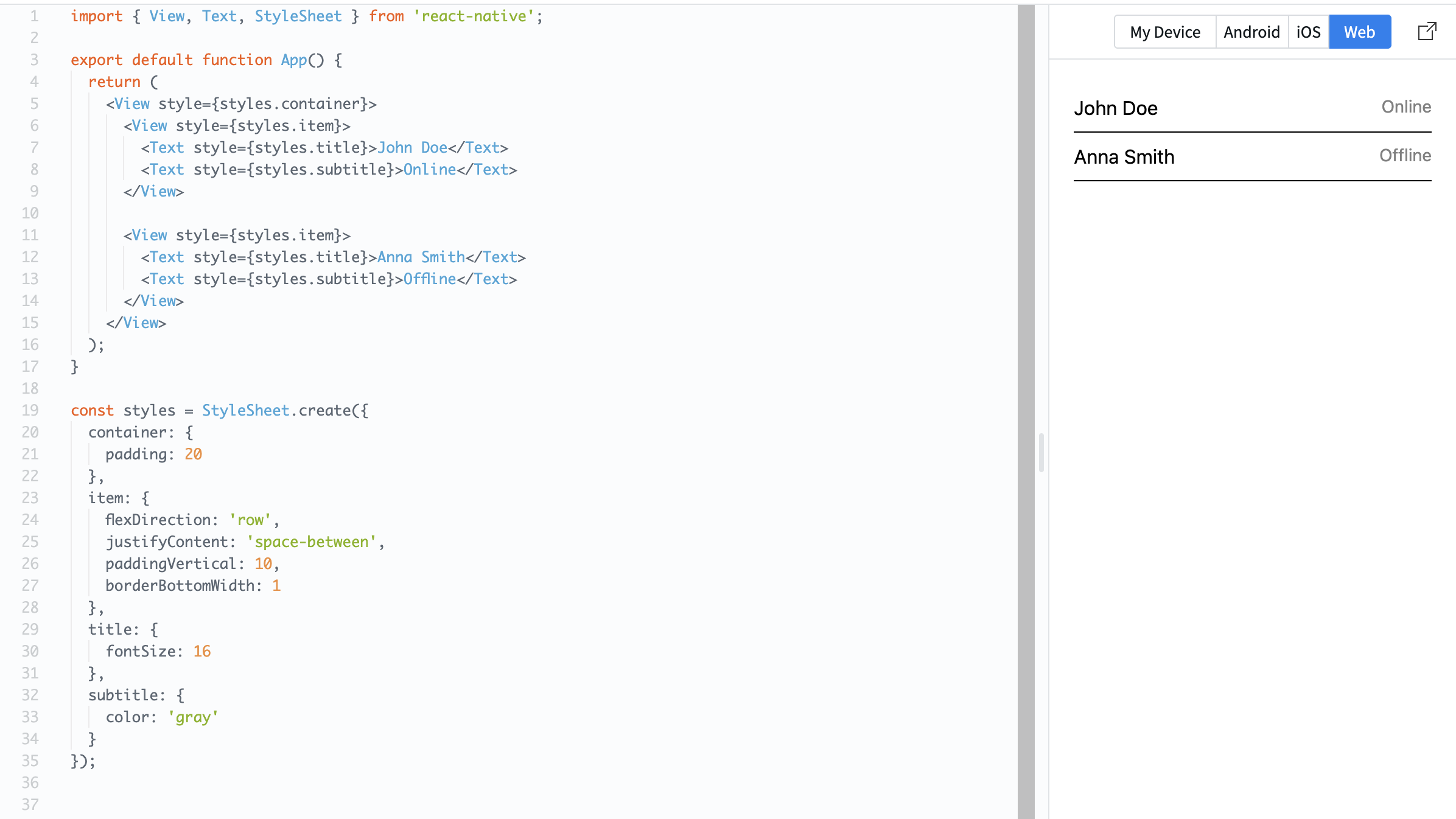
Many mobile apps display lists of items. Each item usually has the same structure: text, spacing, and sometimes an image or icon. You will build a simple list item using a row layout.
Example:
import { View, Text, StyleSheet } from 'react-native';

export default function App() {
  return (
    <View style={styles.container}>
      <View style={styles.item}>
        <Text style={styles.title}>John Doe</Text>
        <Text style={styles.subtitle}>Online</Text>
      </View>

      <View style={styles.item}>
        <Text style={styles.title}>Anna Smith</Text>
        <Text style={styles.subtitle}>Offline</Text>
      </View>
    </View>
  );
}

const styles = StyleSheet.create({
  container: {
    padding: 20
  },
  item: {
    flexDirection: 'row',
    justifyContent: 'space-between',
    paddingVertical: 10,
    borderBottomWidth: 1
  },
  title: {
    fontSize: 16
  },
  subtitle: {
    color: 'gray'
  }
});
Here:
- Each item is arranged in a row;
justifyContent: 'space-between'separates text;paddingVerticaladds spacing inside each item.
List items are important because most real apps display repeated data like messages, users, or products.
Takk for tilbakemeldingene dine!
Spør AI

Spør AI

Spør om hva du vil, eller prøv ett av de foreslåtte spørsmålene for å starte chatten vår
Building a List Item Component
Many mobile apps display lists of items. Each item usually has the same structure: text, spacing, and sometimes an image or icon. You will build a simple list item using a row layout.
Example:
import { View, Text, StyleSheet } from 'react-native';

export default function App() {
  return (
    <View style={styles.container}>
      <View style={styles.item}>
        <Text style={styles.title}>John Doe</Text>
        <Text style={styles.subtitle}>Online</Text>
      </View>

      <View style={styles.item}>
        <Text style={styles.title}>Anna Smith</Text>
        <Text style={styles.subtitle}>Offline</Text>
      </View>
    </View>
  );
}

const styles = StyleSheet.create({
  container: {
    padding: 20
  },
  item: {
    flexDirection: 'row',
    justifyContent: 'space-between',
    paddingVertical: 10,
    borderBottomWidth: 1
  },
  title: {
    fontSize: 16
  },
  subtitle: {
    color: 'gray'
  }
});
Here:
- Each item is arranged in a row;
justifyContent: 'space-between'separates text;paddingVerticaladds spacing inside each item.
List items are important because most real apps display repeated data like messages, users, or products.
Takk for tilbakemeldingene dine!
