Lage Din Første Commit
Sveip for å vise menyen
Du har allerede lært at en commit i Git representerer et øyeblikksbilde av prosjektet ditt på et bestemt tidspunkt. Nå skal du utforske hvordan du lager en commit.
Lage en commit
For å committe endringene dine, kjør følgende kommando:
git commit -m "Commit message"
Bytt ut "Commit message" med en kort beskrivelse av endringene som er gjort. En commit-melding kan være enten kort eller detaljert, avhengig av konteksten. Foreløpig brukes korte meldinger.
Før du lager den første committen, sjekk statusen til arbeidsområdet og staging-området.
git status
Siden den eneste endringen som er gjort så langt er å legge til en ny tekstfil, vil commit-kommandoen være:
git commit -m "Add a new text file"
Kjør denne kommandoen i terminalen:
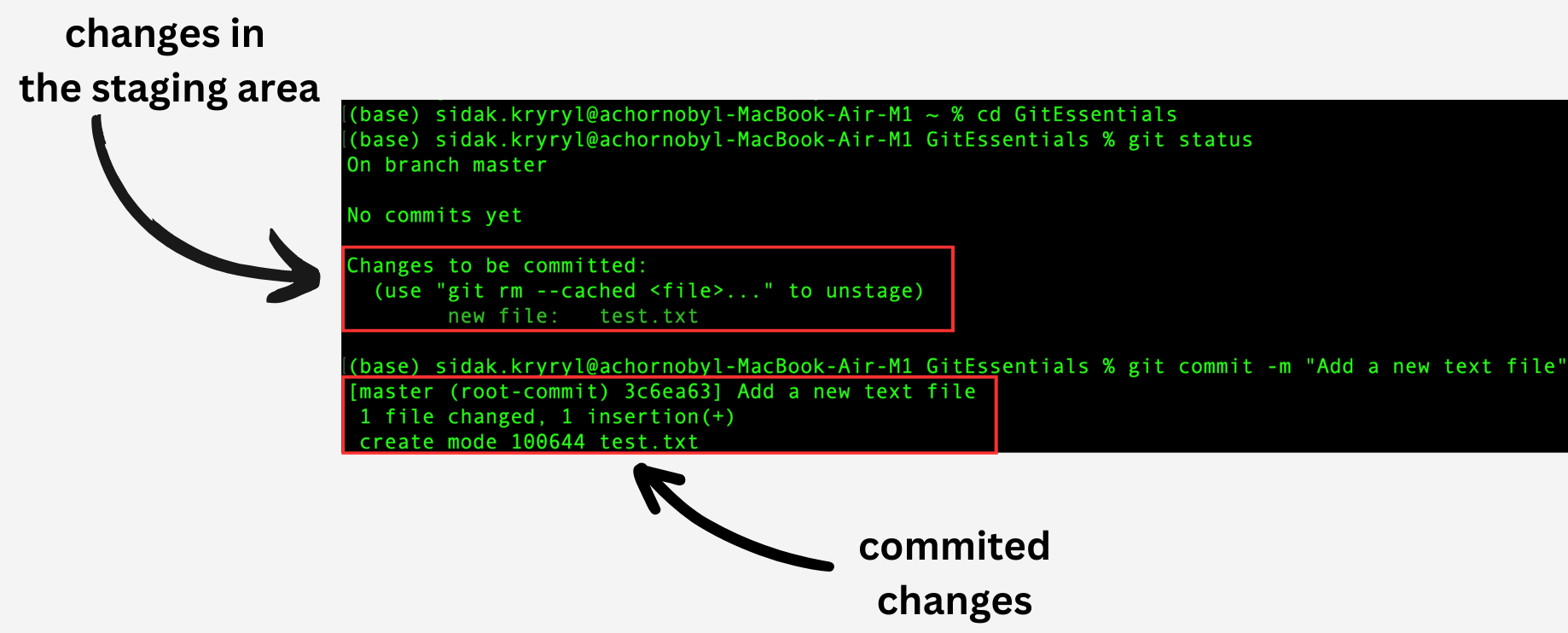
Endringene fra staging-området er nå committed.
Commit-arbeidsflyt
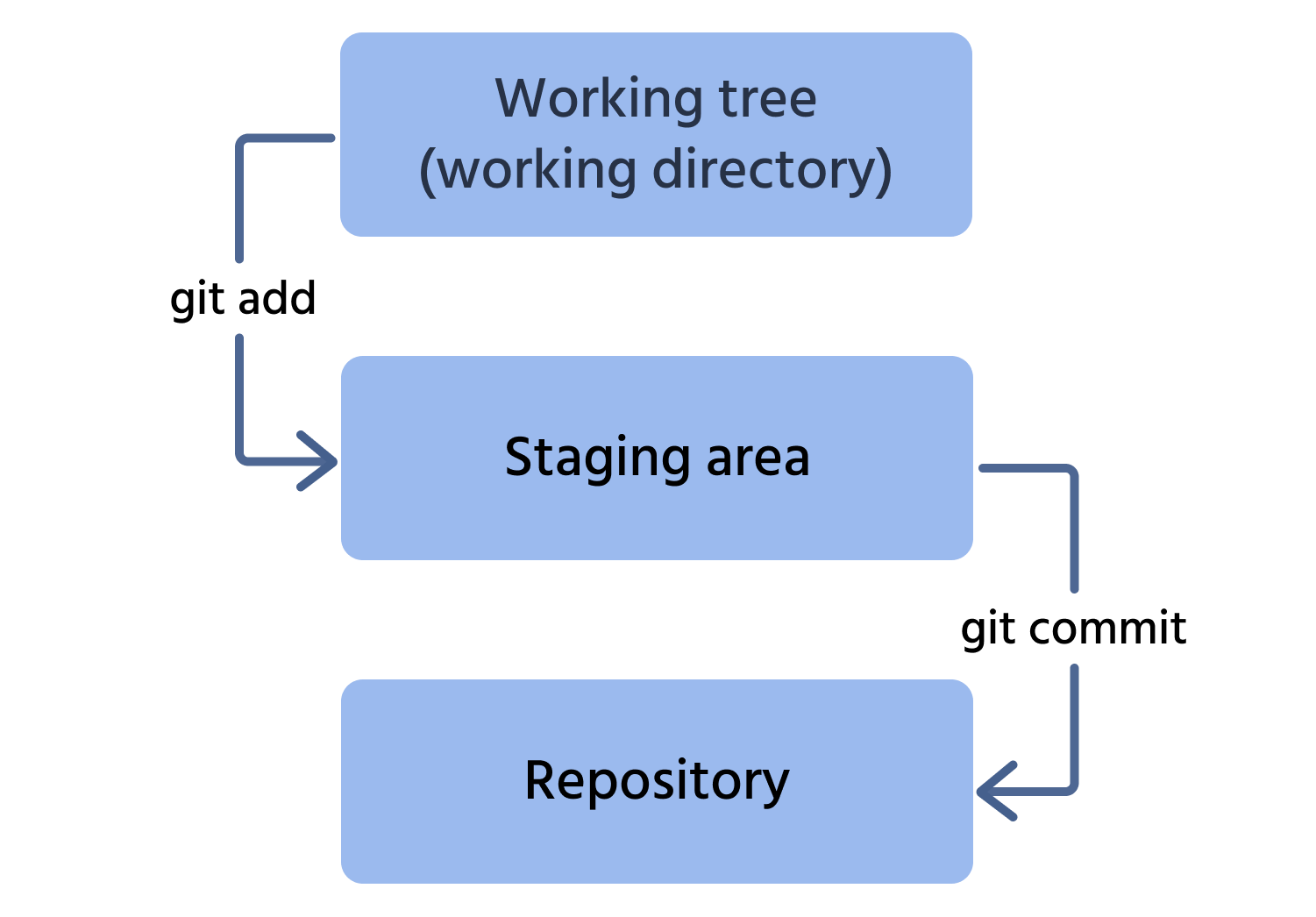
Her er prosessen for å gjøre en commit av en endring til depotet:
- Legg til filen fra arbeidsområdet til staging-området;
- Gjør commit av denne endringen til depotet.
Takk for tilbakemeldingene dine!
Spør AI

Spør AI

Spør om hva du vil, eller prøv ett av de foreslåtte spørsmålene for å starte chatten vår
