Kjøring og testing av REST API-et
Sveip for å vise menyen
Nå som vi har fullført utviklingen av vårt Twitter-lignende API, er det på tide å kjøre applikasjonen og teste funksjonaliteten. For å starte appen, åpne terminalen og kjør følgende kommando:
node index
Når du ser suksessmeldingen i terminalen, kan du åpne Postman for å observere hvordan appen vår svarer på klientforespørsler.

Hvis du noen gang står fast eller ønsker å utforske koden nærmere, kan du få tilgang til hele kildekoden til dette Twitter-lignende API-et i følgende repository: GitHub repository
Testing i Postman
La oss analysere URL-ene som er ansvarlige for ulike funksjoner og se hvordan API-et svarer på hver forespørsel.
Hent alle innlegg
Bruk denne forespørselen for å hente alle innlegg fra databasen. Ingen forespørselskropp eller ekstra parametere er nødvendig.
- Metode: GET;
- URI:
localhost:3000/api/; - Respons:
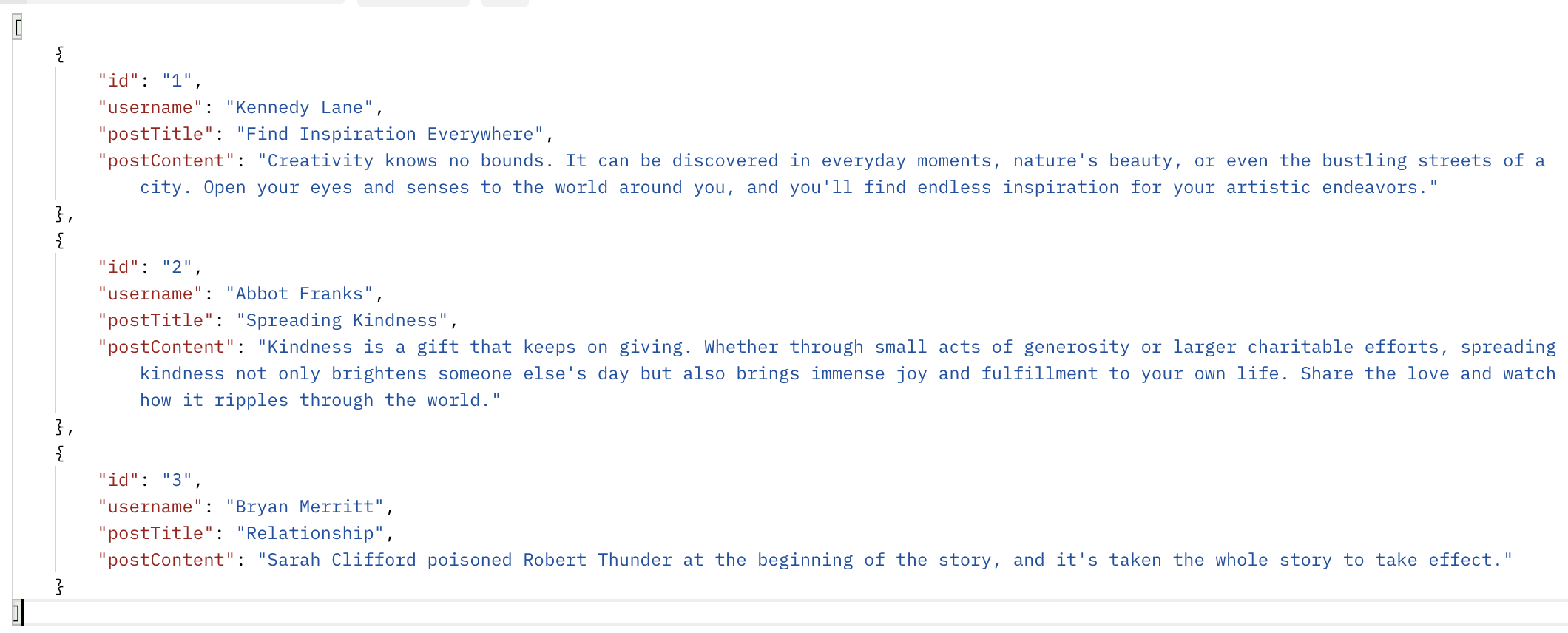
Hent et innlegg etter ID
Hent et spesifikt innlegg basert på ID. Du må sende ID-en i URL-en; forespørselskroppen forblir uendret.
- Metode: GET;
- URI:
localhost:3000/api/post/2; - Respons:

Opprett et innlegg
Opprett et nytt innlegg ved å sende gyldige data til API-et. Dataene må være i JSON-format og inneholde de riktige feltene.
- Metode: POST;
- URI:
localhost:3000/api/; - Forespørselskropp:
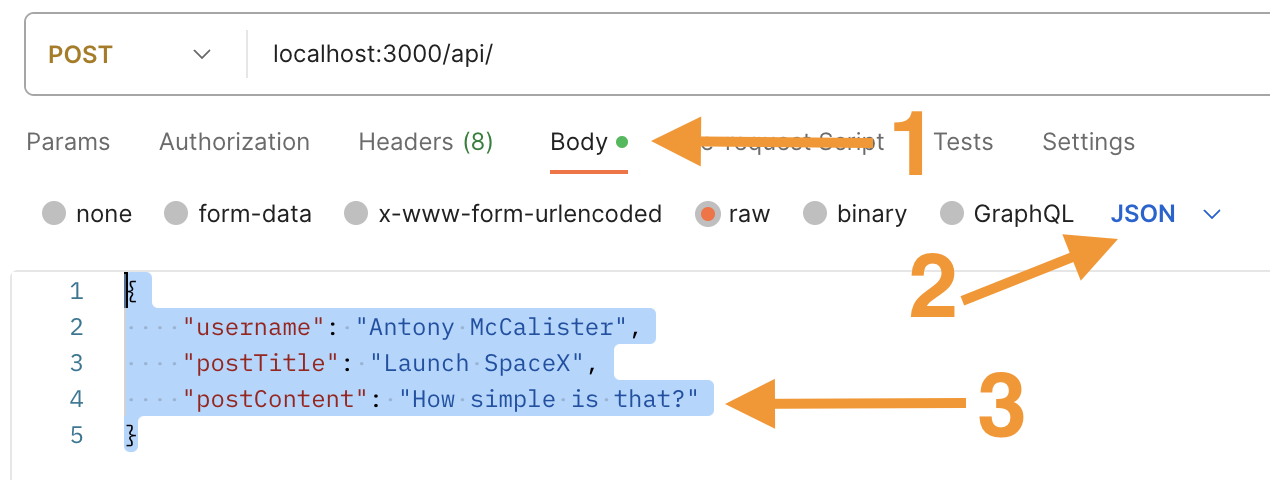
- Respons:
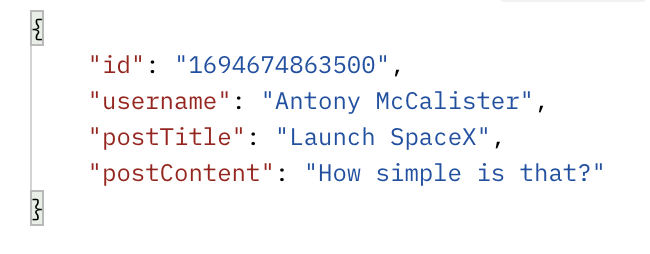
Oppdatere et innlegg
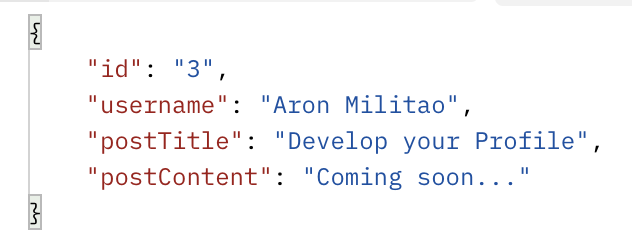
Oppdater et eksisterende innlegg ved å oppgi innleggets ID i parameterne og gyldige data i forespørselskroppen i JSON-format. API-et vil oppdatere databasen tilsvarende
- Metode: PUT;
- URI:
localhost:3000/api/post/3; - Forespørselskropp:
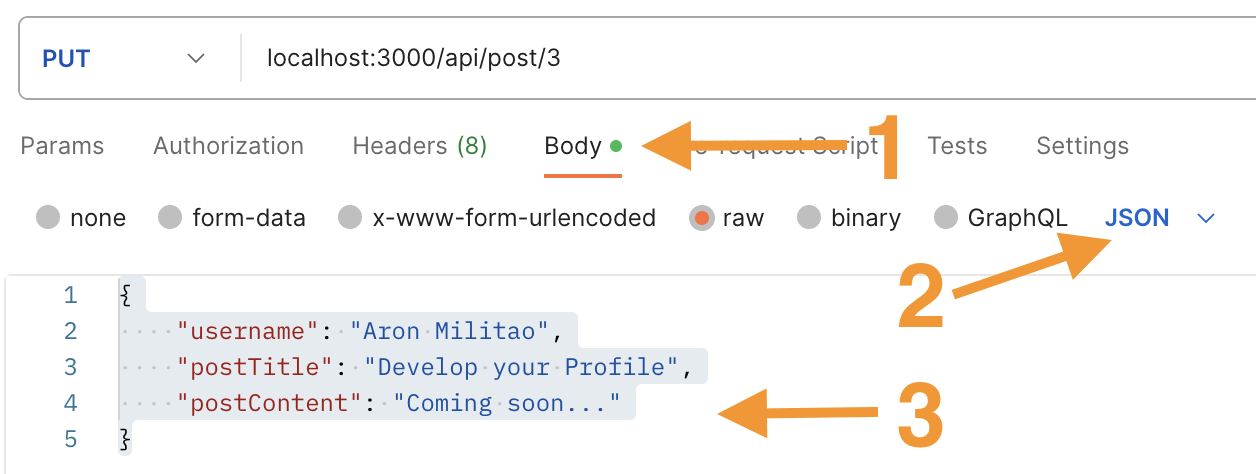
- Respons:
Slette et innlegg
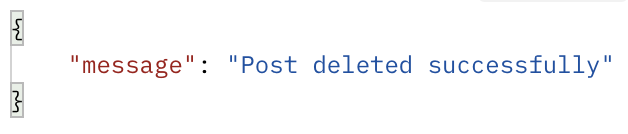
Slett et innlegg fra databasen ved å sende innleggets ID i URL-parametrene.
- Metode: DELETE;
- URI:
localhost:3000/api/post/1; - Respons:
Ved å følge disse stegene og teste API-et med Postman, kan du sikre at det fungerer som forventet, håndterer ulike forespørsler og gir passende svar.
Takk for tilbakemeldingene dine!
Spør AI

Spør AI

Spør om hva du vil, eller prøv ett av de foreslåtte spørsmålene for å starte chatten vår
