Input and Interaction
Veeg om het menu te tonen
Mobile apps are not just static screens. Users need to interact with them.
In React Native, two basic components handle this:
TextInput: allows users to enter text;Button: allows users to trigger actions.
Example:
import { View, Text, TextInput, Button, StyleSheet } from 'react-native';

export default function App() {
  return (
    <View style={styles.container}>
      <Text style={styles.title}>Contact</Text>

      <TextInput
        placeholder="Enter your name"
        style={styles.input}
      />

      <Button title="Submit" onPress={() => console.log('Button pressed')} />
    </View>
  );
}

const styles = StyleSheet.create({
  container: {
    padding: 20
  },
  title: {
    fontSize: 20,
    marginBottom: 10
  },
  input: {
    borderWidth: 1,
    padding: 10,
    marginBottom: 10
  }
});
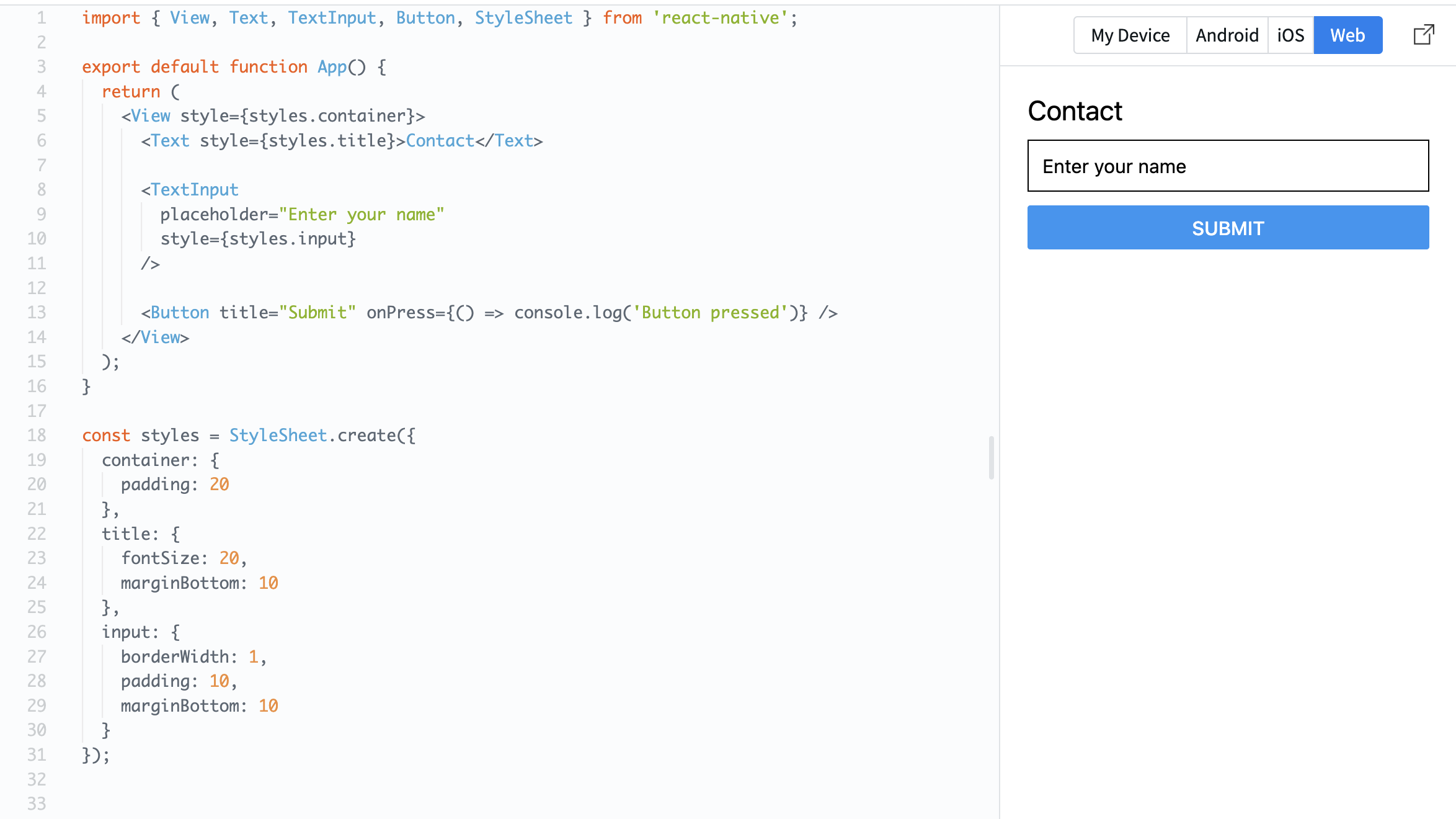
TextInput lets the user type something.
Button reacts to a press using the onPress property.
Now your screen is not just visual — it can respond to user actions.
Bedankt voor je feedback!
Vraag AI

Vraag AI

Vraag wat u wilt of probeer een van de voorgestelde vragen om onze chat te starten.
Input and Interaction
Mobile apps are not just static screens. Users need to interact with them.
In React Native, two basic components handle this:
TextInput: allows users to enter text;Button: allows users to trigger actions.
Example:
import { View, Text, TextInput, Button, StyleSheet } from 'react-native';

export default function App() {
  return (
    <View style={styles.container}>
      <Text style={styles.title}>Contact</Text>

      <TextInput
        placeholder="Enter your name"
        style={styles.input}
      />

      <Button title="Submit" onPress={() => console.log('Button pressed')} />
    </View>
  );
}

const styles = StyleSheet.create({
  container: {
    padding: 20
  },
  title: {
    fontSize: 20,
    marginBottom: 10
  },
  input: {
    borderWidth: 1,
    padding: 10,
    marginBottom: 10
  }
});
TextInput lets the user type something.
Button reacts to a press using the onPress property.
Now your screen is not just visual — it can respond to user actions.
Bedankt voor je feedback!
