Je Eerste Commit Maken
Veeg om het menu te tonen
Je hebt al geleerd dat een commit in Git een momentopname van je project op een specifiek tijdstip vertegenwoordigt. Nu ga je ontdekken hoe je een commit maakt.
Een commit maken
Om je wijzigingen te committen, voer je het volgende commando uit:
git commit -m "Commit message"
Vervang "Commit message" door een korte beschrijving van de aangebrachte wijzigingen. Een commitbericht kan kort of uitgebreid zijn, afhankelijk van de context. Gebruik voorlopig beknopte berichten.
Controleer vóór het maken van de eerste commit de status van de werkmap en de staging area.
git status
Aangezien de enige wijziging tot nu toe het toevoegen van een nieuw tekstbestand is, zal het commit-commando zijn:
git commit -m "Add a new text file"
Voer dit commando uit in de terminal:
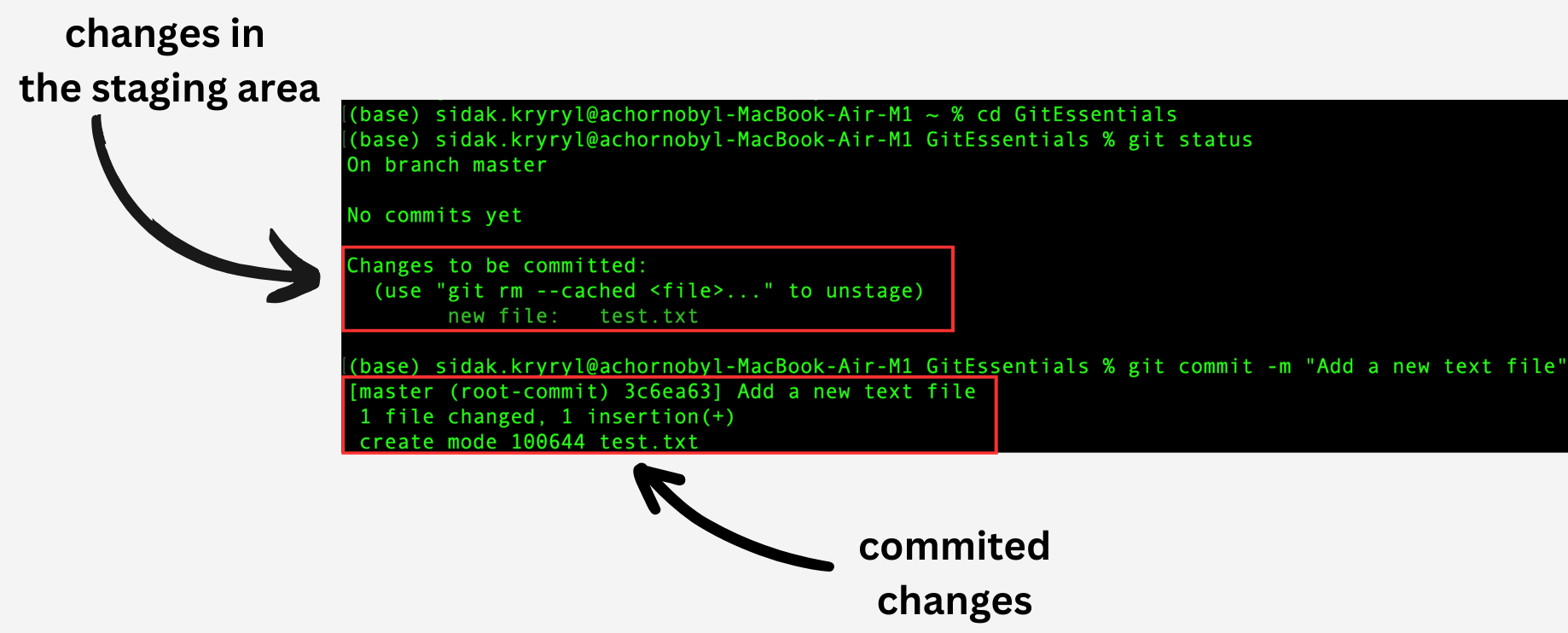
De wijzigingen uit de staging area zijn nu vastgelegd.
Commit-workflow
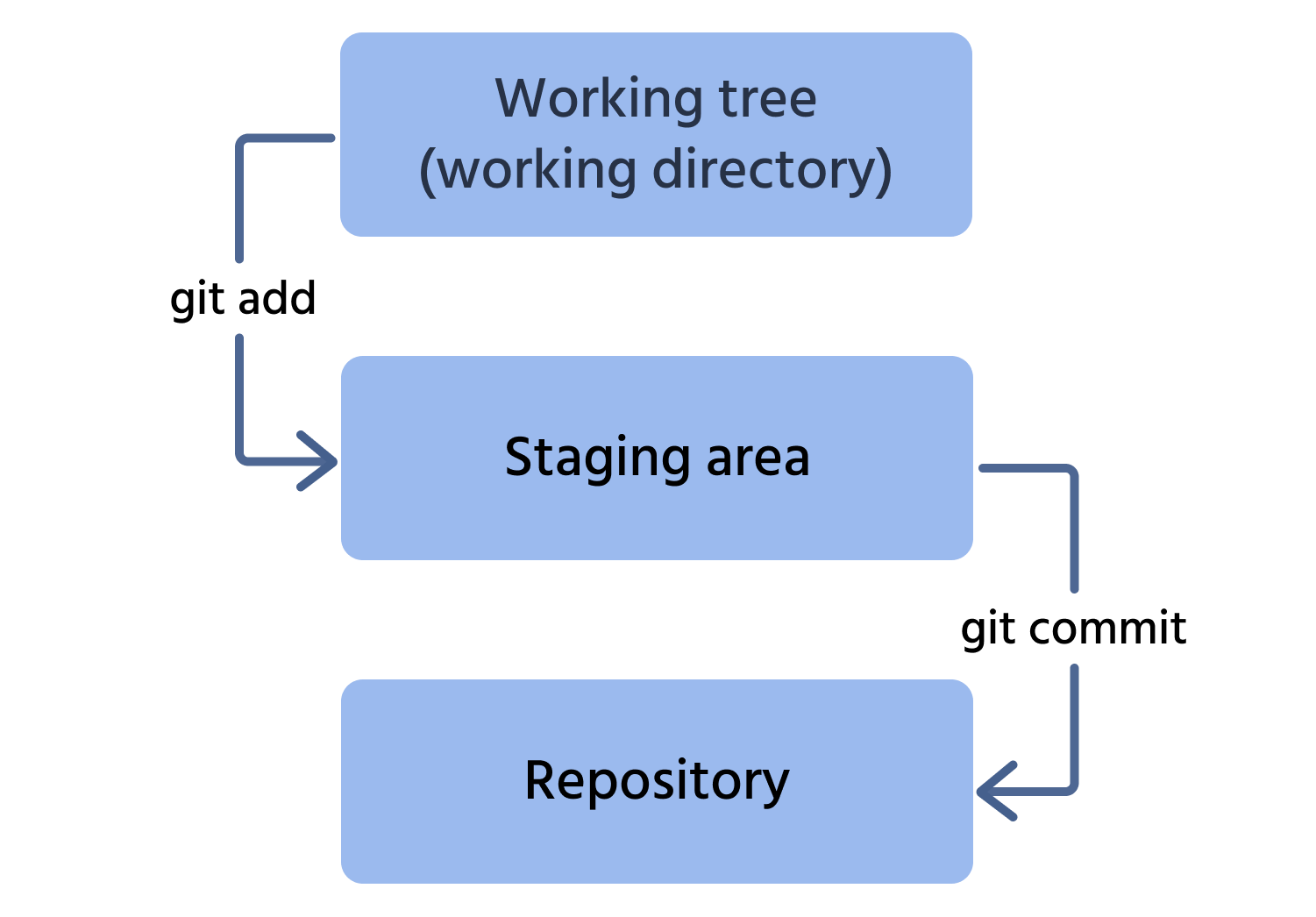
Hier is het proces van het committen van een wijziging naar de repository:
- Het bestand toevoegen van de werkmap aan de staging area;
- Deze wijziging committen naar de repository.
Bedankt voor je feedback!
Vraag AI

Vraag AI

Vraag wat u wilt of probeer een van de voorgestelde vragen om onze chat te starten.
