The Padlock Lie — What HTTPS Actually Guarantees
Veeg om het menu te tonen
Welcome to TLS and HTTPS Internals — a course about the most-deployed, least-understood piece of plumbing on the internet.
Almost every page you visit shows a little padlock in the address bar. About 93% of websites globally use HTTPS today. Almost nobody knows what that padlock actually means. Most people think it means "this site is safe." It doesn't.
The $50 Phishing Site With A Padlock
In 2017, a security researcher named Ian Carroll registered a domain called paypa1.com — that's PayPal with the letter "L" replaced by the number "1." He pointed it at a server, got a free SSL certificate, and within 10 minutes his fake PayPal login page was showing the same green padlock as the real one.
Anyone who landed there saw https://paypa1.com with the comforting little lock. The page looked identical. The encryption was real. The certificate was valid. And it was a phishing trap.
Here's the punchline: the padlock did exactly what it was supposed to do. It just doesn't mean what people think it means.
What HTTPS Actually Guarantees
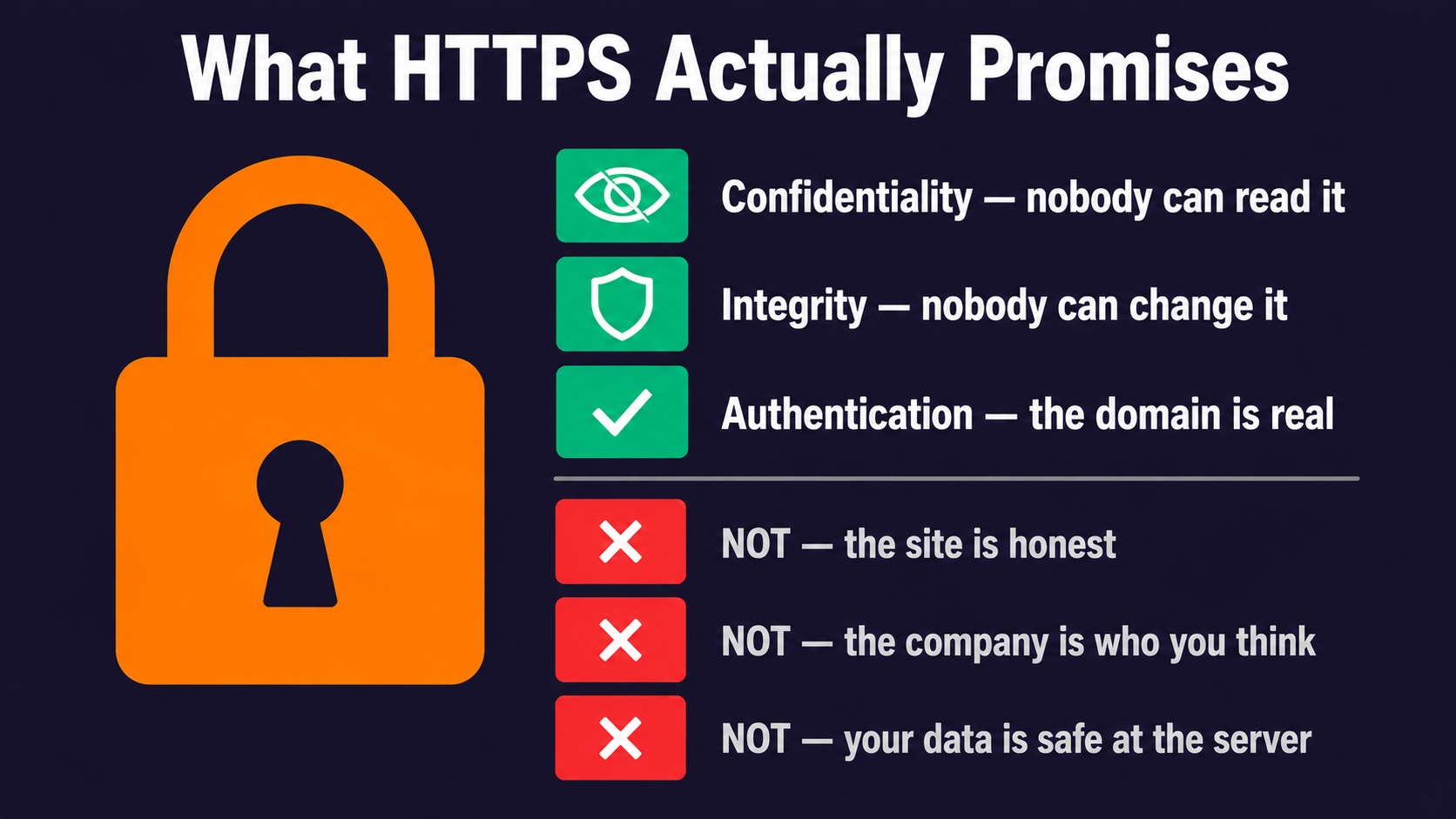
The padlock makes three specific promises:
- Confidentiality — nobody between you and the server can read the traffic;
- Integrity — nobody between you and the server can modify the traffic without detection;
- Authentication — the server you're talking to actually owns the domain name in the address bar.
That's it. Three things. Notice what's missing:
- It does not mean the website's owner is honest;
- It does not mean the website isn't a scam;
- It does not mean the company behind it is who you think it is;
- It does not mean your data is safe once it reaches the server.
The padlock means "you have a private, tamper-proof tunnel to whoever owns this domain." Whether that owner is your bank or a Russian scammer — TLS has no opinion.
What This Course Will Teach You
Over 18 chapters, we'll pull HTTPS apart like an old radio and put it back together. By the end, you'll know:
- What actually happens in the milliseconds between typing a URL and seeing a page;
- Why TLS uses two completely different kinds of encryption at once;
- How certificates work and who decides whether to trust them;
- Why a number like
TLS_AES_256_GCM_SHA384describes everything important about a connection; - What attacks like Heartbleed, POODLE, and BEAST actually did;
- How to configure, debug, and automate TLS in production without losing sleep.
No memorizing acronyms. Every concept will land with a real example, a real number, or a real story.
Why This Matters Now
The TLS world is moving fast. In March 2026, certificate lifetimes started shrinking — they used to last over a year, and by 2029 they'll last just 47 days. Let's Encrypt already offers 6-day certificates. Post-quantum cryptography is rolling into browsers as you read this. The version of TLS most servers use today, TLS 1.3, didn't exist 8 years ago and now carries about 73% of all encrypted traffic.
If you ship code, run servers, or care about how the web works, this stuff is no longer optional.
A Quick Note On Words
You'll hear "SSL" and "TLS" used interchangeably. They're not the same — SSL is the old name, TLS is the new one — but the names stuck. When your colleague says "the SSL cert expired," they mean TLS. We'll use TLS throughout this course, except when historical accuracy matters.
Ready? Let's open the lock.
Bedankt voor je feedback!
Vraag AI

Vraag AI

Vraag wat u wilt of probeer een van de voorgestelde vragen om onze chat te starten.
