Styling with StyleSheet
Deslize para mostrar o menu
In React Native, styles are written using JavaScript objects.
Instead of CSS files, you use StyleSheet.create to define styles in one place and apply them to components.
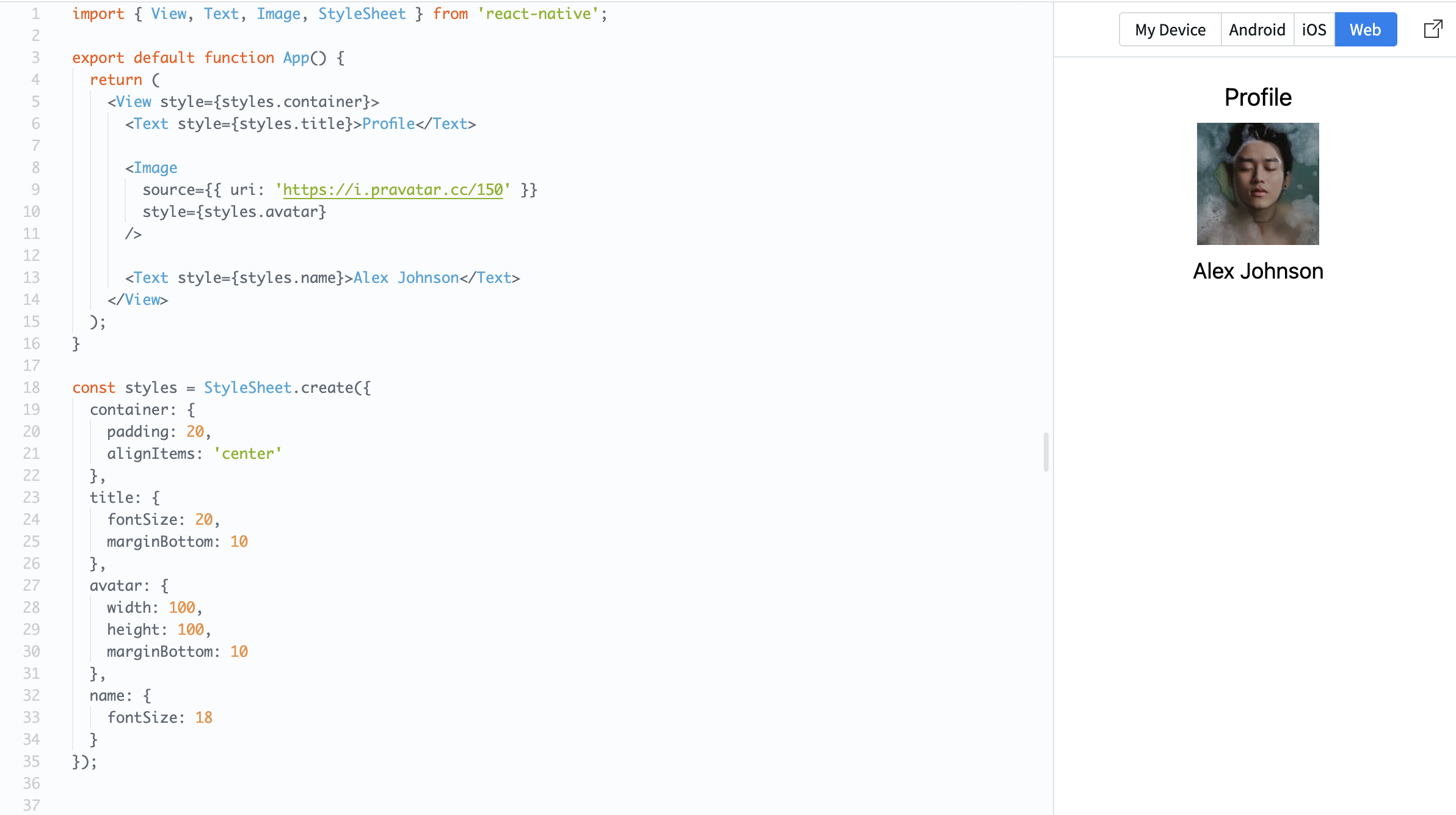
Example:
import { View, Text, Image, StyleSheet } from 'react-native';

export default function App() {
  return (
    <View style={styles.container}>
      <Text style={styles.title}>Profile</Text>

      <Image
        source={{ uri: 'https://i.pravatar.cc/150' }}
        style={styles.avatar}
      />

      <Text style={styles.name}>Alex Johnson</Text>
    </View>
  );
}

const styles = StyleSheet.create({
  container: {
    padding: 20,
    alignItems: 'center'
  },
  title: {
    fontSize: 20,
    marginBottom: 10
  },
  avatar: {
    width: 100,
    height: 100,
    marginBottom: 10
  },
  name: {
    fontSize: 18
  }
});
Styles are applied using the style property.
This approach keeps your code cleaner and easier to manage as your app grows.
At this stage, focus on basic properties like:
color: text color;fontSize: text size;padding: space inside elements.
Obrigado pelo seu feedback!
Pergunte à IA

Pergunte à IA

Pergunte o que quiser ou experimente uma das perguntas sugeridas para iniciar nosso bate-papo
Styling with StyleSheet
In React Native, styles are written using JavaScript objects.
Instead of CSS files, you use StyleSheet.create to define styles in one place and apply them to components.
Example:
import { View, Text, Image, StyleSheet } from 'react-native';

export default function App() {
  return (
    <View style={styles.container}>
      <Text style={styles.title}>Profile</Text>

      <Image
        source={{ uri: 'https://i.pravatar.cc/150' }}
        style={styles.avatar}
      />

      <Text style={styles.name}>Alex Johnson</Text>
    </View>
  );
}

const styles = StyleSheet.create({
  container: {
    padding: 20,
    alignItems: 'center'
  },
  title: {
    fontSize: 20,
    marginBottom: 10
  },
  avatar: {
    width: 100,
    height: 100,
    marginBottom: 10
  },
  name: {
    fontSize: 18
  }
});
Styles are applied using the style property.
This approach keeps your code cleaner and easier to manage as your app grows.
At this stage, focus on basic properties like:
color: text color;fontSize: text size;padding: space inside elements.
Obrigado pelo seu feedback!
