Shape Layer
Deslize para mostrar o menu

Definition
Shape layers are versatile containers that hold paths, strokes, fills, and various other properties, making them fundamental for creating and animating shapes in your projects.
In this chapter, you've learned:
- What shape layers are and how to create them;
- How to manually add and adjust shapes within a shape layer;
- How grouping shapes affects their properties and behavior;
- How to apply and adjust fill, stroke, and other properties efficiently.
Mentioned shortcuts
Task
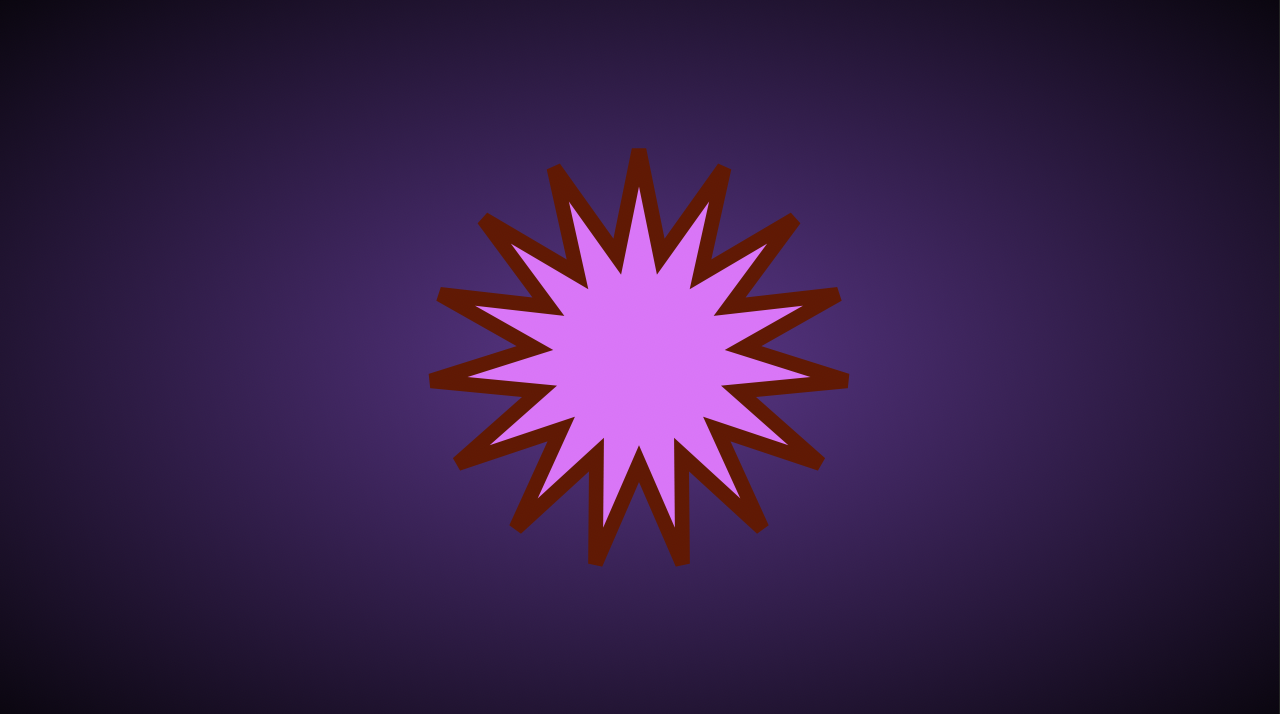
Create a shape layer with a star with 15 peaks, a pink fill, and a brown dashed stroke.
It must look as follows:
1. What happens when you press and hold the shape tool icon in After Effects?
2. What happens when you apply a stroke outside of grouped shapes in a shape layer?
Tudo estava claro?
Obrigado pelo seu feedback!
Seção 1. Capítulo 6
Pergunte à IA

Pergunte à IA

Pergunte o que quiser ou experimente uma das perguntas sugeridas para iniciar nosso bate-papo
Seção 1. Capítulo 6
