Small Screen Assembly
Свайпніть щоб показати меню
Now you will bring everything together into one clean screen.
You already built all the pieces:
- Card component;
- List item component;
- Spacing and text styles;
- Layout with Flexbox.
The goal is to combine them into a structured screen.
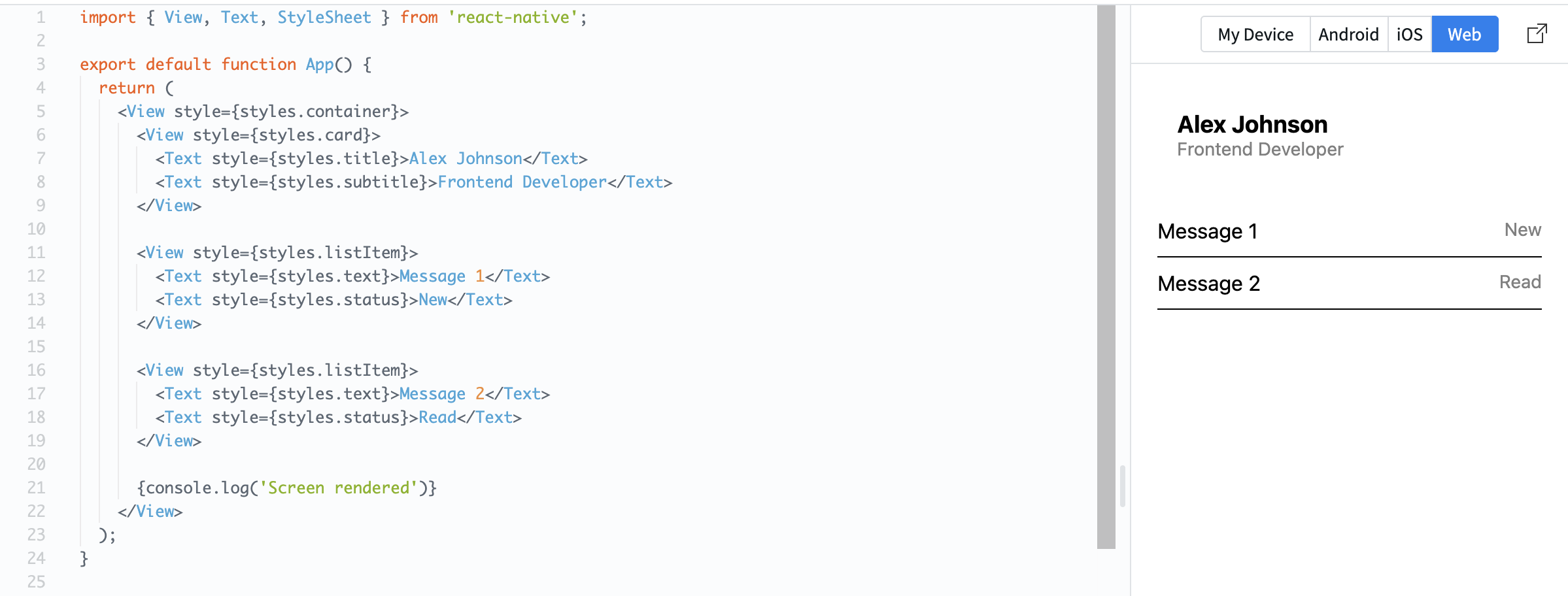
Example:
import { View, Text, StyleSheet } from 'react-native';

export default function App() {
  return (
    <View style={styles.container}>
      <View style={styles.card}>
        <Text style={styles.title}>Alex Johnson</Text>
        <Text style={styles.subtitle}>Frontend Developer</Text>
      </View>

      <View style={styles.listItem}>
        <Text style={styles.text}>Message 1</Text>
        <Text style={styles.status}>New</Text>
      </View>

      <View style={styles.listItem}>
        <Text style={styles.text}>Message 2</Text>
        <Text style={styles.status}>Read</Text>
      </View>

      {console.log('Screen rendered')}
    </View>
  );
}

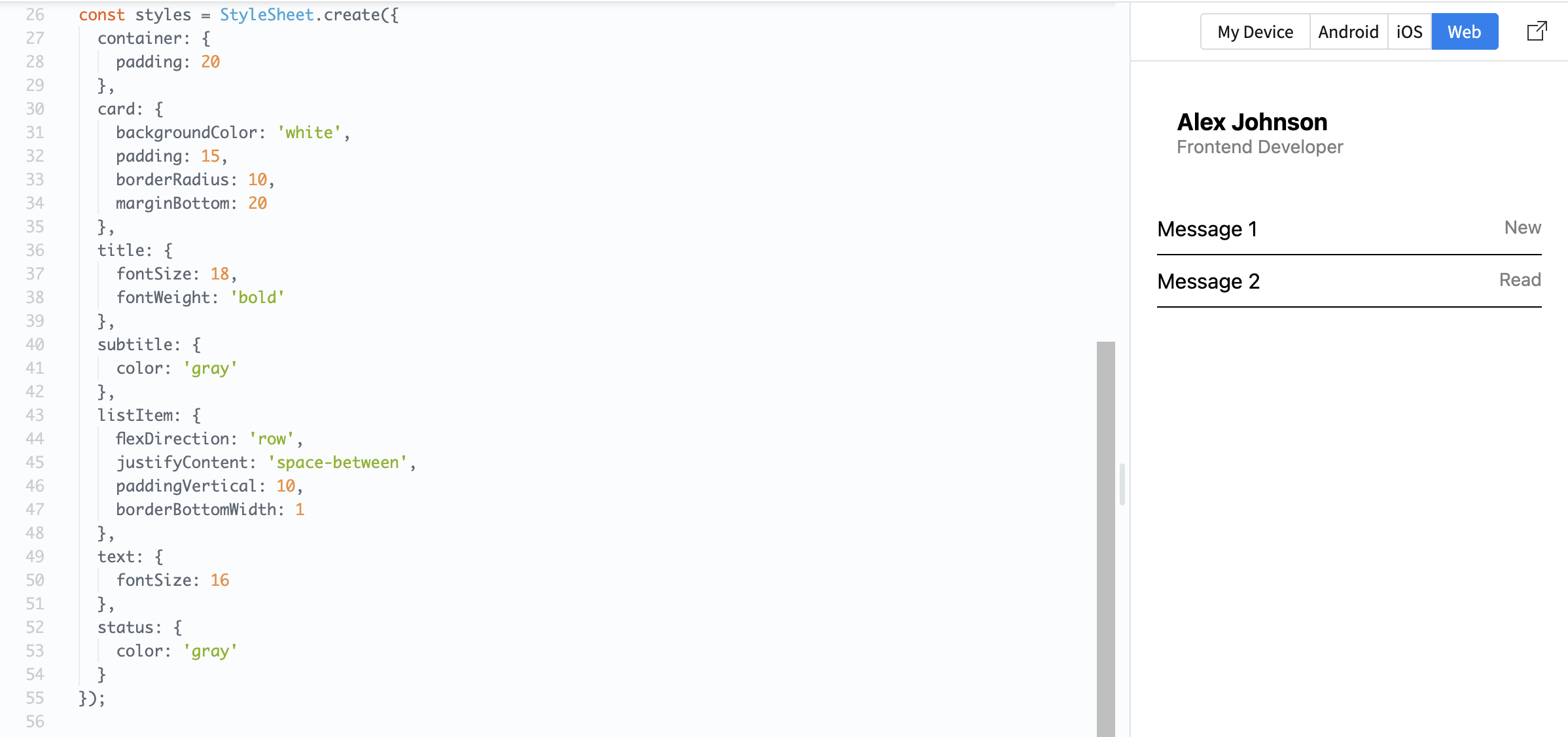
const styles = StyleSheet.create({
  container: {
    padding: 20
  },
  card: {
    backgroundColor: 'white',
    padding: 15,
    borderRadius: 10,
    marginBottom: 20
  },
  title: {
    fontSize: 18,
    fontWeight: 'bold'
  },
  subtitle: {
    color: 'gray'
  },
  listItem: {
    flexDirection: 'row',
    justifyContent: 'space-between',
    paddingVertical: 10,
    borderBottomWidth: 1
  },
  text: {
    fontSize: 16
  },
  status: {
    color: 'gray'
  }
});
Now your screen looks structured, consistent, and readable.
You are no longer placing elements randomly. You are building UI intentionally.
This is the key step before moving to real applications.
Moving Further
At this point, you understand how to structure and style screens in React Native.
You know how to:
- Control spacing and layout;
- Build reusable components;
- Keep UI consistent and clean.
That is enough to move forward.
Now it is time to stop building static screens and start building a real app.
In the next module, you will:
- Work with multiple screens (navigation);
- Fetch real data from an API;
- Save data on the device.
Everything will be built step by step inside one project.
Let's move to building a real app.
Дякуємо за ваш відгук!
Запитати АІ

Запитати АІ

Запитайте про що завгодно або спробуйте одне із запропонованих запитань, щоб почати наш чат
