Box Plot
Свайпніть щоб показати меню

Box plot is another extremely common plot in statistics used to visualize the central tendency, spread, and potential outliers within the data via their quartiles.
Quartiles
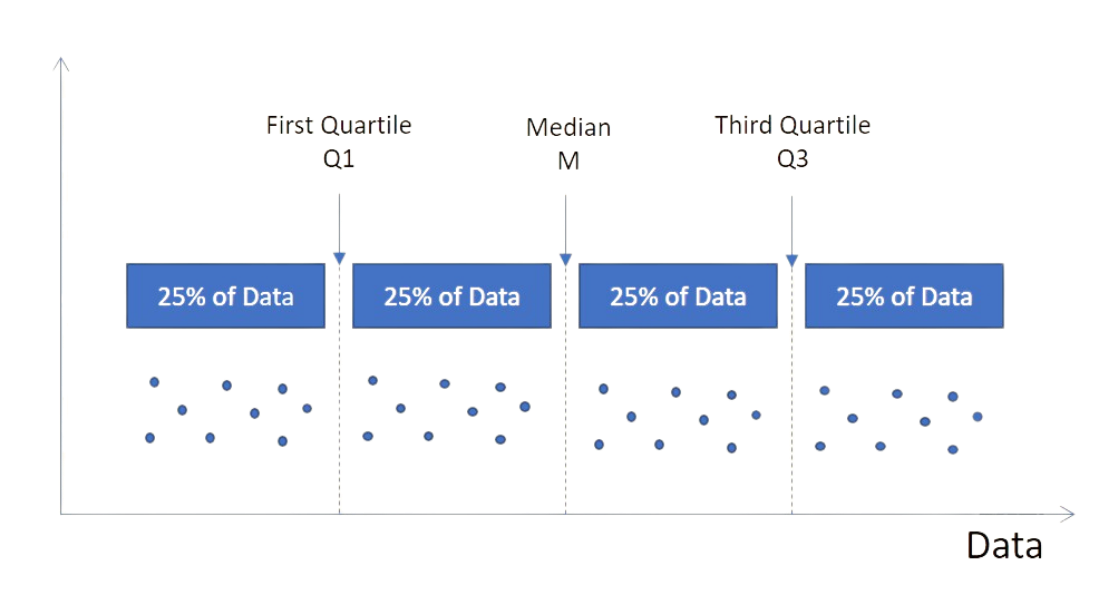
Quartiles split sorted data into four equal parts:
- Q1 — the midpoint between the minimum and the median (25% of data below it);
- Q2 — the median (50% of data below);
- Q3 — the midpoint between the median and the maximum (75% of data below).
Box Plot Elements
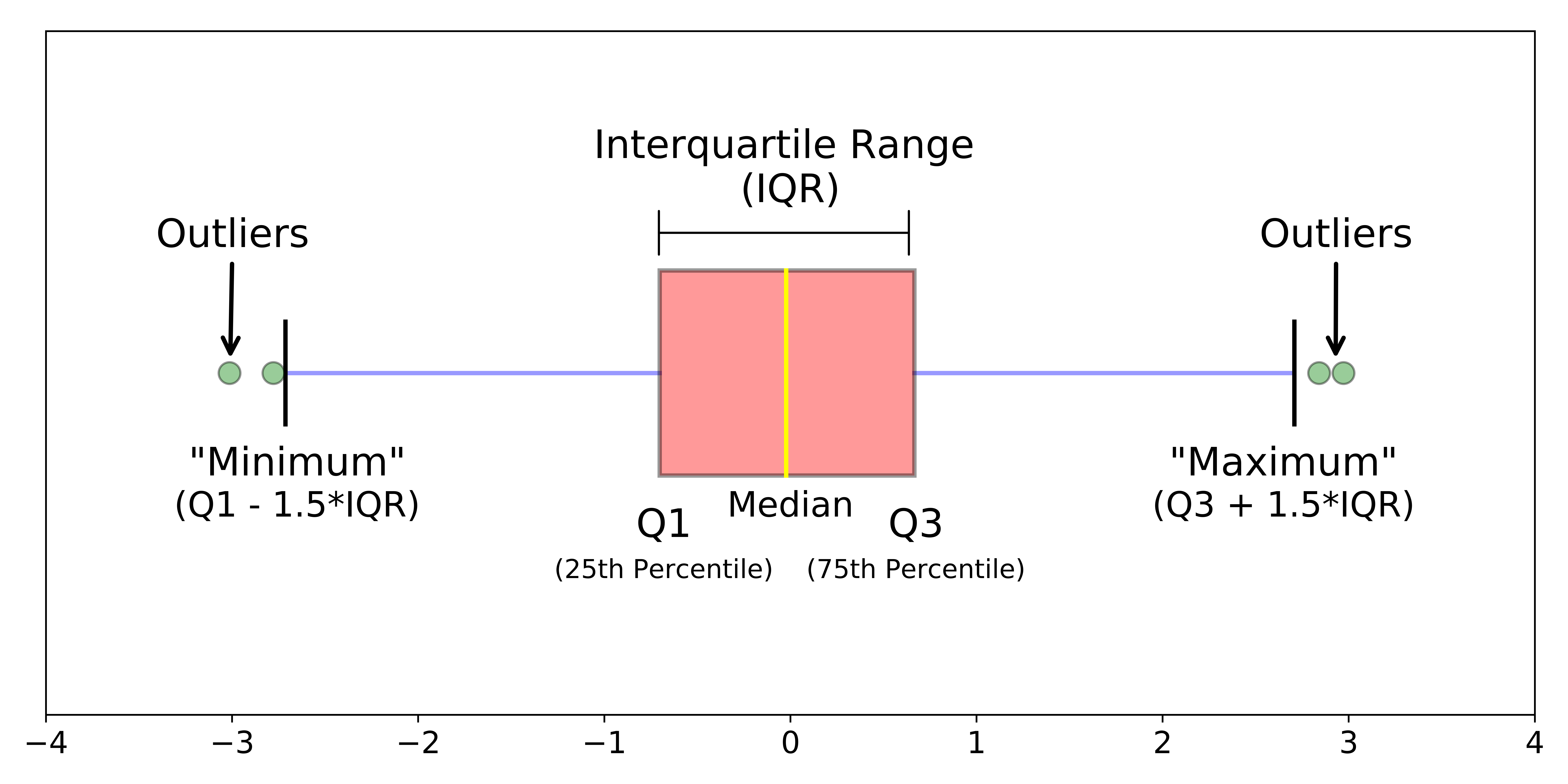
- The left side of the box shows Q1, the right side shows Q3;
- IQR = Q3 − Q1, shown as the width of the box, with the median marked by a yellow line;
- Whiskers extend to (Q1 - 1.5 \cdot IQR) and (Q3 + 1.5 \cdot IQR);
- Points outside the whiskers are outliers.
A box plot can be generated using matplotlib.
1234567891011import pandas as pd import matplotlib.pyplot as plt # Loading the dataset with the average yearly temperatures in Boston and Seattle url = 'https://content-media-cdn.codefinity.com/courses/47339f29-4722-4e72-a0d4-6112c70ff738/weather_data.csv' weather_df = pd.read_csv(url, index_col=0) # Creating a box plot for the Seattle temperatures plt.boxplot(weather_df['Seattle']) plt.show()
Box Plot Data
Use plt.boxplot(x), where x can be a 1D array-like object, a 2D array (one box per column), or a sequence of 1D arrays.
Optional Parameters
tick_labels is useful for naming box plots — especially when plotting multiple arrays.
12345678910import pandas as pd import matplotlib.pyplot as plt # Loading the dataset with the average yearly temperatures in Boston and Seattle url = 'https://content-media-cdn.codefinity.com/courses/47339f29-4722-4e72-a0d4-6112c70ff738/weather_data.csv' weather_df = pd.read_csv(url, index_col=0) # Creating two box plots for Boston and Seattle temperatures plt.boxplot(weather_df, tick_labels=['Boston', 'Seattle']) plt.show()
Passing a DataFrame with two numeric columns to boxplot() creates two separate box plots with labels automatically assigned.

There are also quite a bit of optional parameters for customizing the box plot, which you can explore in boxplot() documentation, yet in practice you might rarely use them.
Проведіть, щоб почати кодувати
Create two box plots using two samples from the standard normal distribution:
- Use the correct function to create the box plots.
- Use the list of
normal_sample_1andnormal_sample_2(in this order from left to right) as the data. - Label the left box plot as
First sampleand the right one asSecond sampleusing thelist.
Рішення
 Перейдіть на комп'ютер для реальної практикиПродовжуйте з того місця, де ви зупинились, використовуючи один з наведених нижче варіантів
Дякуємо за ваш відгук!

single
Запитати АІ

Запитати АІ

Запитайте про що завгодно або спробуйте одне із запропонованих запитань, щоб почати наш чат
