The AI Tools Landscape: ChatGPT, Claude, Copilot, Gemini and More
Swipe to show menu
In 2026, "AI" isn't one thing — it's an ecosystem of tools built by different companies, each with its own strengths, pricing, and ideal use cases. The good news: you don't need to master all of them. You need to know enough to make a smart choice for your context.
Two Categories of AI Tools
Standalone AI assistants — you go to them: Open a separate app or website and have a conversation. Great for open-ended tasks, writing, research, and anything that doesn't need to be inside another tool.
AI embedded in your existing tools — they come to you: AI features built directly into apps you already use. You don't switch windows — the AI is right there in Word, Excel, Gmail, Notion, or Slack.
Both categories are useful. Most professionals end up using both.
The Main Standalone Assistants
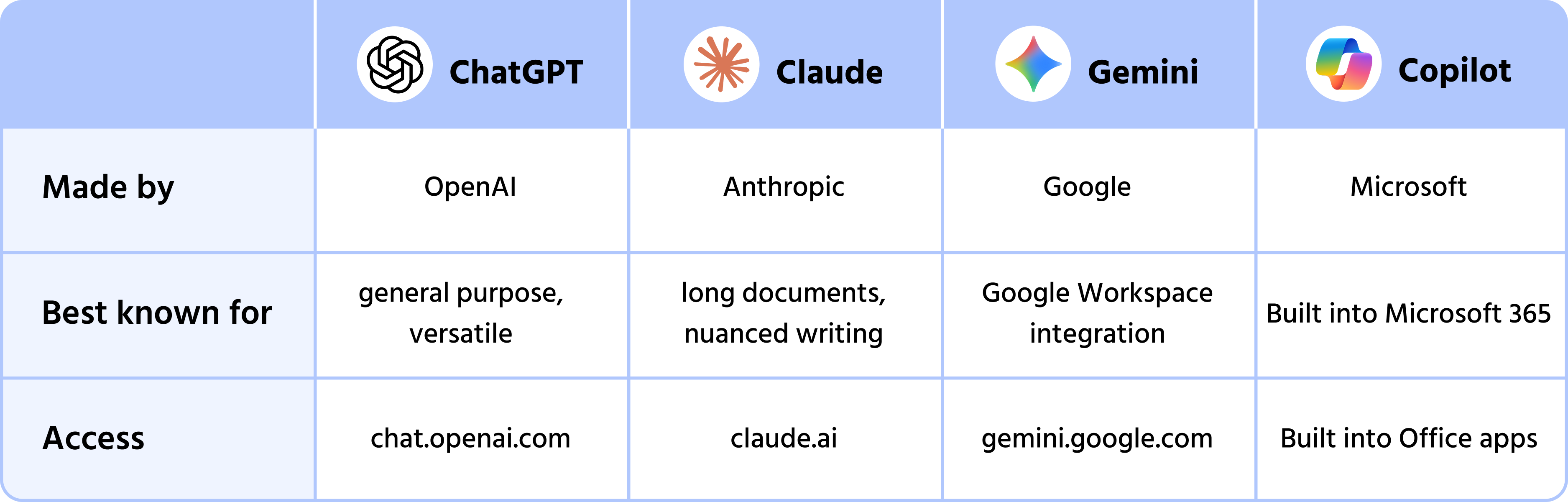
ChatGPT (by OpenAI) — the most widely recognized AI assistant. Strong at general-purpose tasks: writing, coding, analysis, brainstorming. Available at chat.openai.com with a free tier.
Claude (by Anthropic) — particularly strong at handling long documents, nuanced writing, and tasks where accuracy and tone matter. Available at claude.ai with a free tier.
Gemini (by Google) — tightly integrated with Google Search and Google Workspace. Useful if your work lives in Google Docs, Gmail, or Sheets. Available at gemini.google.com.

At an everyday-use level, all three are highly capable. Differences become noticeable in edge cases — long documents, specialized tasks, or specific integrations.
AI Embedded in Tools You Already Use
You may already have AI available without realizing it:
- Microsoft 365 Copilot — inside Word, Excel, Outlook, Teams, and PowerPoint. Summarizes emails, drafts documents, analyzes spreadsheets;
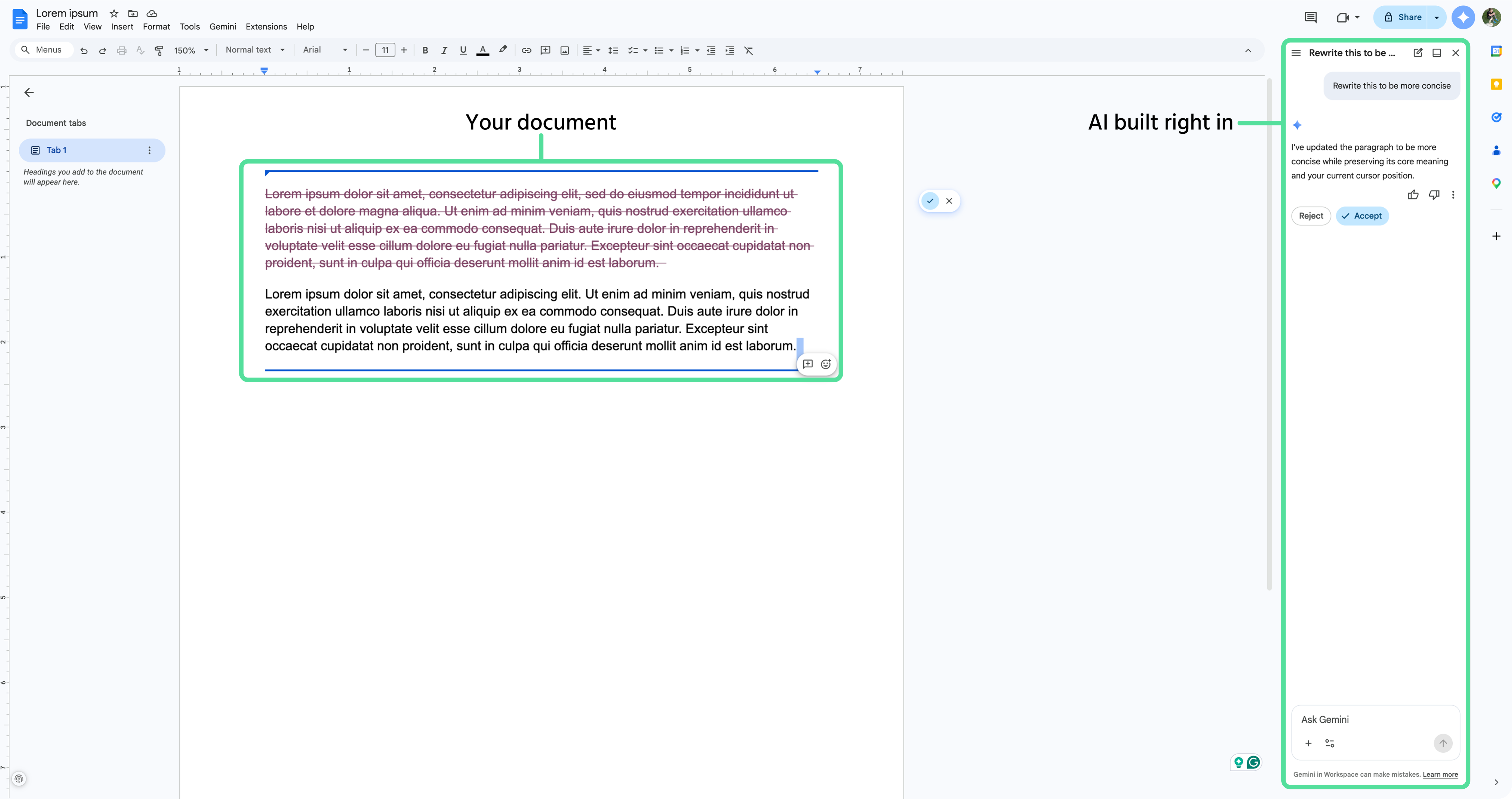
- Google Workspace AI — inside Docs, Gmail, Sheets, and Slides. Drafts, rewrites, and summarizes without leaving your document;
- Notion AI — generates and edits content inside your Notion workspace;
- Slack AI — summarizes threads and channels you've missed;
- Grammarly — AI writing assistant embedded across browsers and apps.
The key advantage: no context switching. The AI works with the document or thread you're already looking at.
Many of these embedded tools are powered by the same underlying models (Microsoft Copilot uses OpenAI technology, for example). The interface changes — the core capability is often similar. Don't get too caught up in which model powers what. Focus on which interface fits your workflow.
1. Which of the following statements correctly describe standalone AI assistants, as opposed to AI embedded in existing tools?
2. Which of the following statements accurately describe the main standalone AI assistants discussed in this chapter
Thanks for your feedback!
Ask AI

Ask AI

Ask anything or try one of the suggested questions to begin our chat
