Das Richtige Werkzeug für die Aufgabe Wählen
Swipe um das Menü anzuzeigen
Inzwischen hast du einen Überblick erhalten. Die praktische Frage lautet: Welches Tool öffnest du tatsächlich, wenn eine Aufgabe ansteht?
Die ehrliche Antwort: Für die meisten alltäglichen Arbeitsaufgaben liefern alle großen Tools solide Ergebnisse. Es gibt jedoch sinnvolle Standardoptionen, die Zeit sparen.
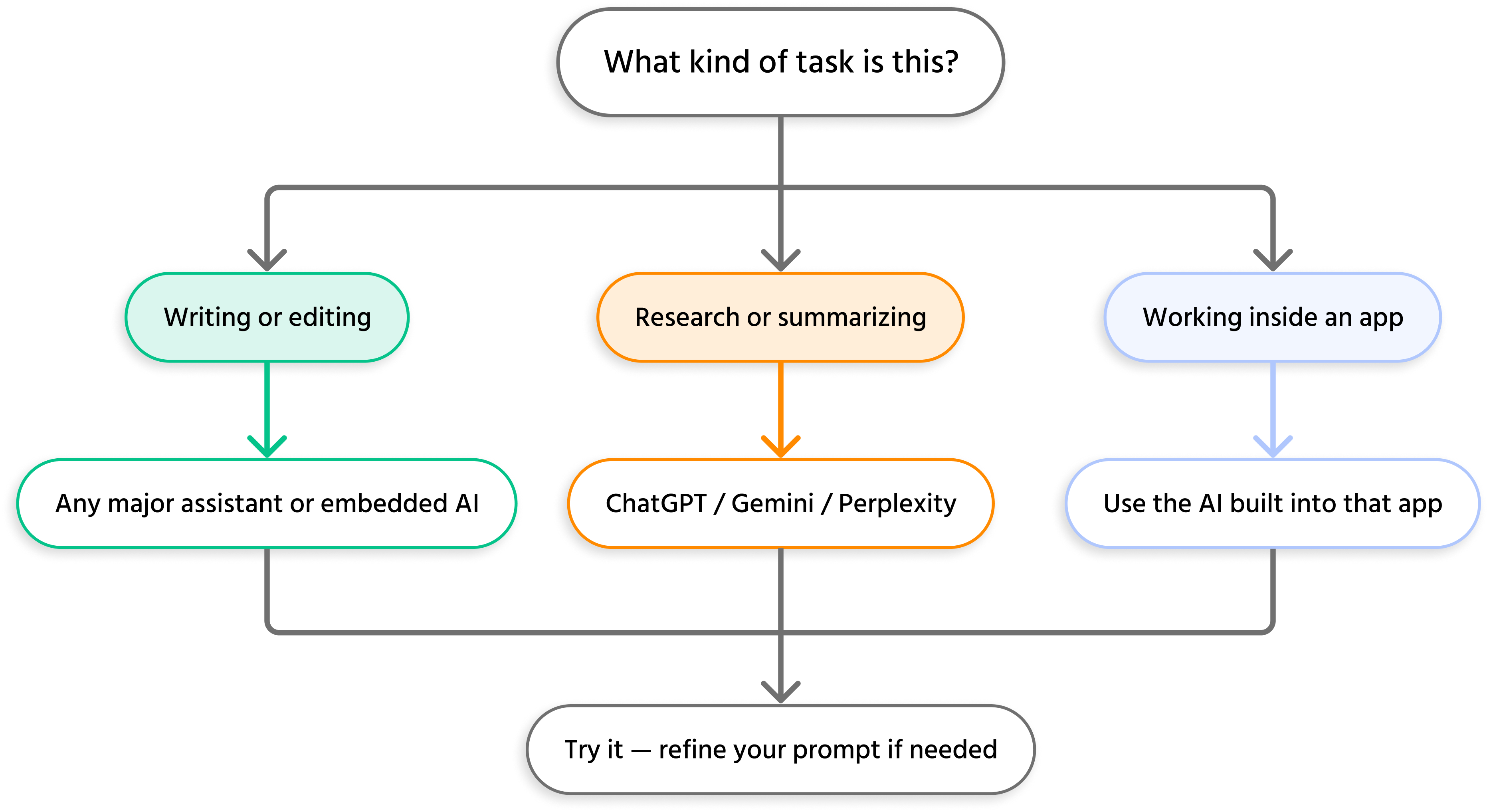
Ein einfaches Entscheidungsmodell
Nutze dies als Ausgangspunkt – nicht als starre Regel:
Kostenlos vs. kostenpflichtig
Alle großen KI-Tools bieten kostenlose Tarife, die für diesen Kurs und den Einstieg im Arbeitsalltag vollkommen ausreichen.
Kostenpflichtige Pläne schalten in der Regel frei:
- Schnellere, leistungsfähigere Modellversionen;
- Längere Kontextfenster (für sehr lange Dokumente);
- Bildgenerierung;
- Tiefere Integrationen und API-Zugriff.

Für diesen Kurs oder den produktiven Einsatz von KI im Arbeitsalltag benötigen Sie kein kostenpflichtiges Abonnement.
Übung: Probiere deine erste KI-Aufgabe aus
Denke an eine reale Aufgabe aus deiner Woche – zum Beispiel eine E-Mail schreiben, ein Meeting zusammenfassen oder Ideen für ein Projekt sammeln.
- Wähle mit dem oben genannten Rahmenwerk ein passendes Tool aus;
- Öffne das Tool – es dauert nur 30 Sekunden, um ein kostenloses Konto zu erstellen, falls du noch keines hast;
- Beschreibe deine Aufgabe so, wie du sie einem Kollegen erklären würdest;
- Schau dir das Ergebnis an.
Mach dir keine Sorgen, wenn das Ergebnis beim ersten Versuch nicht perfekt ist. Wie man bessere Prompts formuliert, wird ausführlich in Abschnitt 2 behandelt.
Du hast nun die Grundlagen behandelt: Was KI ist, wie sie funktioniert, welche Tools es gibt und wie man zwischen ihnen wählt. Im nächsten Abschnitt liegt der Fokus auf der Fähigkeit, die den größten praktischen Unterschied macht – wie man mit KI kommuniziert, damit sie genau das liefert, was man wirklich braucht.
Danke für Ihr Feedback!
Fragen Sie AI

Fragen Sie AI

Fragen Sie alles oder probieren Sie eine der vorgeschlagenen Fragen, um unser Gespräch zu beginnen
