Generative KI vs. Traditionelle Software
Swipe um das Menü anzuzeigen
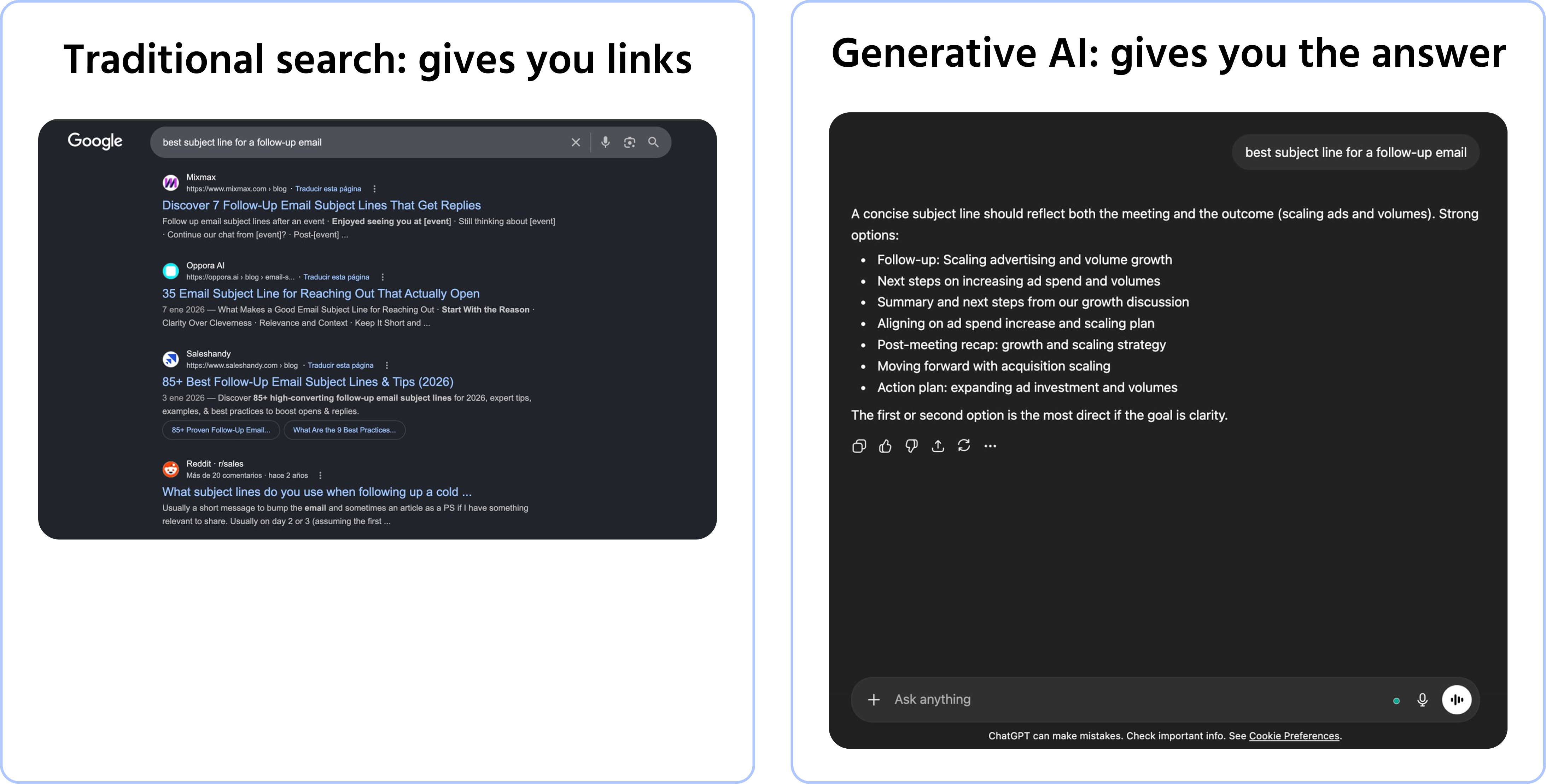
Wenn Sie =SUM(A1:A10) in Excel eingeben, erhalten Sie immer das gleiche Ergebnis.
Wenn Sie ChatGPT zweimal die gleiche Frage stellen, erhalten Sie möglicherweise zwei unterschiedliche Antworten.
Das ist kein Fehler – es ist das entscheidende Merkmal von generativer KI, und das Verständnis davon verändert den Umgang damit.
Deterministische vs. probabilistische Werkzeuge
Traditionelle Software folgt festen Regeln:
- Gleiche Eingabe → gleiches Ergebnis, jedes Mal;
- Das Ergebnis ist vorhersehbar und nachvollziehbar;
- Beispiele: Excel-Formeln, Datenbankabfragen, Suchmaschinen.
Generative KI ist probabilistisch:
- Gleiche Eingabe → unterschiedliches Ergebnis, abhängig von Kontext und Zufall;
- Ergebnisse sind flexibel und kreativ, erfordern aber Überprüfung;
- Beispiele: ChatGPT, Claude, Gemini, Copilot.
Keine Herangehensweise ist überlegen – sie erfüllen unterschiedliche Zwecke. Der Fehler besteht darin, KI wie einen Taschenrechner zu behandeln oder von einem Taschenrechner Kreativität zu erwarten.
Das Kontextfenster: Das Arbeitsgedächtnis der KI
KI verfügt über kein dauerhaftes Gedächtnis. Sie kennt nur das, was sich im aktuellen Gespräch befindet — dies wird als Kontextfenster bezeichnet.
- Alles, was im aktuellen Chat geschrieben wurde, befindet sich im Kontextfenster;
- Sobald ein neues Gespräch begonnen wird, hat die KI keine Erinnerung an das vorherige;
- Einige Tools bieten optionale Speicherfunktionen, diese sind jedoch standardmäßig deaktiviert.
.png?w=3840&q=75)

Stellen Sie sich einen brillanten Berater vor, der in einem einzigen Meeting alles liest, was Sie ihm geben, und das gesamte Gespräch vergisst, sobald er den Raum verlässt. Beim nächsten Meeting beginnen Sie wieder von vorne.
Was das in der Praxis bedeutet
- Immer Kontext in der Nachricht angeben — nicht davon ausgehen, dass die KI Ihre Rolle, Ihr Projekt oder Ihre Präferenzen kennt;
- Innerhalb einer Unterhaltung kann Bezug genommen werden — die KI merkt sich alles, was in der aktuellen Sitzung gesagt wurde;
- Bei Themenwechsel neu beginnen — eine überladene, lange Unterhaltung kann das Modell verwirren;
- Einige Tools bieten Speicherfunktionen — ChatGPT und Claude verfügen über optionale Speicherfunktionen, die über Sitzungen hinweg bestehen bleiben, aber diese müssen aktiviert werden.
1. Welche Aussagen beschreiben korrekt den Unterschied zwischen deterministischen und probabilistischen Tools und geben jeweils passende Beispiele an?
2. Welche Aussage beschreibt am besten, wie generative KI sich während einer Unterhaltung Informationen merkt?
Danke für Ihr Feedback!
Fragen Sie AI

Fragen Sie AI

Fragen Sie alles oder probieren Sie eine der vorgeschlagenen Fragen, um unser Gespräch zu beginnen
