AI for Developers
Swipe to show menu
Of all the professional groups covered in this section, developers have seen the most direct and measurable impact from AI tools. AI-assisted coding has moved from novelty to standard practice — and in 2026, the question is no longer whether to use it, but how to use it well.
This chapter is relevant whether you write code daily or only occasionally interact with technical work.
What AI Can Do in a Development Workflow
- Code generation — writing boilerplate, functions, and component scaffolding from a plain-language description;
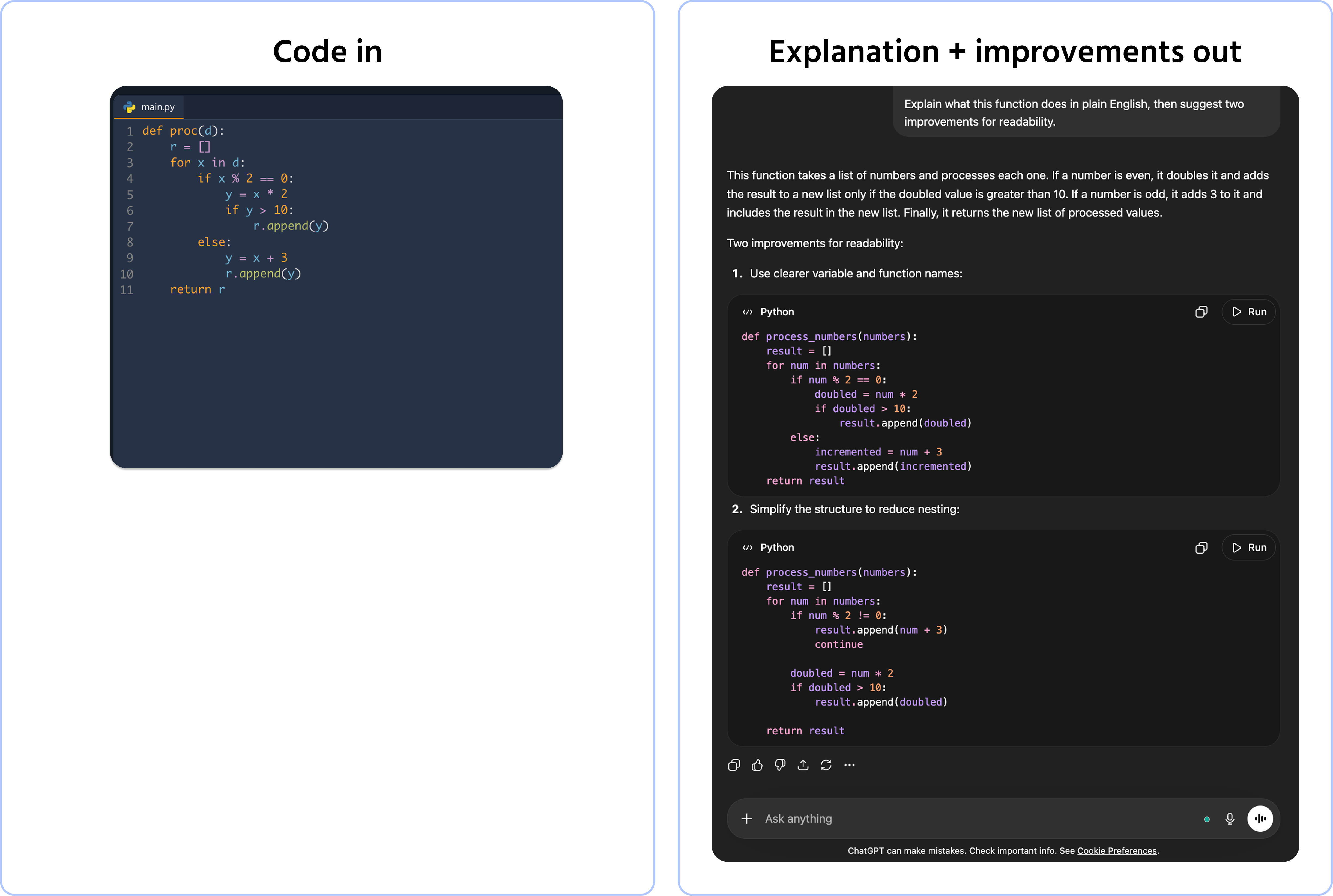
- Code explanation — paste any unfamiliar code and ask AI to explain what it does, line by line or at a high level;
- Debugging assistance — describe the error or paste the error message and ask AI to identify the likely cause;
- Writing tests — generating unit tests for existing functions from a description of expected behavior;
- Documentation — producing inline comments, README files, and API documentation from code;
- Refactoring suggestions — asking AI to review a function and suggest improvements for readability or performance.
AI-Powered Tools Built Into the Development Environment
In 2026, AI assistance is available directly inside development environments — not just in a separate chat window:
- GitHub Copilot — inline code suggestions inside VS Code, JetBrains IDEs, and others. Suggests completions as you type, generates functions from comments;
- Cursor — an AI-native code editor built around multi-file editing and conversational coding assistance;
- JetBrains AI Assistant — built into IntelliJ, PyCharm, and other JetBrains IDEs with context-aware suggestions.
The key advantage of in-editor AI: it has access to your full codebase context, not just the snippet you paste into a chat. This produces significantly more relevant suggestions.
What AI Does Not Replace in Development
Even with highly capable AI coding tools, human judgment remains essential for:
- Architecture decisions — AI can suggest patterns, but the structural choices that determine how a system scales and evolves require experienced human thinking;
- Security review — AI-generated code can introduce vulnerabilities. All AI-assisted code should be reviewed with security in mind;
- Understanding your own code — if you cannot read and explain what AI wrote, you cannot maintain, debug, or extend it responsibly;
- Business context — knowing which technical solution actually serves the product and user need requires context AI doesn't have.
The risk to watch for: developers who accept AI-generated code without reading it. Speed is not the goal — working, secure, maintainable code is.
Thanks for your feedback!
Ask AI

Ask AI

Ask anything or try one of the suggested questions to begin our chat
