Building Your Personal AI Workflow
Swipe to show menu
The final chapter of this course is about you specifically.
You've covered the foundation: how AI works, how to prompt it effectively, what risks to manage, and how it applies across different roles. Now the question is: what does this actually look like in your day-to-day work?
This chapter helps you answer that question with a simple, practical framework — and ends with a concrete action you can take today.
Step 1 — Identify Your High-Volume, Low-Judgment Tasks
The best starting point for AI adoption is not the most exciting use case — it's the most repetitive one.
Look at your last two weeks of work and ask:
- What tasks did I do more than twice that followed a similar pattern?
- Where did I spend time producing output rather than thinking?
- What writing tasks took longer than they should have?
These are your highest-leverage AI opportunities. They're repetitive enough to benefit from a reusable prompt template, and routine enough that errors are easy to catch.
Step 2 — Match Each Task to a Tool and a Template
For each task you identified, define:
- Which tool you'll use — using the framework from Chapter 1.5;
- What your starting prompt looks like — using the building blocks from Chapter 2.2;
- How much review the output needs — using the verification framework from Chapter 3.2.
You don't need to formalize this. A simple note to yourself — "For weekly status updates: use Copilot, this template, quick read-through before sending" — is enough.
Step 3 — Start Small and Build the Habit
The professionals who get the most value from AI are not the ones who made a big plan and transformed their workflow overnight. They're the ones who started using AI for one or two small tasks, built the habit of reaching for it, and gradually expanded from there.
A realistic starting point:
- Week 1: use AI for one recurring writing task — a summary, an email, a draft document;
- Week 2: refine your prompt based on what worked and what didn't;
- Week 3: add a second task, or try a more complex prompt technique from Section 2;
- Ongoing: share what's working with your team — the fastest way to build organizational AI capability is peer-to-peer.
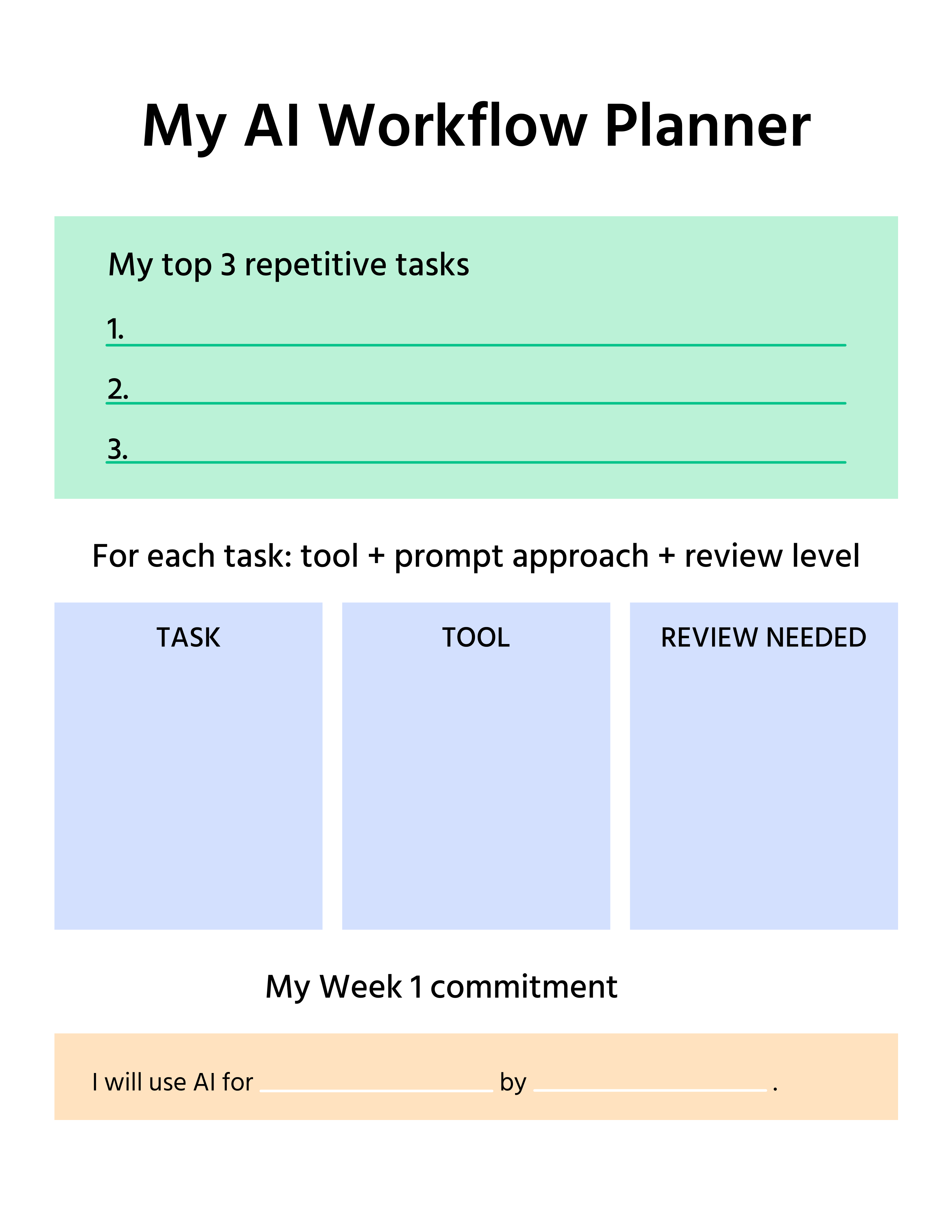
Practice: Write Your Mini Adoption Plan
Before you close this course, take five minutes to do this:
- Write down three tasks from your work where you will try using AI in the next two weeks;
- For each one, note which tool you'll use and what the basic prompt structure will look like;
- Set a specific day this week to try the first one — not "soon," a specific day.
That's it. Three tasks, one concrete first step.
What You've Covered in This Course
You started with no assumed knowledge and have now covered:
- How modern AI works — LLMs, tokens, prediction, and the context window;
- The tools landscape — what's available, how to choose, what's already in the tools you use;
- Prompt engineering — the four building blocks, key techniques, iteration, and diagnosis;
- Risks and responsible use — hallucinations, data privacy, bias, copyright, and accountability;
- Role-specific applications — marketing, HR, analytics, development, and project management.
AI is not a passing trend. The professionals who learn to work with it effectively — not uncritically, but confidently and responsibly — will do better work, faster, with more time left for the parts of their job that actually require human judgment.
You now have the foundation. The rest is practice.
Thanks for your feedback!
Ask AI

Ask AI

Ask anything or try one of the suggested questions to begin our chat
Building Your Personal AI Workflow
The final chapter of this course is about you specifically.
You've covered the foundation: how AI works, how to prompt it effectively, what risks to manage, and how it applies across different roles. Now the question is: what does this actually look like in your day-to-day work?
This chapter helps you answer that question with a simple, practical framework — and ends with a concrete action you can take today.
Step 1 — Identify Your High-Volume, Low-Judgment Tasks
The best starting point for AI adoption is not the most exciting use case — it's the most repetitive one.
Look at your last two weeks of work and ask:
- What tasks did I do more than twice that followed a similar pattern?
- Where did I spend time producing output rather than thinking?
- What writing tasks took longer than they should have?
These are your highest-leverage AI opportunities. They're repetitive enough to benefit from a reusable prompt template, and routine enough that errors are easy to catch.
Step 2 — Match Each Task to a Tool and a Template
For each task you identified, define:
- Which tool you'll use — using the framework from Chapter 1.5;
- What your starting prompt looks like — using the building blocks from Chapter 2.2;
- How much review the output needs — using the verification framework from Chapter 3.2.
You don't need to formalize this. A simple note to yourself — "For weekly status updates: use Copilot, this template, quick read-through before sending" — is enough.
Step 3 — Start Small and Build the Habit
The professionals who get the most value from AI are not the ones who made a big plan and transformed their workflow overnight. They're the ones who started using AI for one or two small tasks, built the habit of reaching for it, and gradually expanded from there.
A realistic starting point:
- Week 1: use AI for one recurring writing task — a summary, an email, a draft document;
- Week 2: refine your prompt based on what worked and what didn't;
- Week 3: add a second task, or try a more complex prompt technique from Section 2;
- Ongoing: share what's working with your team — the fastest way to build organizational AI capability is peer-to-peer.
Practice: Write Your Mini Adoption Plan
Before you close this course, take five minutes to do this:
- Write down three tasks from your work where you will try using AI in the next two weeks;
- For each one, note which tool you'll use and what the basic prompt structure will look like;
- Set a specific day this week to try the first one — not "soon," a specific day.
That's it. Three tasks, one concrete first step.
What You've Covered in This Course
You started with no assumed knowledge and have now covered:
- How modern AI works — LLMs, tokens, prediction, and the context window;
- The tools landscape — what's available, how to choose, what's already in the tools you use;
- Prompt engineering — the four building blocks, key techniques, iteration, and diagnosis;
- Risks and responsible use — hallucinations, data privacy, bias, copyright, and accountability;
- Role-specific applications — marketing, HR, analytics, development, and project management.
AI is not a passing trend. The professionals who learn to work with it effectively — not uncritically, but confidently and responsibly — will do better work, faster, with more time left for the parts of their job that actually require human judgment.
You now have the foundation. The rest is practice.
Thanks for your feedback!
