Analyzing Data and Getting Insights
Swipe to show menu
Having data is not enough. You need to understand what it means and what actions to take. Gemini helps you extract insights without complex analysis.
Situation
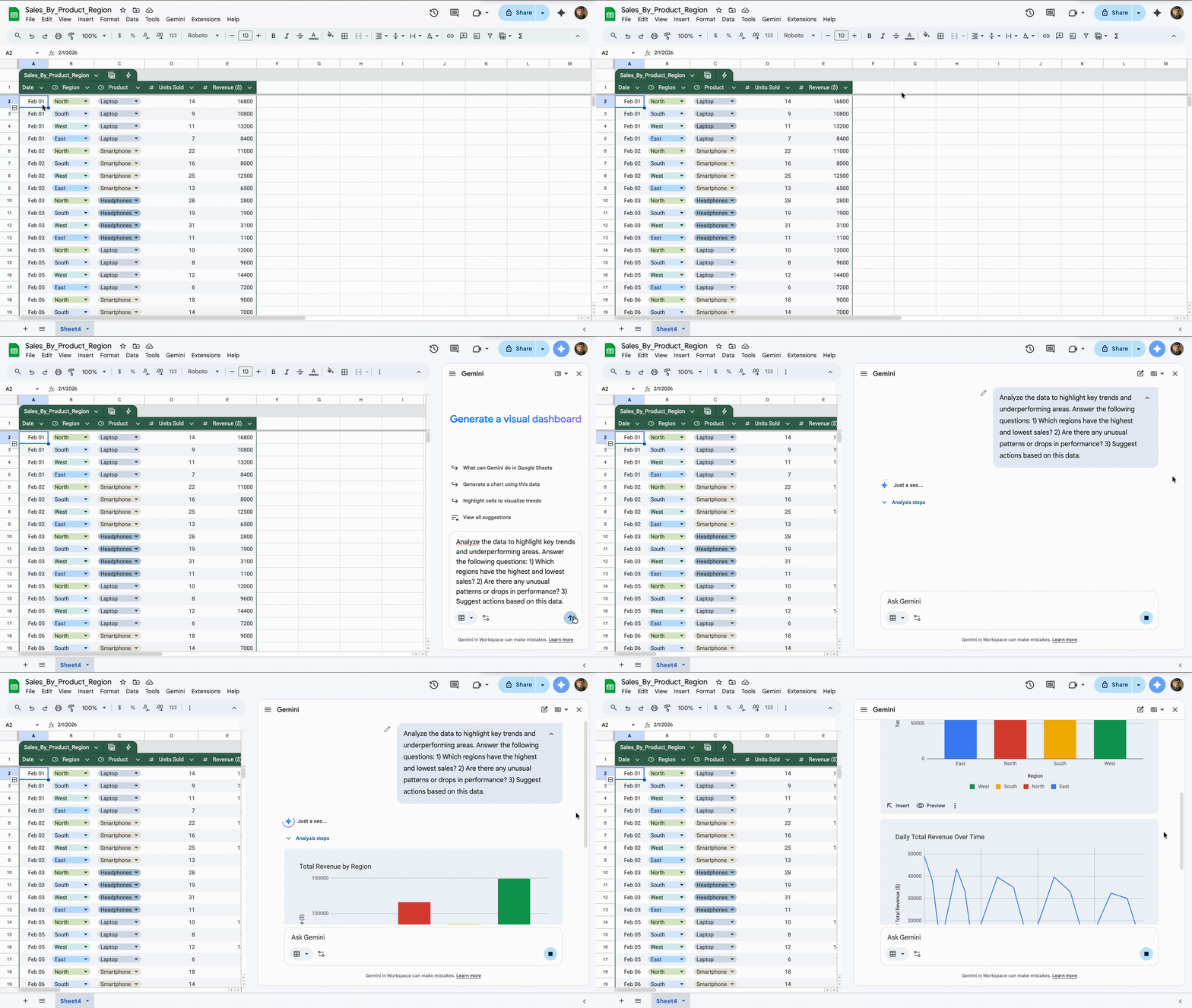
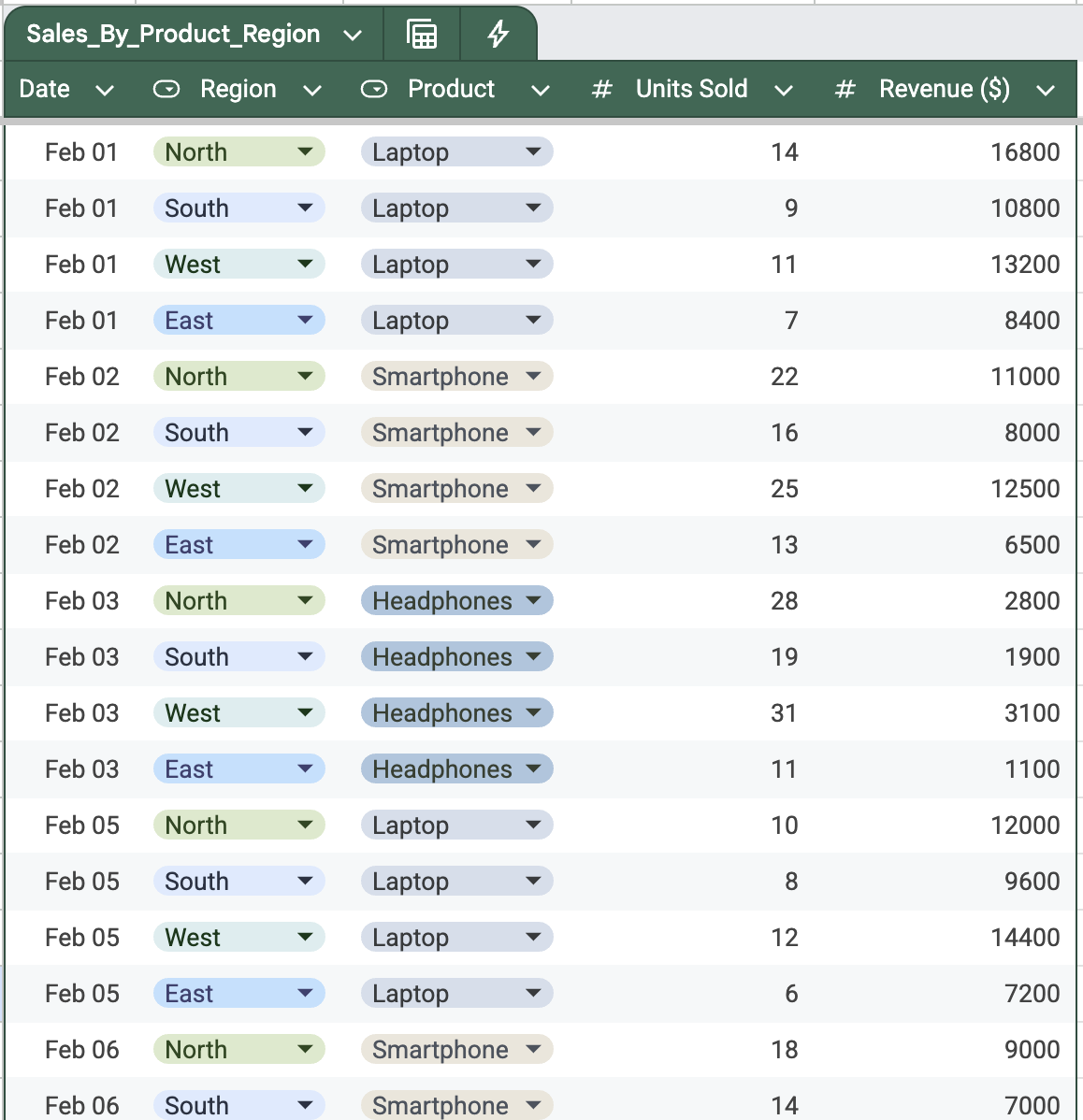
You have a table with sales data for the month.
It includes regions, products, and revenue.
You need to quickly understand:
- Which regions perform best;
- Where sales are dropping;
- What needs attention.
You do not want to build charts or complex formulas.
Inside Google Sheets, you select the data and ask Gemini:

Analyze the data to highlight key trends and underperforming areas. Answer the following questions:
- Which regions have the highest and lowest sales?
- Are there any unusual patterns or drops in performance?
- Suggest actions based on this data.
Gemini reviews the dataset and generates a summary.
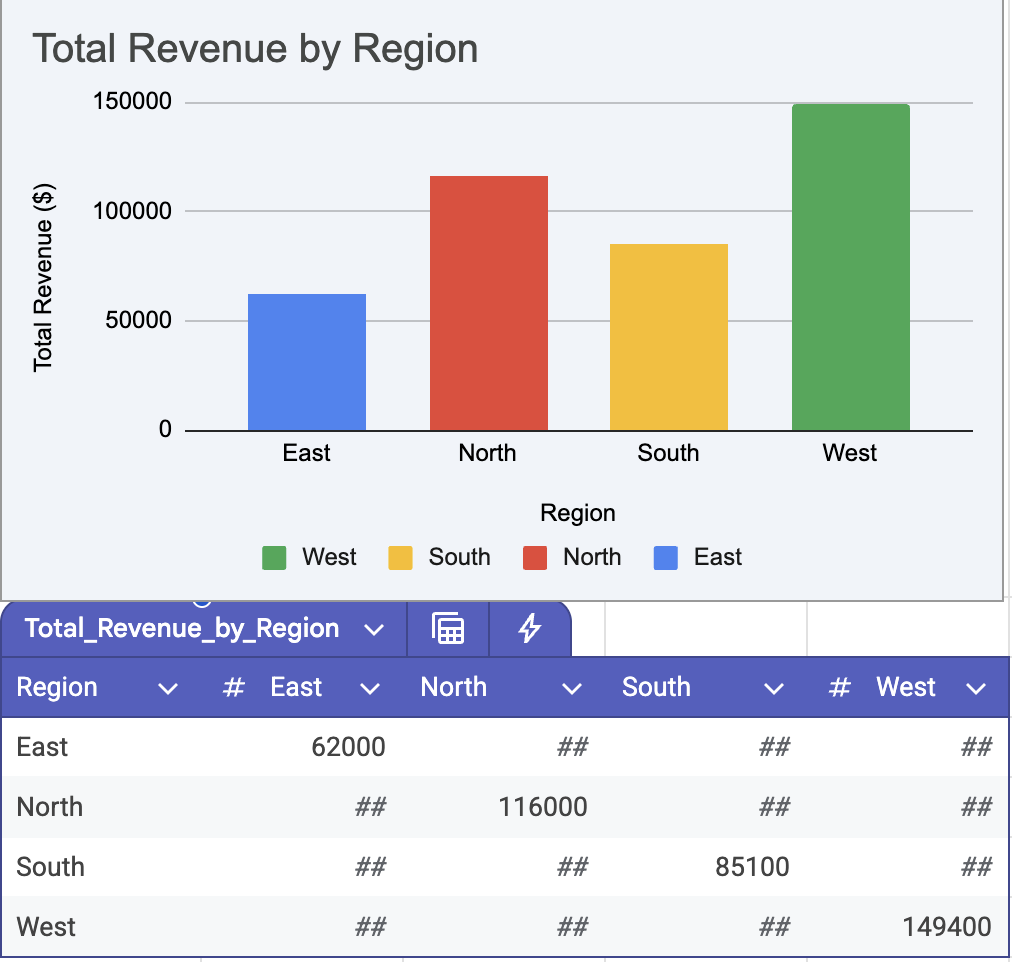
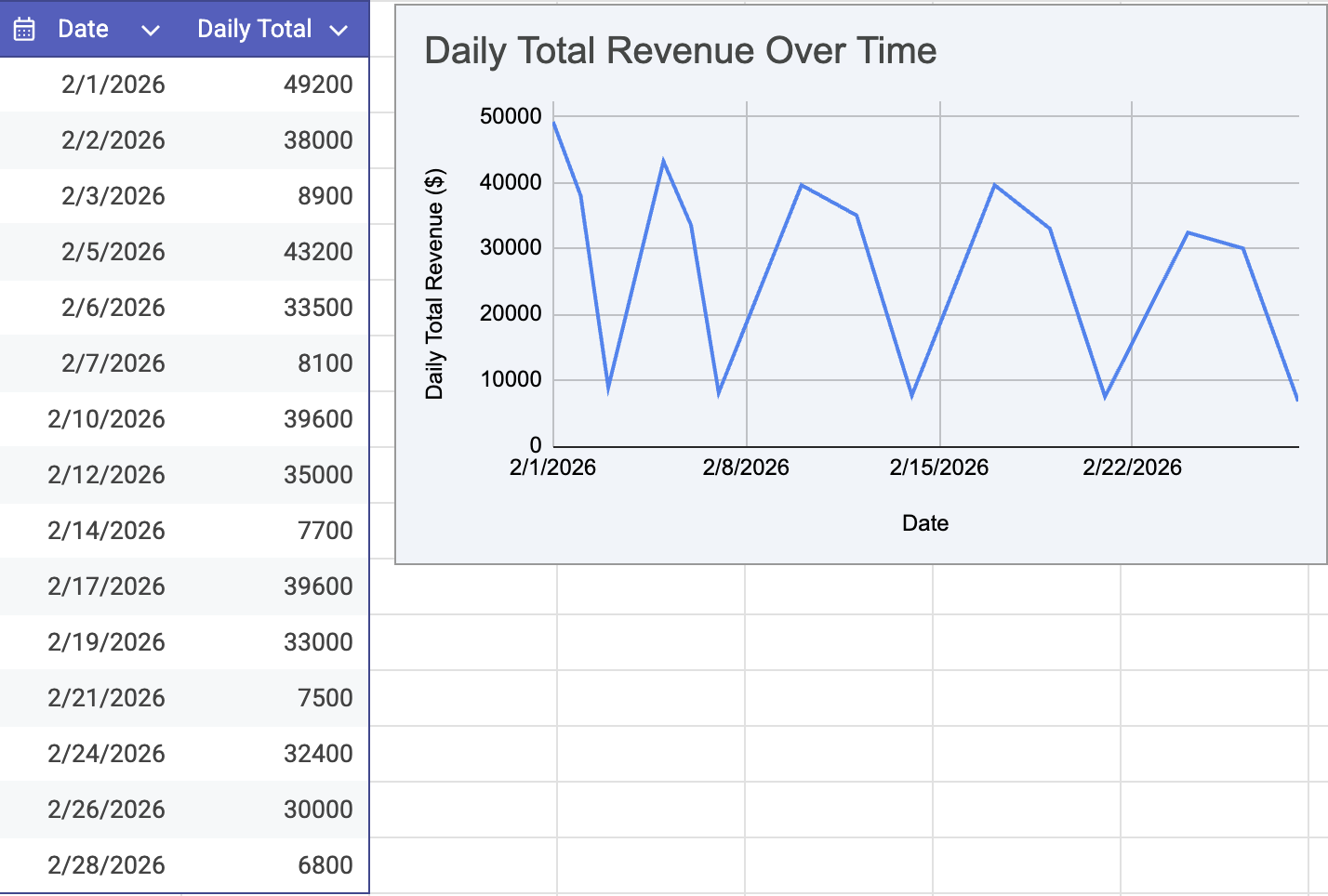
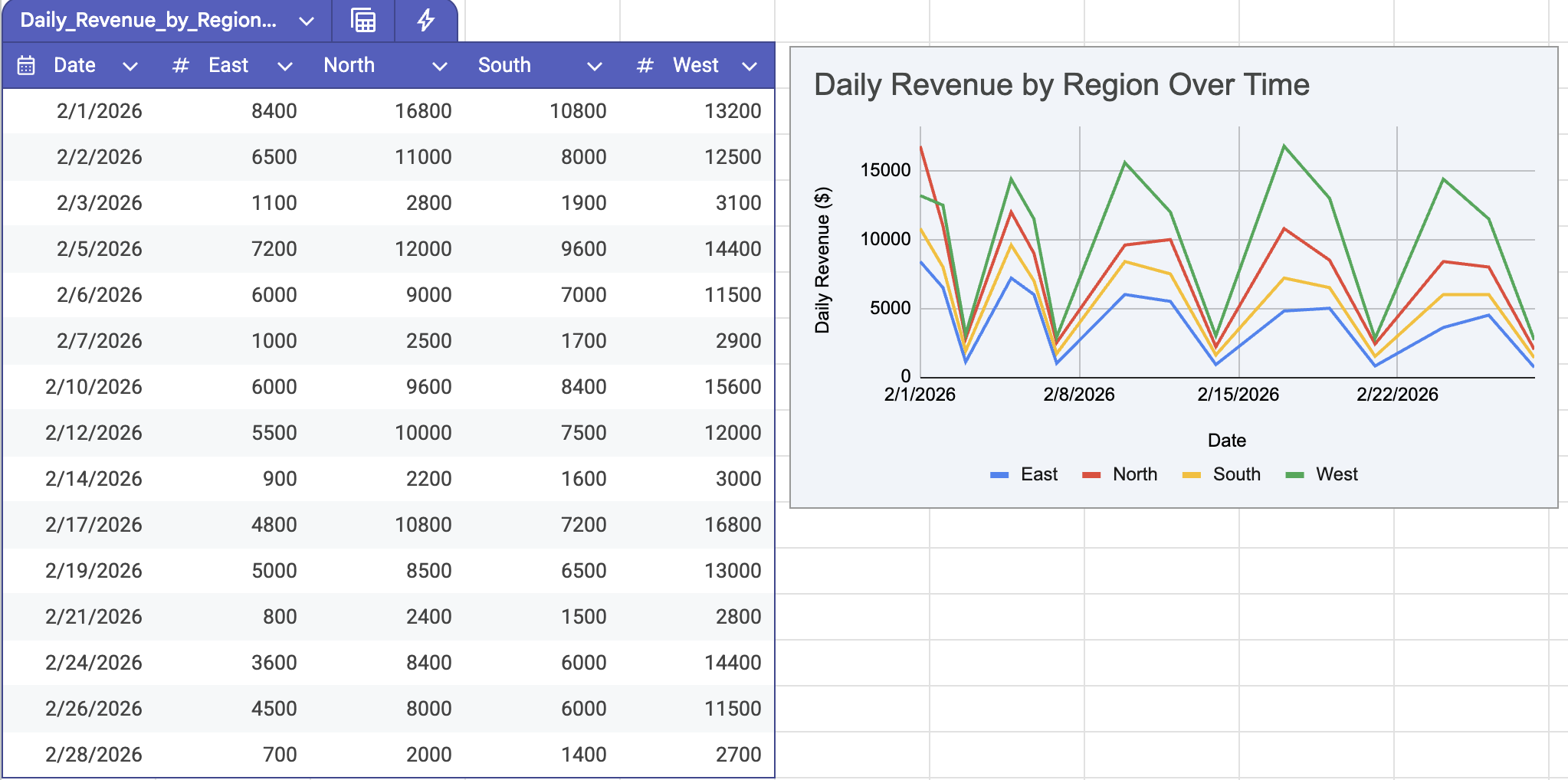
You get a clear explanation of what is happening in your data. Instead of raw numbers, you see insights and possible actions.
Thanks for your feedback!
Ask AI

Ask AI

Ask anything or try one of the suggested questions to begin our chat
