Creating Formulas with AI
Swipe to show menu
Writing formulas can be confusing, especially when you do not remember the exact syntax. Gemini helps you create formulas based on what you want to achieve.
Situation
You are working with a table of expenses. You need to calculate the difference between planned and actual values and flag overspending.
You know the logic, but you do not want to spend time writing formulas manually.
Inside Google Sheets, you describe what you need.

Create a formula to calculate the difference between planned and actual spending in each row. Also, mark rows where actual spending is higher than planned.
Gemini generates the formula and applies it to your data.
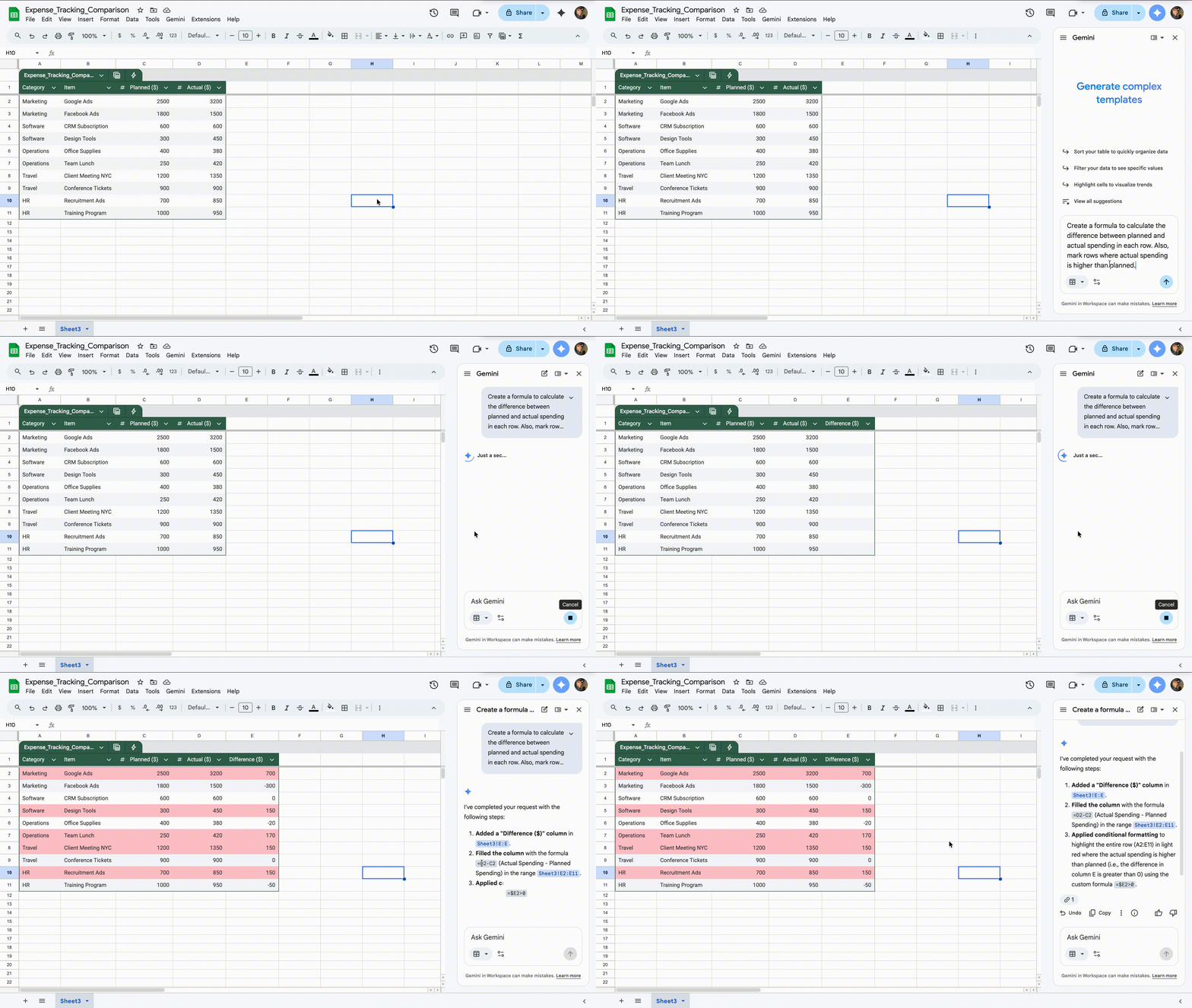
You get working formulas without remembering syntax. The logic is applied directly to your table.
You describe what you want, and Gemini creates it.
Thanks for your feedback!
Ask AI

Ask AI

Ask anything or try one of the suggested questions to begin our chat
