Writing Emails from Short Prompts
Swipe to show menu
Writing emails takes time, especially when you need to sound clear and professional. Gemini helps you start faster by turning short instructions into complete emails.
Situation
You need to send a daily update to your manager. You know what you did, but you do not want to spend time formatting it into a proper email.
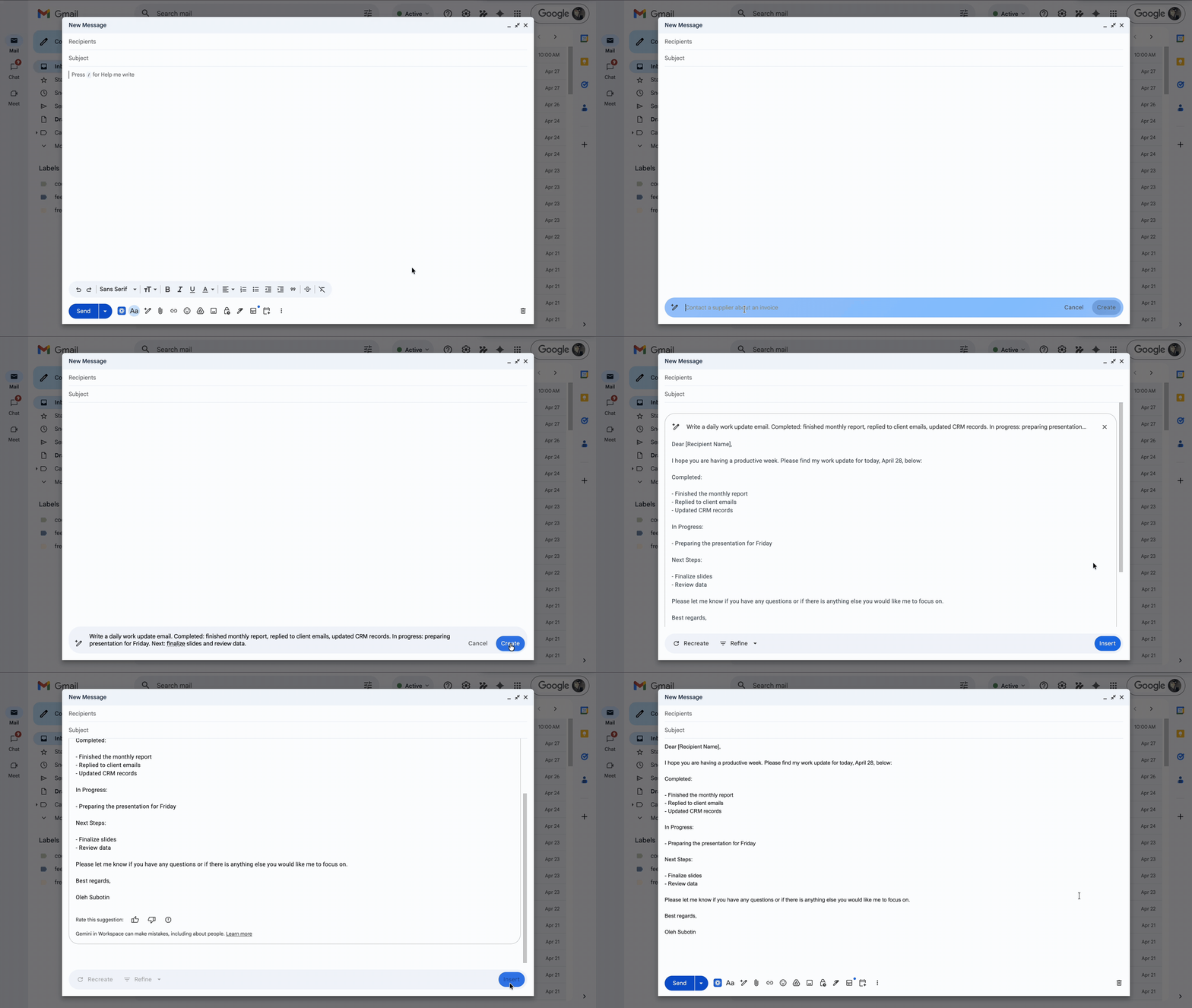
Inside Gmail, you click "Help me write" and describe your day in simple points.

Write a daily work update email. Completed: finished monthly report, replied to client emails, updated CRM records. In progress: preparing presentation for Friday. Next: finalize slides and review data.
Gemini generates a structured email with a clear summary of your work.
Improving the Result
You can refine it by polishing, formalizing, elaborating, and shortening it.
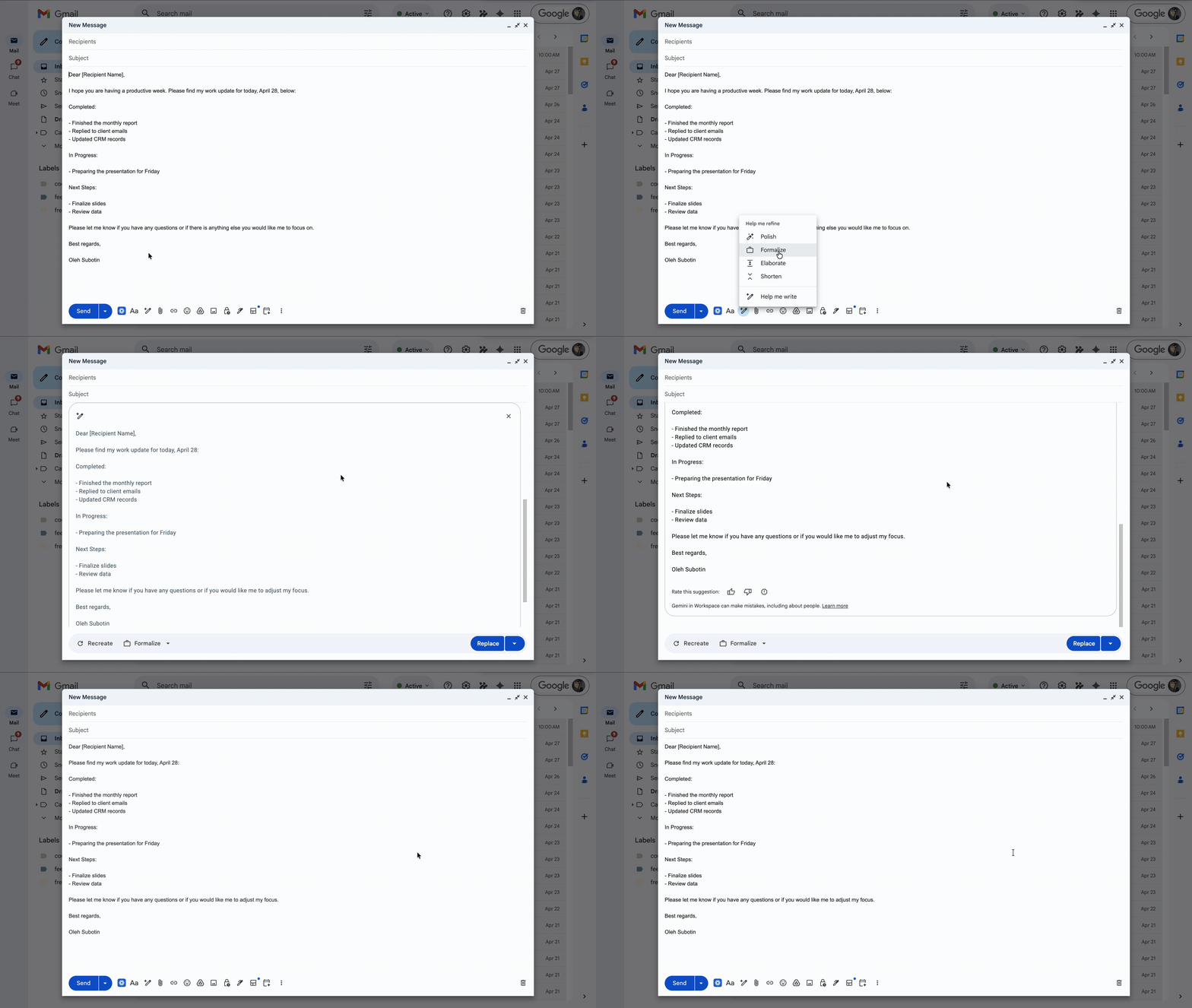
You start with rough notes and get a clean, structured email. You do not think about wording or formatting.
Thanks for your feedback!
Ask AI

Ask AI

Ask anything or try one of the suggested questions to begin our chat
