Turning Notes into Emails and Adjusting Tone
Swipe to show menu
You often have rough notes, not a finished email. Gemini helps you turn simple points into a complete message and adjust how it sounds.
Situation
You need to send an email, but you only have quick notes.
For example:
- Send update tomorrow;
- Report not ready yet;
- Waiting for data from finance;
- Will share by end of day;
- Apologize for delay.
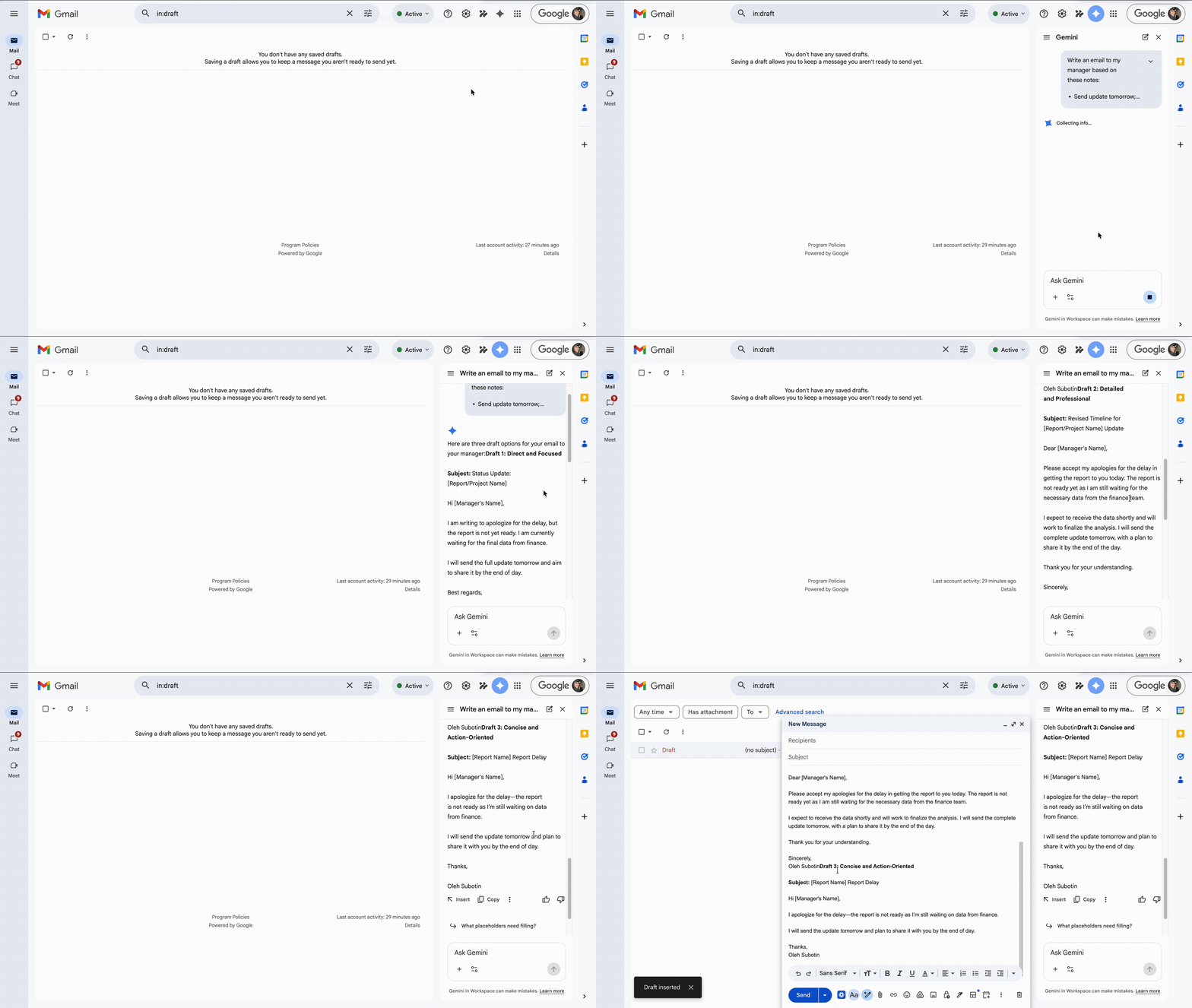
Inside Gmail, you click 'Help me write' and provide your notes.

Write an email based on these notes:
- Send update tomorrow;
- Report not ready yet;
- Waiting for data from finance;
- Will share by end of day;
- Apologize for delay.
Gemini turns your notes into a structured email.
Adjusting Tone
You can change how the email sounds.
Make it more formal.
Make it more friendly.
Make it more direct and concise.
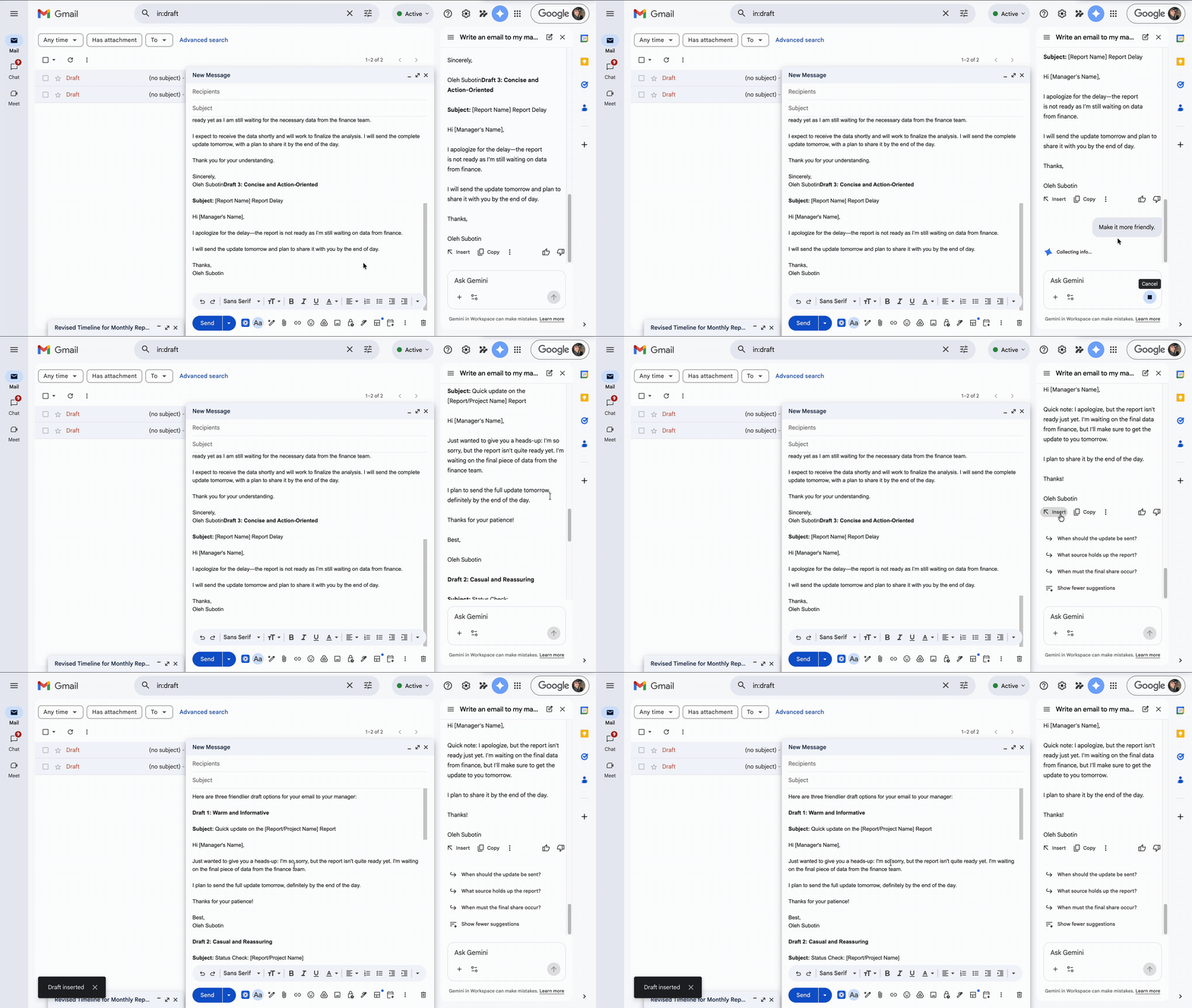
You begin with unstructured notes and receive a complete email. You can easily adjust the tone based on the situation. Rather than worrying about wording or structure, you focus on key points, and Gemini constructs the message.
Thanks for your feedback!
Ask AI

Ask AI

Ask anything or try one of the suggested questions to begin our chat
