Replying with Context from Threads
Swipe to show menu
Replying to emails takes time when you need to read the full thread and understand the context. Gemini helps you generate replies based on the conversation you already have.
Situation
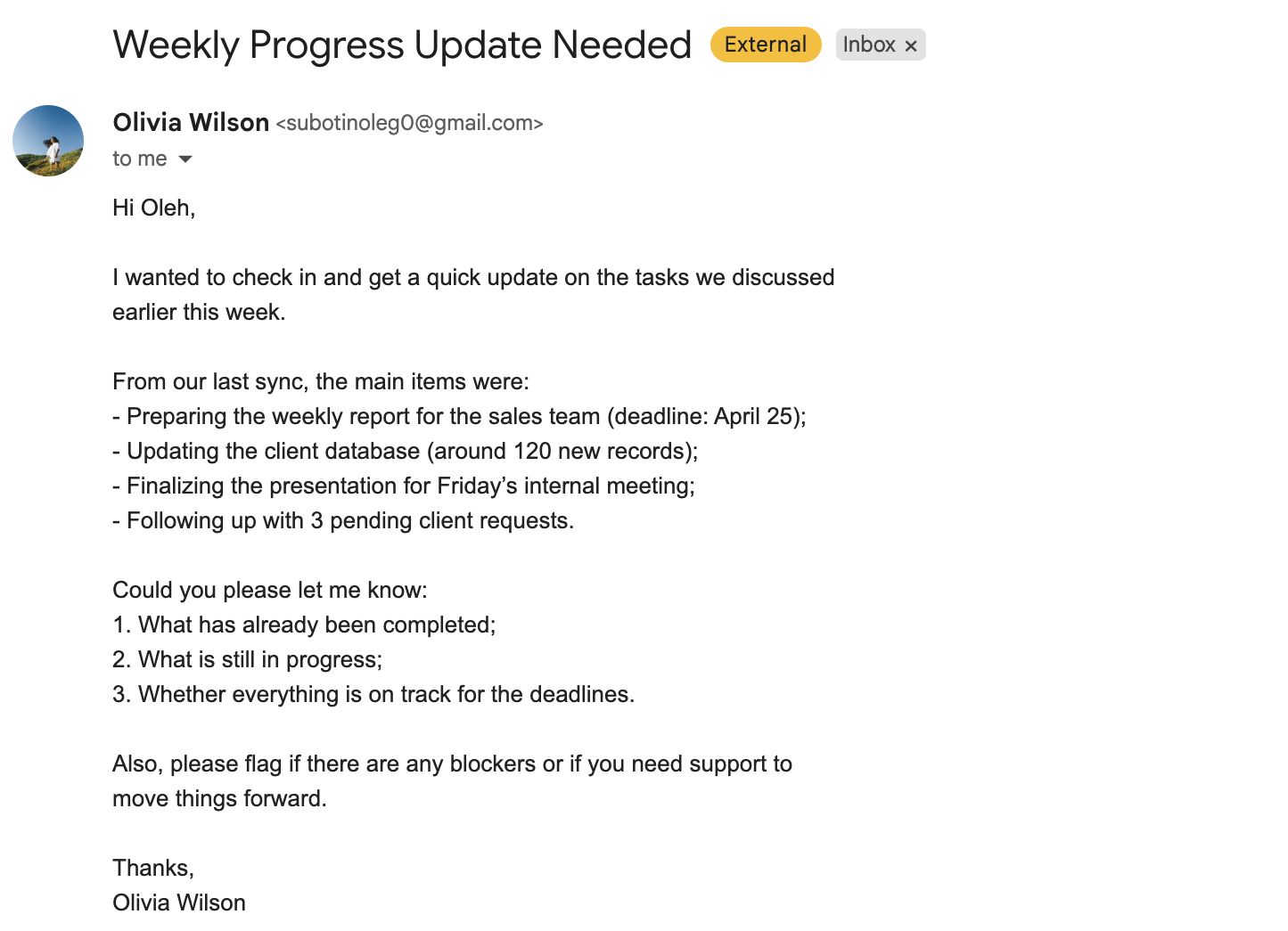
You receive a message from your manager asking for a status update on multiple tasks. The email already includes all the context, deadlines, and expectations. You need to reply clearly and show what is done and what is still in progress.

Hi,
I wanted to check in and get a quick update on the tasks we discussed earlier this week.
From our last sync, the main items were:
- Preparing the weekly report for the sales team (deadline: April 25);
- Updating the client database (around 120 new records);
- Finalizing the presentation for Friday's internal meeting;
- Following up with 3 pending client requests.
Could you please let me know:
- What has already been completed;
- What is still in progress;
- Whether everything is on track for the deadlines.
Also, please flag if there are any blockers or if you need support to move things forward.
Thanks, Olivia Wilson
How It Works
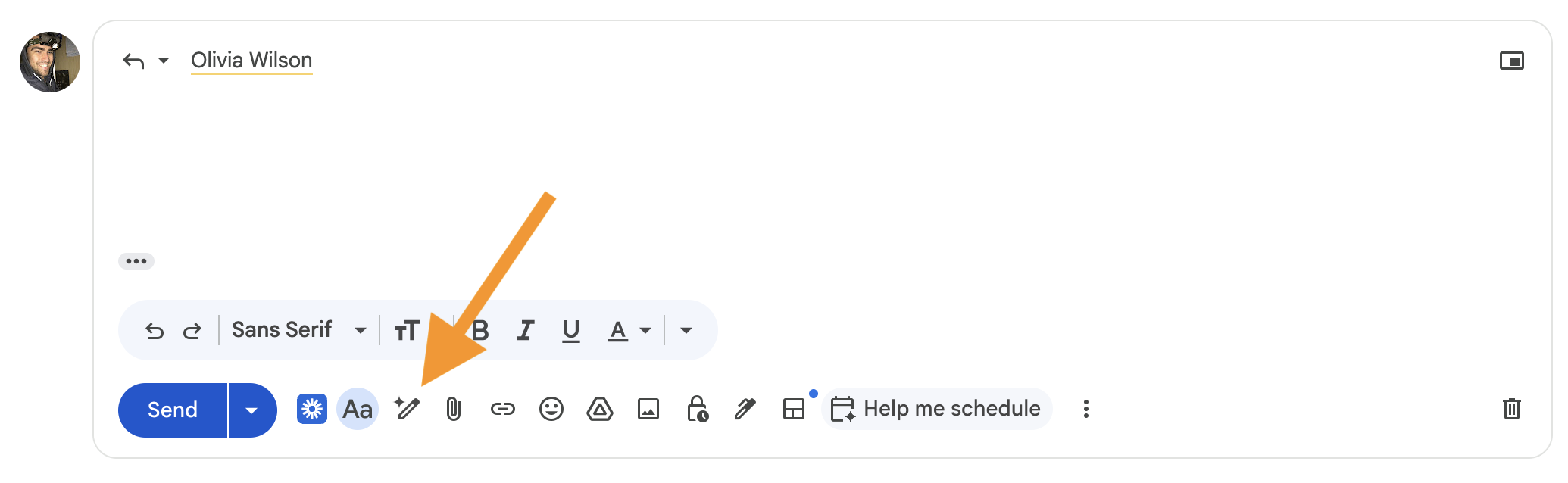
Inside Gmail, you open the thread and click "Help me write". You do not need to repeat the whole email. You only describe what changed.

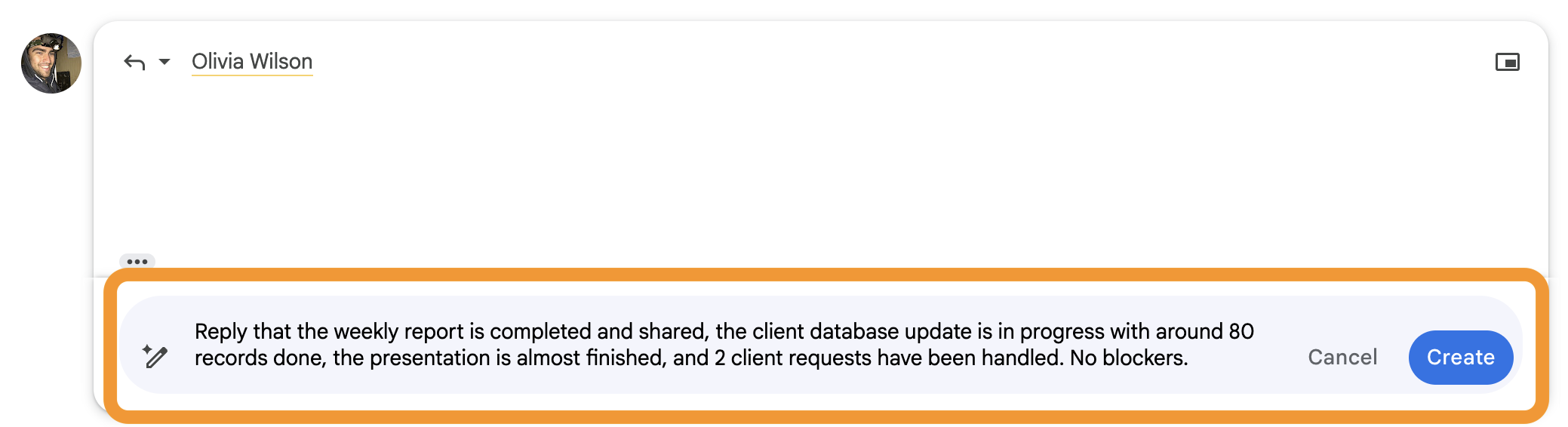
Reply that the weekly report is completed and shared, the client database update is in progress with around 80 records done, the presentation is almost finished, and 2 client requests have been handled. No blockers.
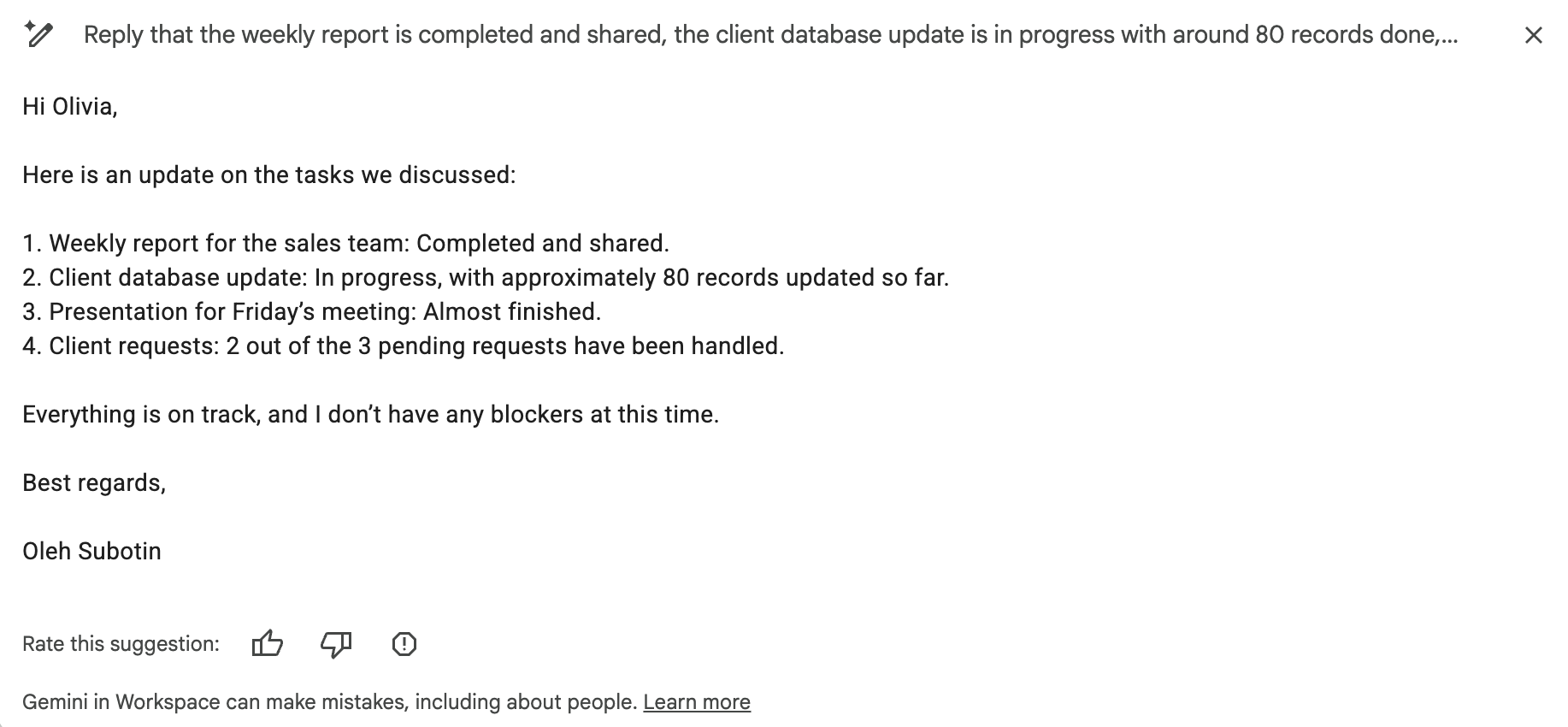
You get a reply that:
- Reflects the original email;
- Includes your actual progress;
- Answers all questions clearly.
You do not rewrite the whole context. You only describe updates, and Gemini builds the full response.
Thanks for your feedback!
Ask AI

Ask AI

Ask anything or try one of the suggested questions to begin our chat
