Extracting Key Information and Building Summaries
Swipe to show menu
Sometimes you do not need full answers or comparisons. You need a clean summary you can reuse in your work. Gemini helps you extract and combine information from files into a ready result.
Situation
You are preparing a short update or report. The information is spread across multiple documents:
- One file has data;
- Another has decisions;
- Another has notes.
You need to combine everything into one clear summary.
Inside Google Drive, you ask Gemini:

Summarize key information from these documents into a short report. Include main points, decisions, and next steps.
Gemini collects and organizes the information.
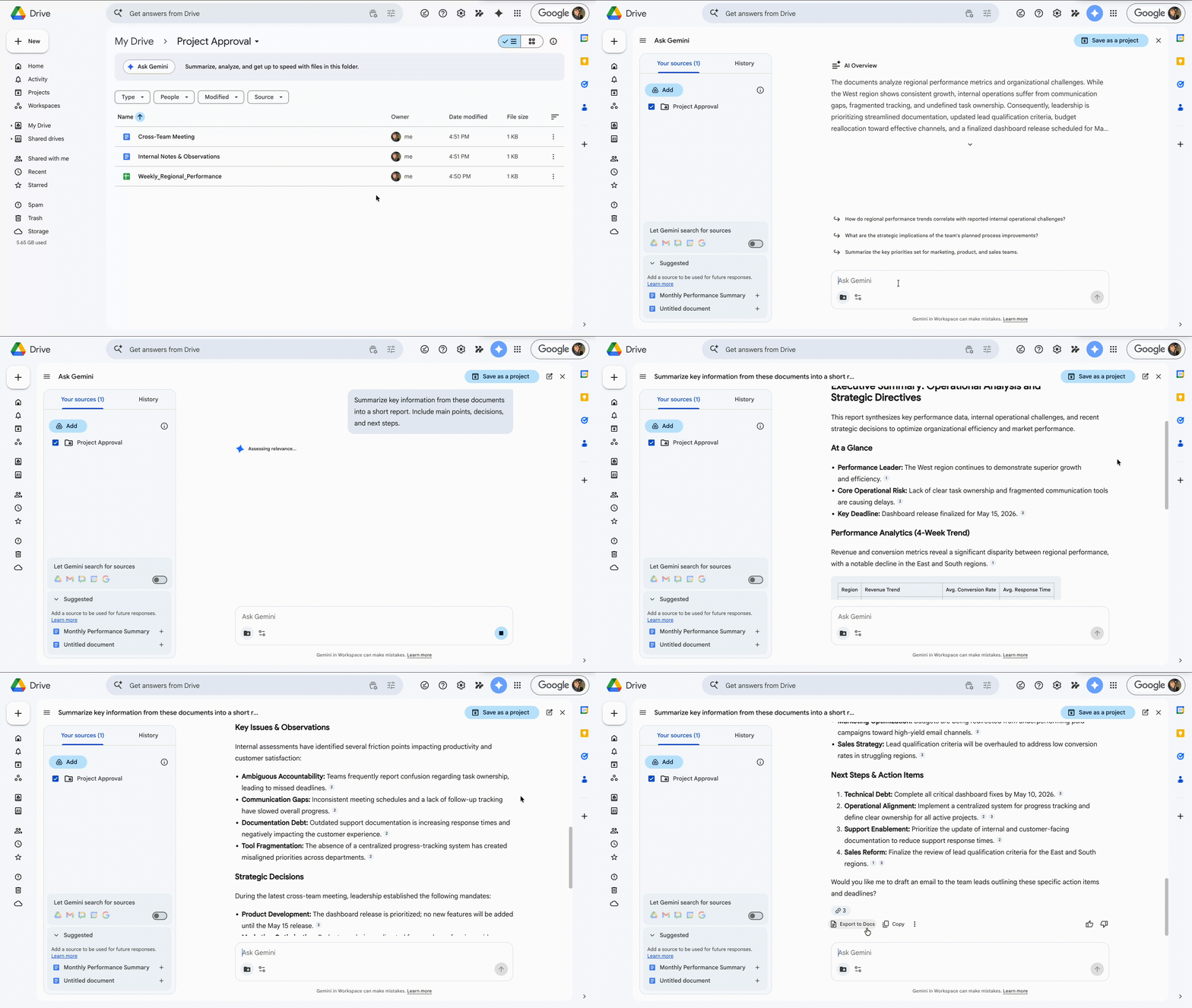
You get a structured summary instead of scattered information. It is ready to use in emails, reports, or presentations.
You do not manually collect information from multiple files.
Thanks for your feedback!
Ask AI

Ask AI

Ask anything or try one of the suggested questions to begin our chat
