Compare and Summarize Multiple Documents
Swipe to show menu
Information is often spread across several files. Gemini helps you compare documents and extract the key differences.
Situation
You have multiple documents on the same topic.
For example:
- Two versions of a report;
- Several proposals from different teams;
- Updates from different departments.
You need to understand what changed or what is different.
Inside Google Drive, you select or reference multiple documents and ask Gemini:

Compare these two documents and highlight the key differences in timeline, scope, and budget.
Gemini analyzes the content and provides a comparison.
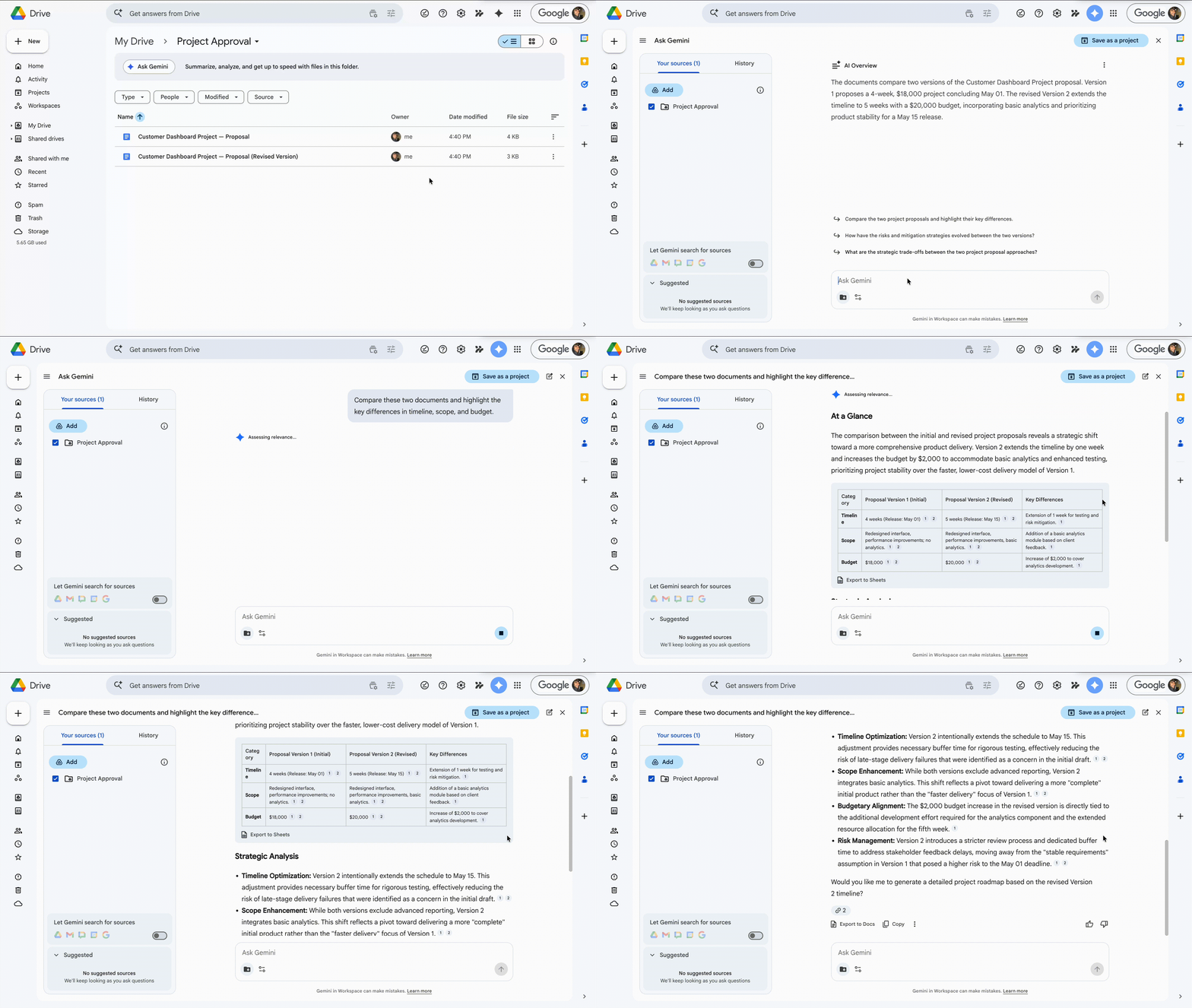
You get a clear comparison instead of manually reviewing each file. Gemini highlights differences and important updates.
You do not open and compare documents one by one.
Thanks for your feedback!
Ask AI

Ask AI

Ask anything or try one of the suggested questions to begin our chat
Compare and Summarize Multiple Documents
Information is often spread across several files. Gemini helps you compare documents and extract the key differences.
Situation
You have multiple documents on the same topic.
For example:
- Two versions of a report;
- Several proposals from different teams;
- Updates from different departments.
You need to understand what changed or what is different.
Inside Google Drive, you select or reference multiple documents and ask Gemini:
Compare these two documents and highlight the key differences in timeline, scope, and budget.
Gemini analyzes the content and provides a comparison.
You get a clear comparison instead of manually reviewing each file. Gemini highlights differences and important updates.
You do not open and compare documents one by one.
Thanks for your feedback!
