Transcription of Meetings
Swipe to show menu
Meetings often contain useful information, but it is easy to miss details or forget what was said. Gemini helps you capture the conversation without taking manual notes.
Situation
You join a meeting with your team or a client. Several topics are discussed, decisions are made, and tasks are assigned. You need to remember everything later, but writing notes during the meeting is distracting.
Inside Google Meet, Gemini can generate a transcript of the conversation. It captures what participants say during the meeting and turns it into text. This allows you to review the discussion after the meeting ends.
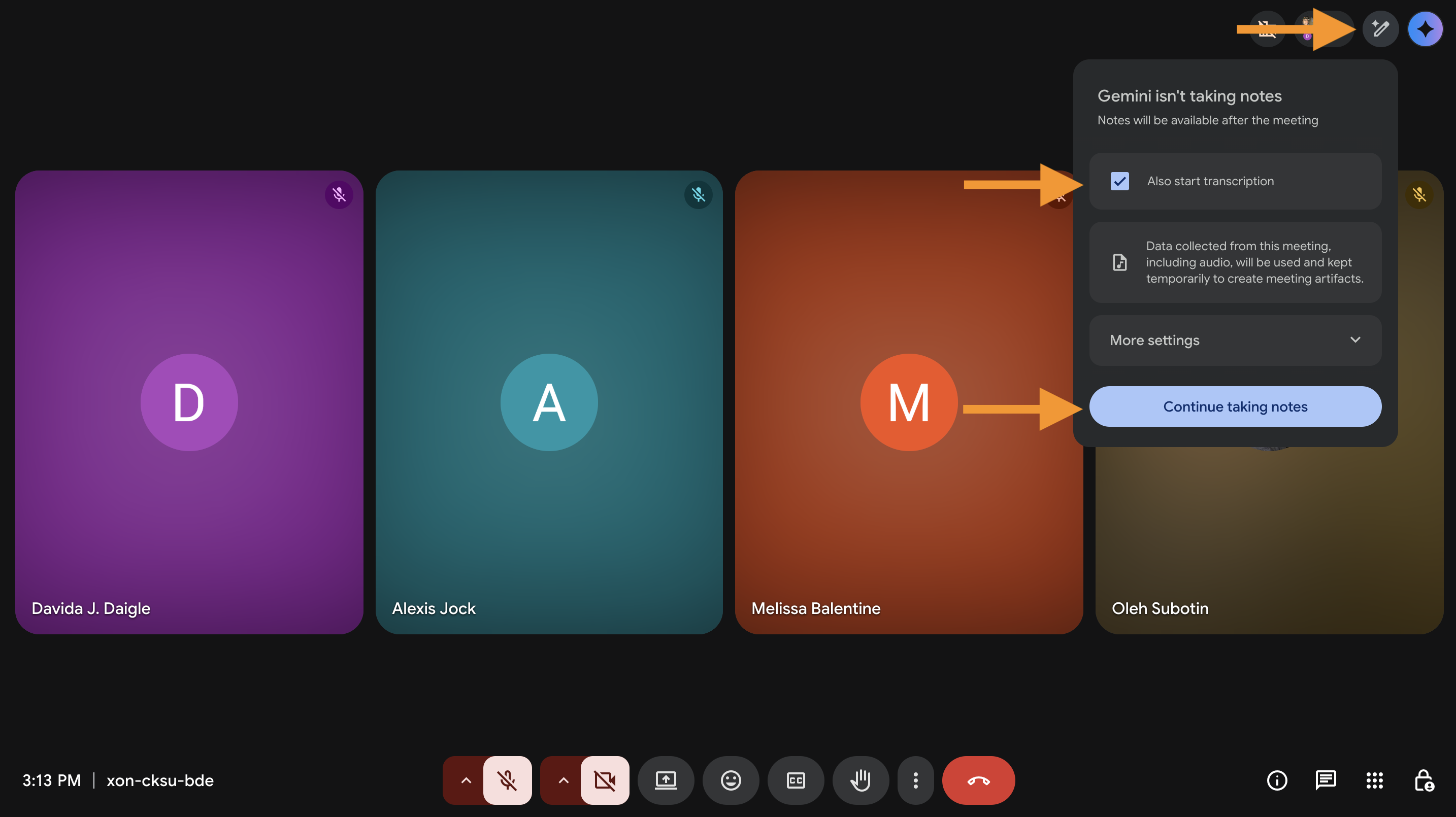
You get a written record of the meeting.
Instead of relying on memory, you can:
- Review what was discussed;
- Check exact wording if needed;
- Go back to specific parts of the conversation.
Thanks for your feedback!
Ask AI

Ask AI

Ask anything or try one of the suggested questions to begin our chat
Transcription of Meetings
Meetings often contain useful information, but it is easy to miss details or forget what was said. Gemini helps you capture the conversation without taking manual notes.
Situation
You join a meeting with your team or a client. Several topics are discussed, decisions are made, and tasks are assigned. You need to remember everything later, but writing notes during the meeting is distracting.
Inside Google Meet, Gemini can generate a transcript of the conversation. It captures what participants say during the meeting and turns it into text. This allows you to review the discussion after the meeting ends.
You get a written record of the meeting.
Instead of relying on memory, you can:
- Review what was discussed;
- Check exact wording if needed;
- Go back to specific parts of the conversation.
Thanks for your feedback!
