Controlling References and Formula Results
Swipe to show menu
When you drag a formula down, Excel helpfully adjusts every cell reference by one row. Most of the time that's exactly what you want, the formula for row 10 should reference row 10's data. But some references should never move: a tax rate stored in a single cell, an exchange rate, a fixed threshold. Without dollar signs, dragging breaks those references silently.

If =D9*G1 is dragged down, row 10 becomes =D10*G2, row 11 becomes =D11*G3, and so on. G2 and G3 are empty — so every tax calculation returns zero. No error message. Just wrong numbers that look plausible.
Cell References
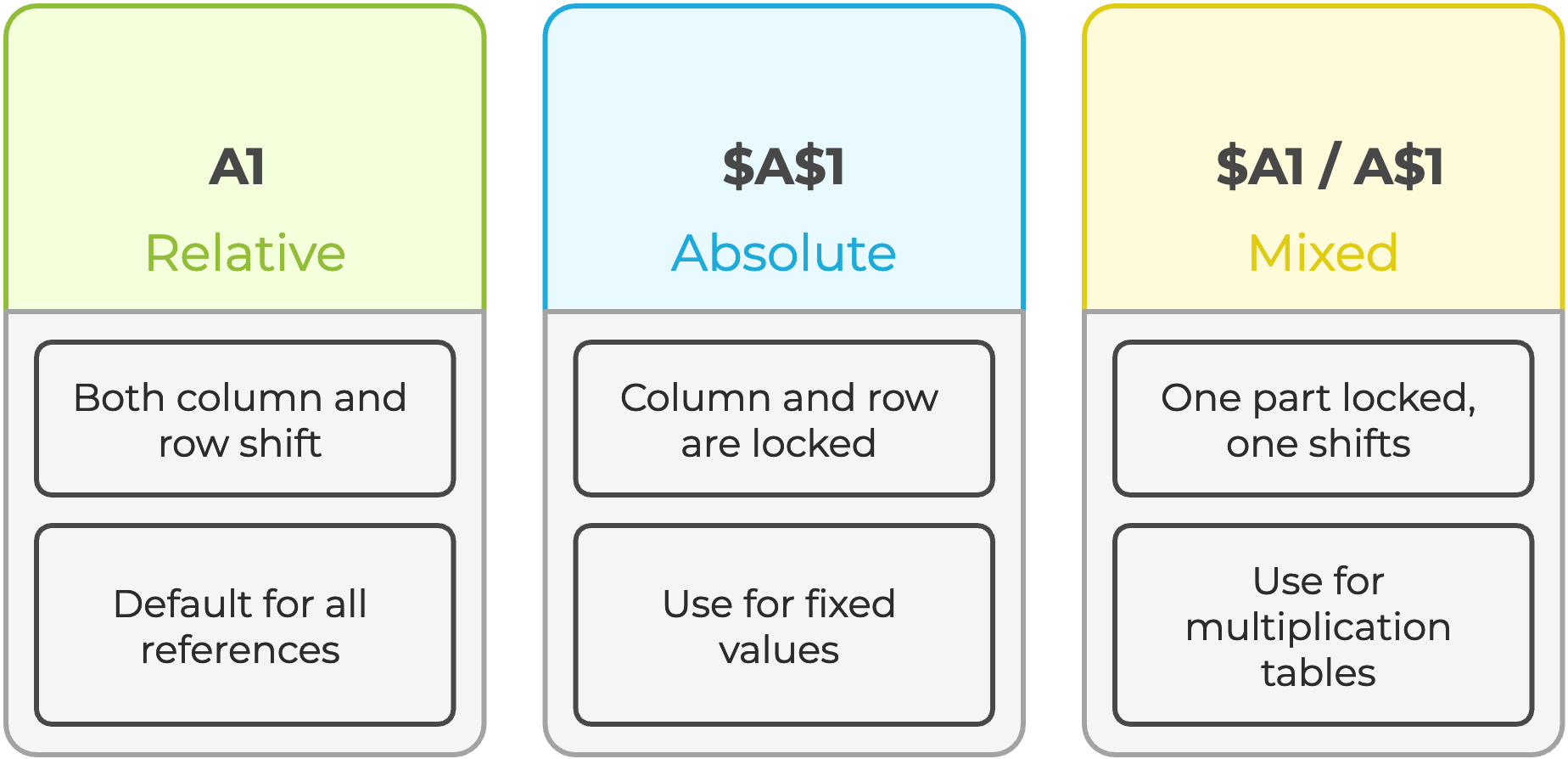
Select any cell reference inside a formula in the formula bar and press F4 to cycle through all four reference types automatically.
Paste Special
Sometimes you need to freeze calculated results, send a snapshot to a colleague, prevent recalculation, or break a circular dependency. Paste Values strips the formula and keeps only the number the formula produced.
- Use
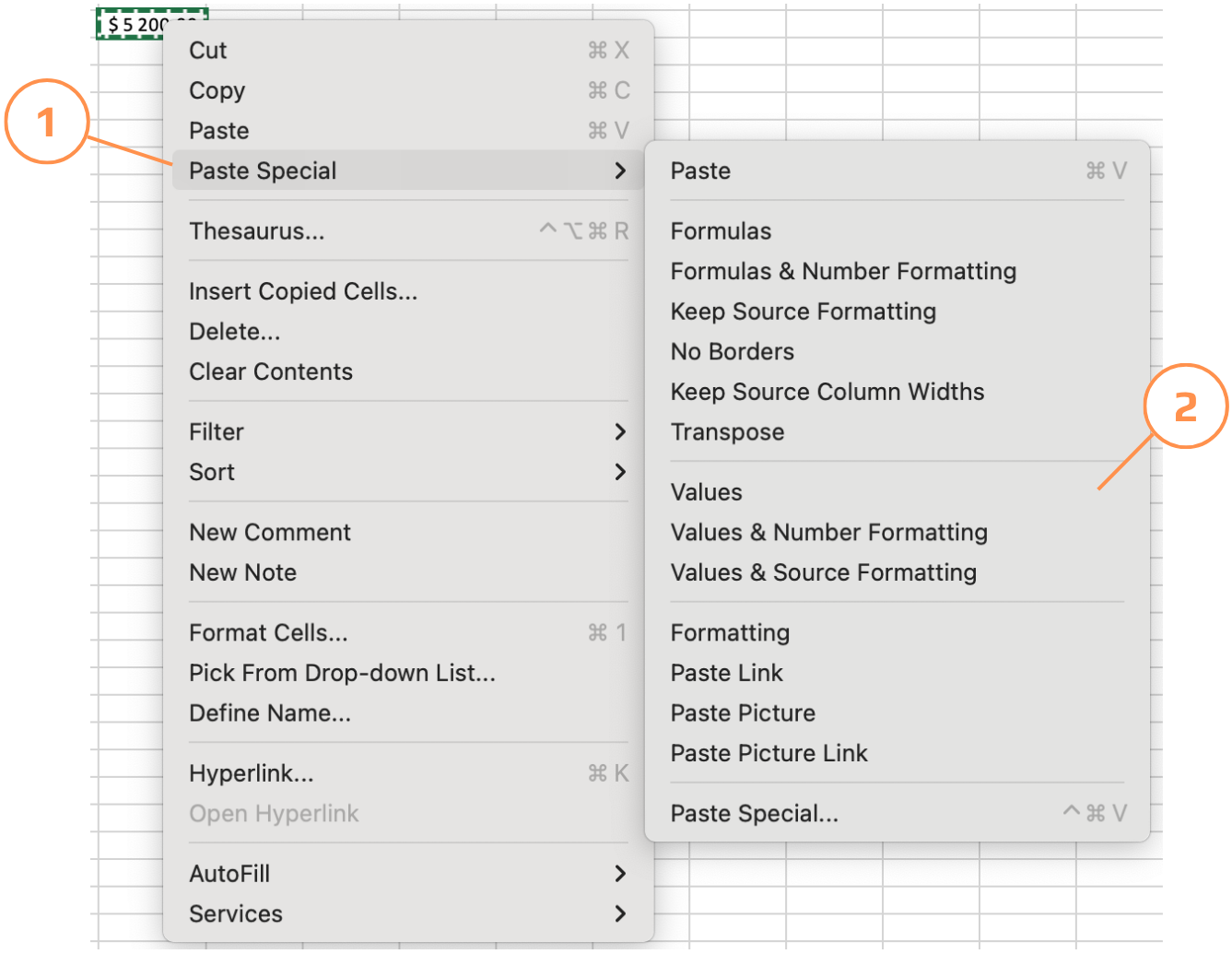
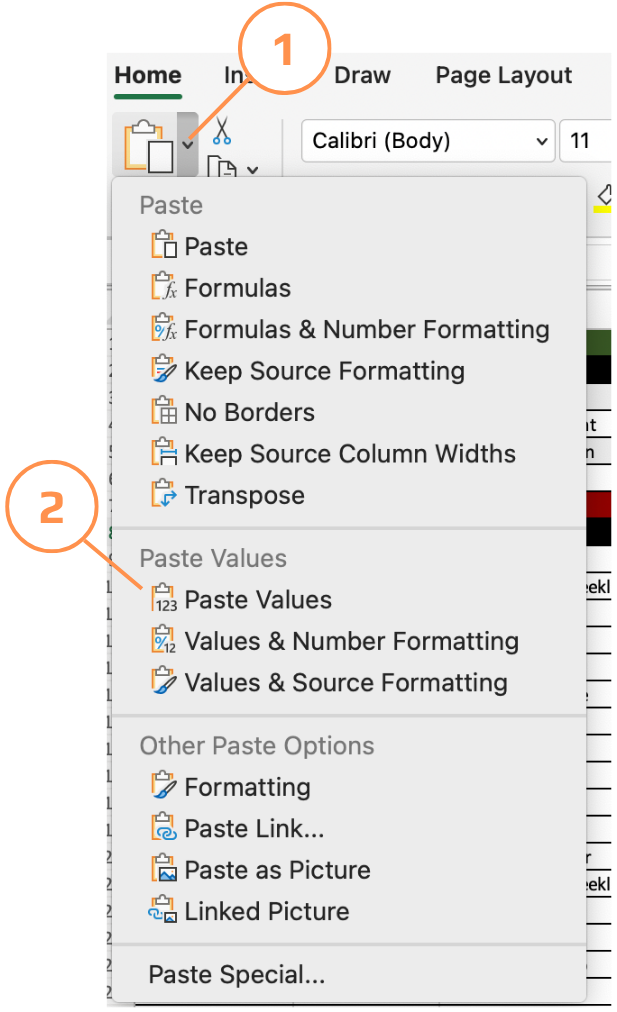
Ctrl+Alt+Vshortcut to paste only values; - Copy the cells → right-click the destination → choose Paste Special → Values;
- The Paste Special menu offers more than values — you can paste only formats, only formulas, transpose rows to columns, or paste as a linked picture. All accessible from Home → Paste → Paste Special.
Pulling Data from Another Sheet
When a value is used across multiple sheets: a tax rate, a year, a company name, storing it once in a dedicated sheet and referencing it everywhere is far cleaner than duplicating it. If the value changes, you update it in one place and every formula updates automatically.
=D9*'Tax rate'!$A$2
The ! (exclamation mark) separates the sheet name from the cell address. Excel writes this automatically when you click a cell on another sheet while entering a formula, you don't need to type it manually.
Thanks for your feedback!
Ask AI

Ask AI

Ask anything or try one of the suggested questions to begin our chat
