Prompts For Code And Automation
Swipe to show menu
You don't need to be a developer to use AI for code-related tasks. And if you are one, AI changes what's possible in your daily workflow in ways that go well beyond autocomplete.
This chapter covers the most practical prompting approaches for three groups: non-technical professionals who need formulas and simple scripts, technical users who want to accelerate their workflow, and anyone who needs to understand code they didn't write.
For Non-Technical Users: Formulas And Simple Scripts
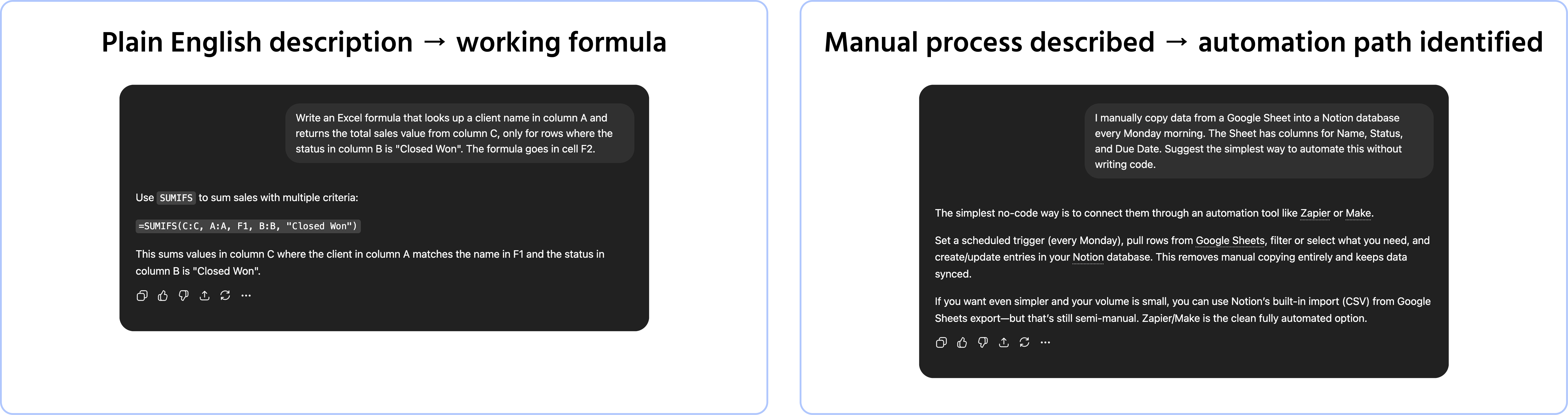
If your relationship with code is limited to Excel formulas or occasional scripts, AI is particularly useful — because these tasks have a clear correct answer and the model handles them well.
Excel and spreadsheet formulas:

Write an Excel formula that [describe what you want to calculate or extract in plain language].
The data is structured as follows: [describe columns, what each contains, and which row the headers are in].
The formula will go in cell [cell reference].
Simple automation without code:
I want to automate the following task: [describe the manual process step by step — what triggers it, what data is involved, what the output should be].
I use [tools: Excel / Google Sheets / Zapier / Make / Notion / other]. Suggest the simplest way to automate this without writing custom code.
An important constraint: always test any formula or automation output on sample data before applying it to real data. AI-generated formulas are usually correct but should be verified — especially for anything involving financial calculations or data transformation.
For Developers: Accelerating The Workflow
If you write code professionally, AI handles the parts of your workflow that are time-consuming but not complex:
Generating code from a description:
Write a [language] function that [describe what it should do in plain English].
Input: [describe the input — data type, format, example]
Output: [describe the expected output]
Constraints: [performance requirements, libraries to use or avoid, edge cases to handle]
Include comments explaining the key steps.
Explaining unfamiliar code:
Explain what the following [language] code does, step by step. Assume I understand the problem domain but am not familiar with this specific syntax or library.
[paste code here]
Debugging:
The following [language] code produces this error: [paste error message].
Here is the code: [paste code]
Identify the likely cause and suggest a fix. If there are multiple possible causes, list them in order of likelihood.
Writing tests:
Write unit tests for the following function using [testing framework]. Cover: the happy path, at least two edge cases, and one case that should raise an error.
[paste function here]
What You Should Always Do With AI-Generated Code
AI generates code that looks correct. It is not always correct. Before using any AI-generated code in a production environment:
- Read it — if you cannot explain what it does line by line, you should not deploy it;
- Test it — run it against sample inputs, including edge cases and unexpected values;
- Review it for security — AI-generated code can introduce vulnerabilities, especially in authentication, input handling, and data access;
- Check the dependencies — AI may suggest libraries that are outdated, deprecated, or not approved in your environment.
Speed is not the goal. Working, secure, maintainable code is.
1. Which of the following is NOT recommended when using AI-generated code in a production environment?
2. For non-technical users, what kind of tasks does AI handle particularly well?
Thanks for your feedback!
Ask AI

Ask AI

Ask anything or try one of the suggested questions to begin our chat
