Prompts For Summarizing And Reviewing Documents
Swipe to show menu
Summarizing and reviewing documents is one of the highest-value AI use cases in professional life — and one of the most nuanced. The difference between a useful summary and a useless one comes down to what you ask the model to extract, for whom, and in what form.
This chapter covers extraction, audience-specific summaries, and how to prompt AI to critique rather than just describe.
The Core Problem With Default Summaries
When you paste a document and type summarize this, the model
produces what it calculates to be a representative summary —
which may or may not contain what you actually need.
A financial report summary written for a general audience looks very different from one written for the CFO making a budget decision. A legal document summary for an executive looks different from one for the lawyer reviewing the clause.
The model doesn't know which version you need unless you tell it.
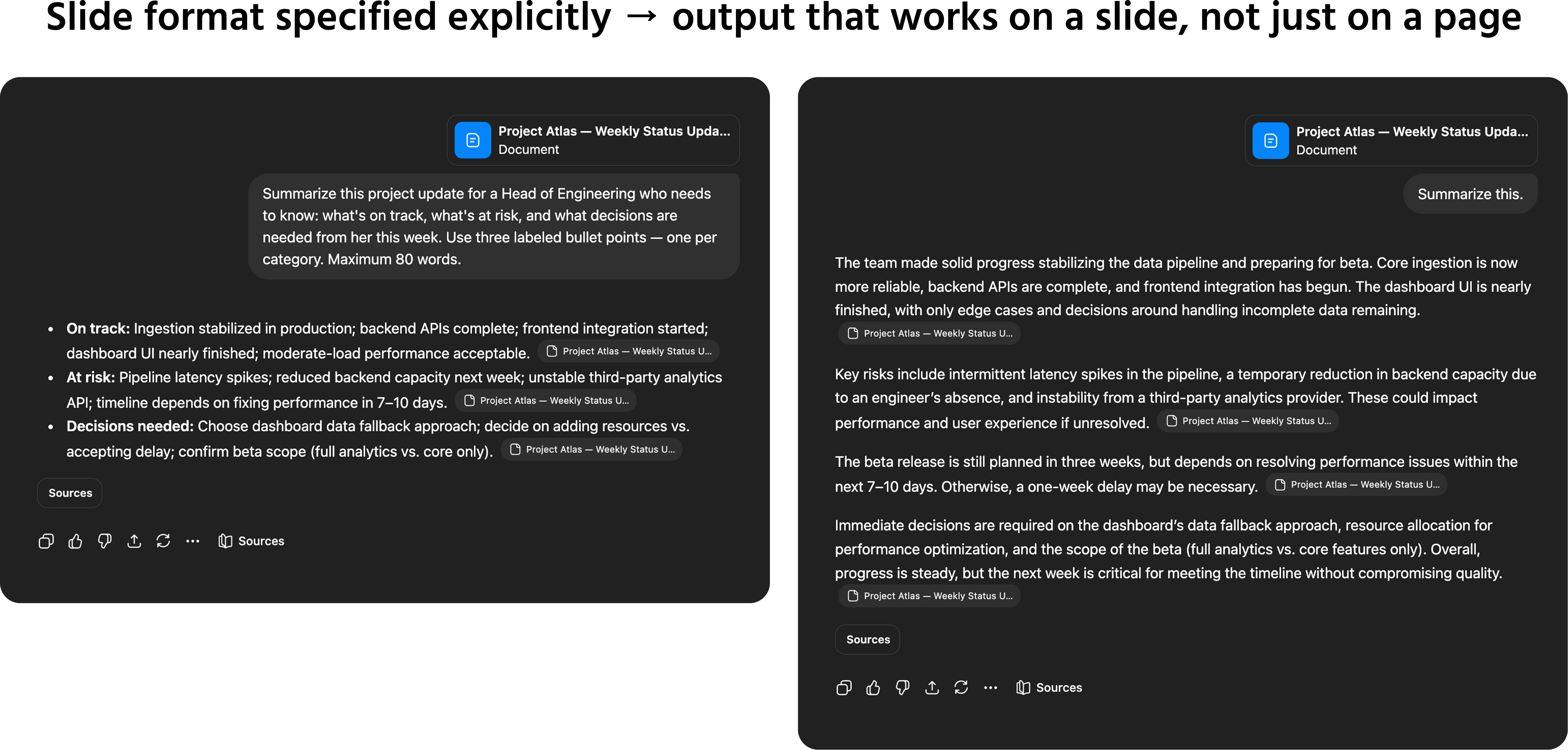
Always specify three things for any summarization task:
- What to extract — decisions, action items, risks, key numbers, open questions, or the main argument;
- Who it's for — and what that person cares about most;
- What format to use — bullet points, a structured table, a single paragraph, or a section-by-section breakdown.
Summarization Prompt Templates
For meeting notes or transcripts:

Summarize the following meeting notes for [audience].
Extract only:
- Decisions made (with owner if mentioned);
- Action items (with owner and due date if mentioned);
- Open questions that weren't resolved;
- Any risks or blockers flagged.
Format: four labeled sections. Maximum 200 words total.
For long documents or reports:
Summarize the following [document type] in [X] bullet points for [audience: their role and what they care about].
Focus on: [the specific information that matters — key findings, financial implications, timeline, risks, recommendations].
Exclude: background information, methodology, and anything that doesn't directly affect the decision at hand.
For email threads:
Summarize this email thread in 3 sentences. Identify:
- What was decided;
- What is still unresolved;
- What action is required from me.
Prompting AI To Critique, Not Just Describe
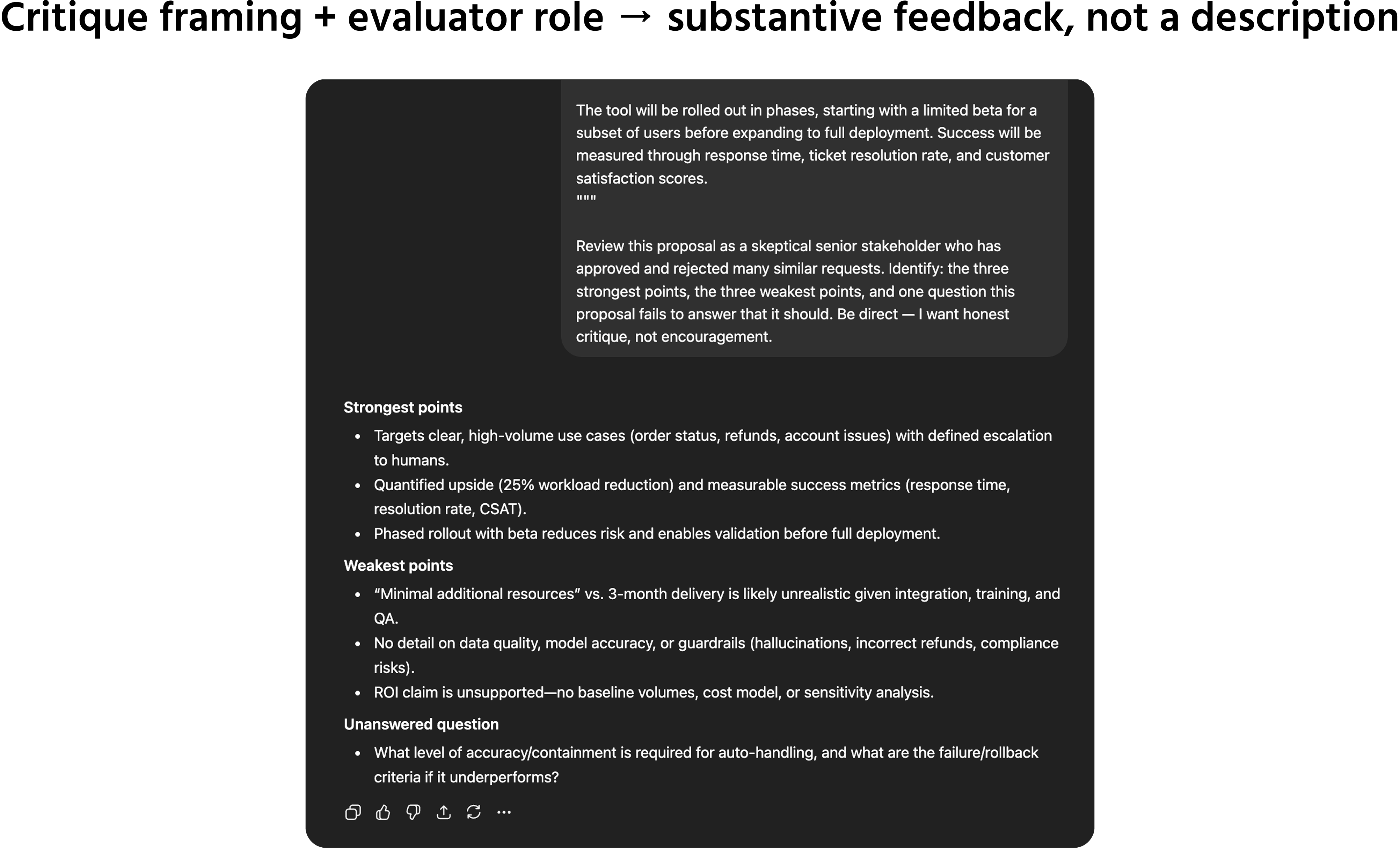
Summarizing is passive — the model tells you what's there. Reviewing is active — the model evaluates what's there against a standard.
You can prompt AI to take a critical stance on any document: a proposal, a contract summary, a strategy deck, or a piece of writing. The key is to give it the standard to evaluate against.
Critique prompt templates:
Review the following [document type] from the perspective of [role: a skeptical investor / a legal reviewer / an experienced project manager / a new reader with no prior context].
Identify:
- The three strongest points;
- The three weakest points or gaps;
- One question this document fails to answer that it should.
Read the following proposal as if you are the decision-maker receiving it. What would give you pause? What would make you want to approve it? What information is missing?
An important note: AI critique is useful for structure, clarity, and logical gaps. It is not a substitute for domain expertise when evaluating technical accuracy, legal validity, or financial soundness. Use it as a first pass — not a final review.
1. Which three things should you always specify for any summarization task to ensure the summary meets your needs
2. When prompting AI to critique, not just summarize, what key element must you provide to enable the model to take a critical stance on a document?
Thanks for your feedback!
Ask AI

Ask AI

Ask anything or try one of the suggested questions to begin our chat
