Password Protection
Swipe to show menu
Excel allows users to apply password protection to workbooks in order to restrict unauthorized access. Passwords help protect sensitive business files such as financial reports, employee records, or confidential planning documents. Password protection adds an extra layer of control when workbooks are shared between teams or stored externally.
Understanding Workbook Passwords
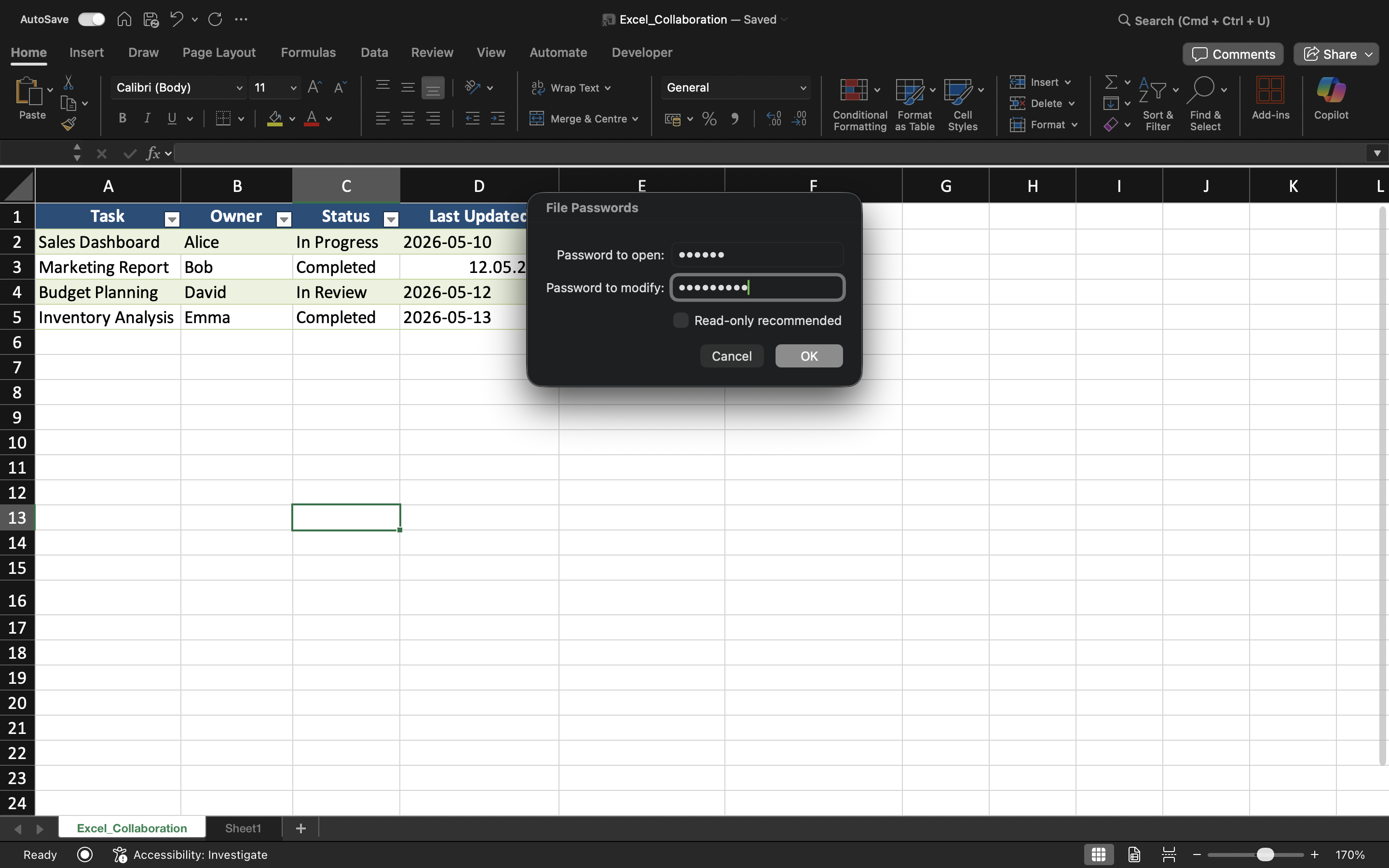
Excel supports different types of password protection. Users can require a password to open a workbook or restrict editing permissions inside the file.
A workbook password helps prevent unauthorized users from accessing workbook contents. Editing restrictions, on the other hand, allow users to open the workbook while limiting modification access.
Protecting a Workbook with a Password
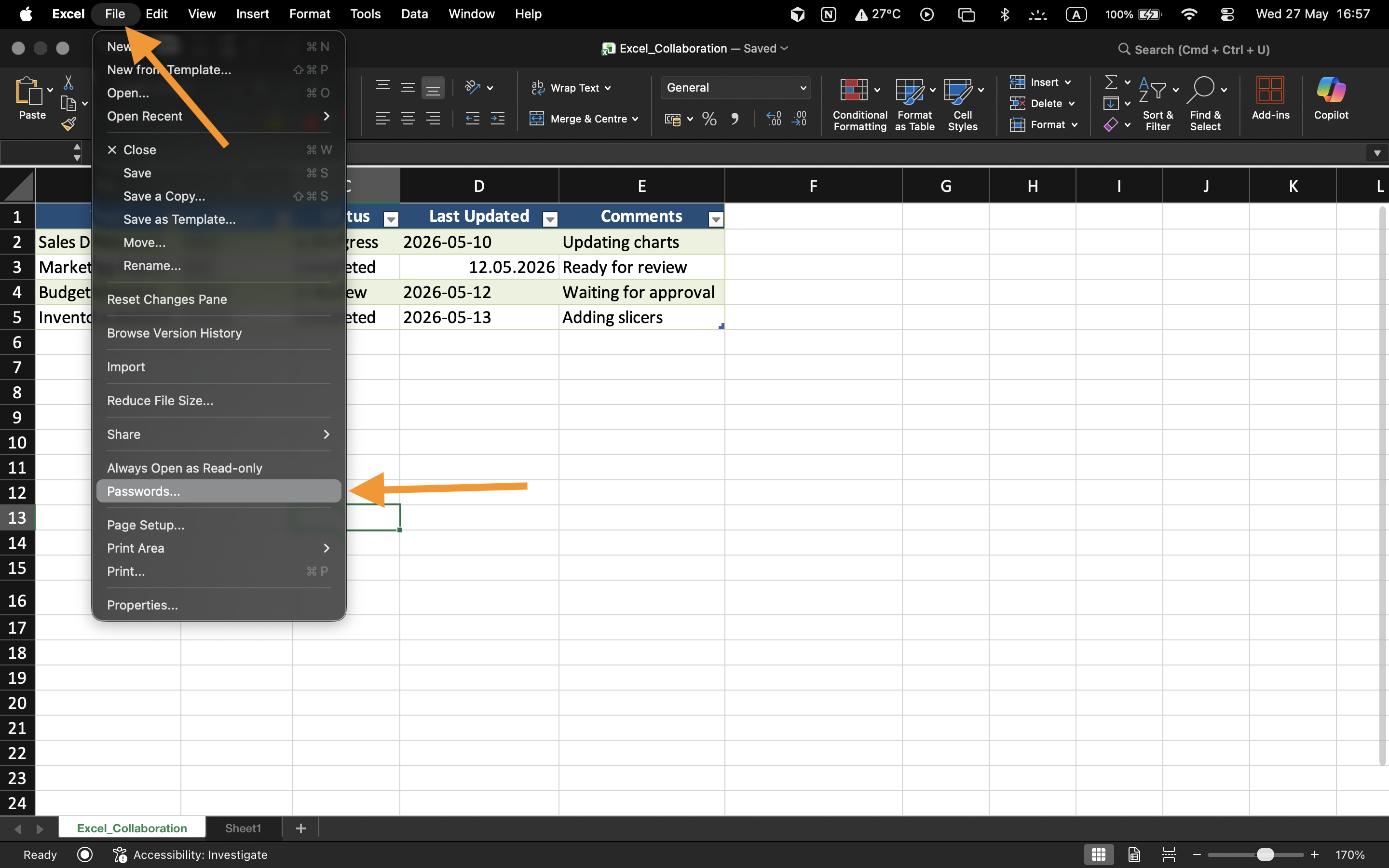
To apply password protection:
- Open the workbook;
- Select File → Info;
- Choose Protect Workbook;
- Select Encrypt with Password;
- Enter and confirm the password.
Once saved, the workbook will require the password whenever users attempt to open the file.

Encryption scrambles the workbook contents so they cannot be read without the password.
Understanding Password Limitations
Workbook passwords improve file security, but weak passwords may still be vulnerable to unauthorized access.
For better protection:
- Use strong passwords;
- Avoid simple words or dates;
- Store passwords securely;
- Share passwords only with authorized collaborators.
Editing Restrictions
Excel can also protect workbook editing without fully blocking file access. This allows users to review workbook contents while restricting modifications.
This type of protection is useful for finalized reports, templates, or shared dashboards that should not be changed accidentally.
When Password Protection Is Useful
Password protection is commonly used when workbooks contain confidential financial information, employee data, business forecasts, or sensitive operational reports. It is especially important when files are shared outside the organization or stored on external devices.
Task
The workbook contains confidential employee salary information that should only be accessible to authorized managers. The goal is to protect the workbook with a password and test workbook access restrictions.
- Open the workbook protection settings;
- Apply a workbook password;
- Save and close the workbook;
- Reopen the file and verify password protection;
- Test editing restrictions on the protected workbook.
Thanks for your feedback!
Ask AI

Ask AI

Ask anything or try one of the suggested questions to begin our chat
