How Collaboration Works in Excel
Swipe to show menu
Modern Excel workflows are built around collaboration. Instead of sending workbook attachments through email, teams now work inside shared cloud-based files.
Excel collaboration is commonly used when multiple users need access to the same workbook, reports require constant updates, or teams work remotely. Cloud-based collaboration helps reduce duplicate files and keeps workbook data synchronized across users.
Understanding Cloud-Based Excel Files
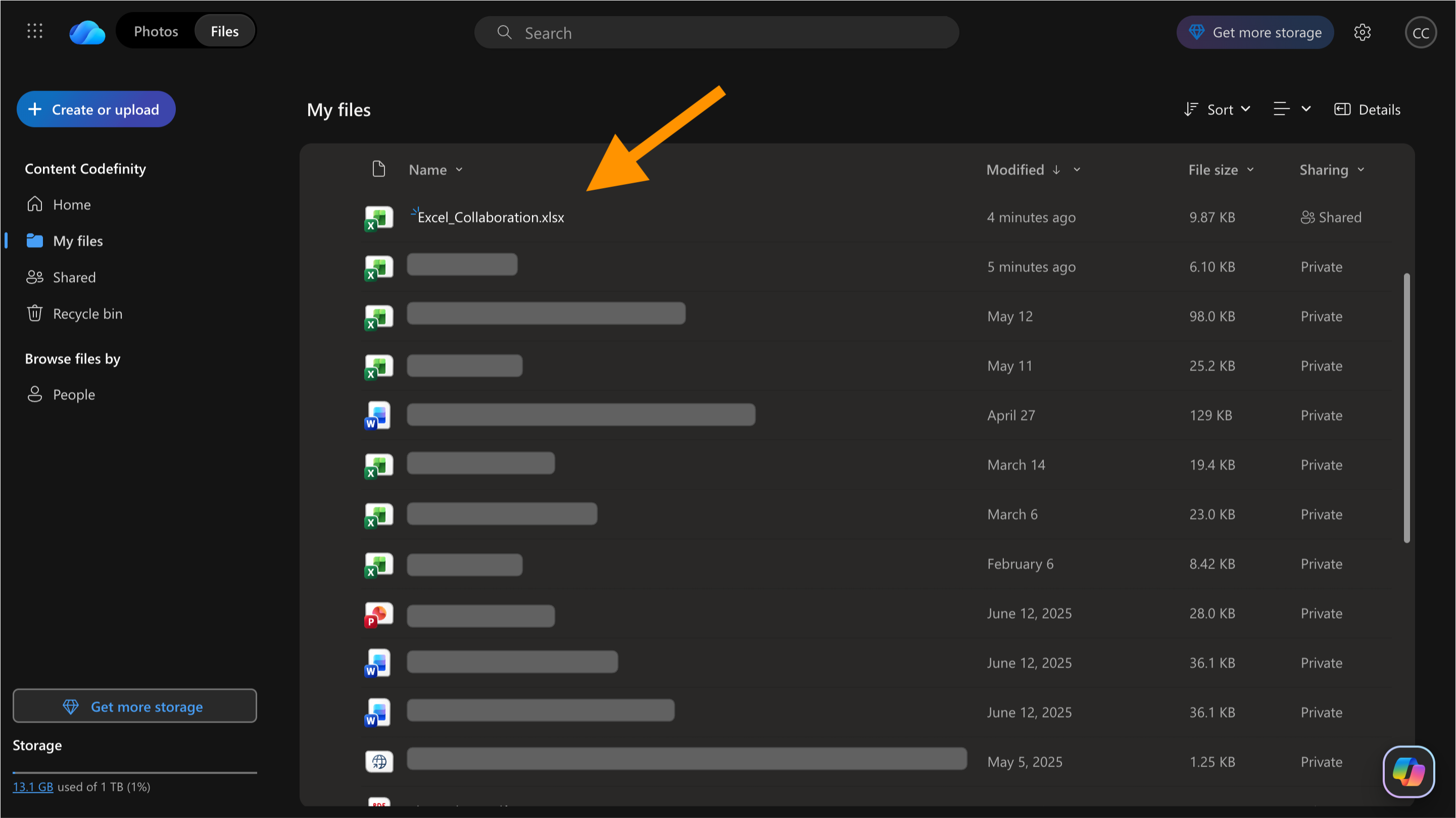
Excel collaboration mainly works through Microsoft OneDrive and SharePoint. When a workbook is stored in the cloud, multiple users can access the same file, changes save automatically, and version history becomes available.
Instead of creating separate workbook copies, collaborators work inside a single shared file. This makes teamwork faster and reduces confusion caused by outdated versions.
Understanding AutoSave
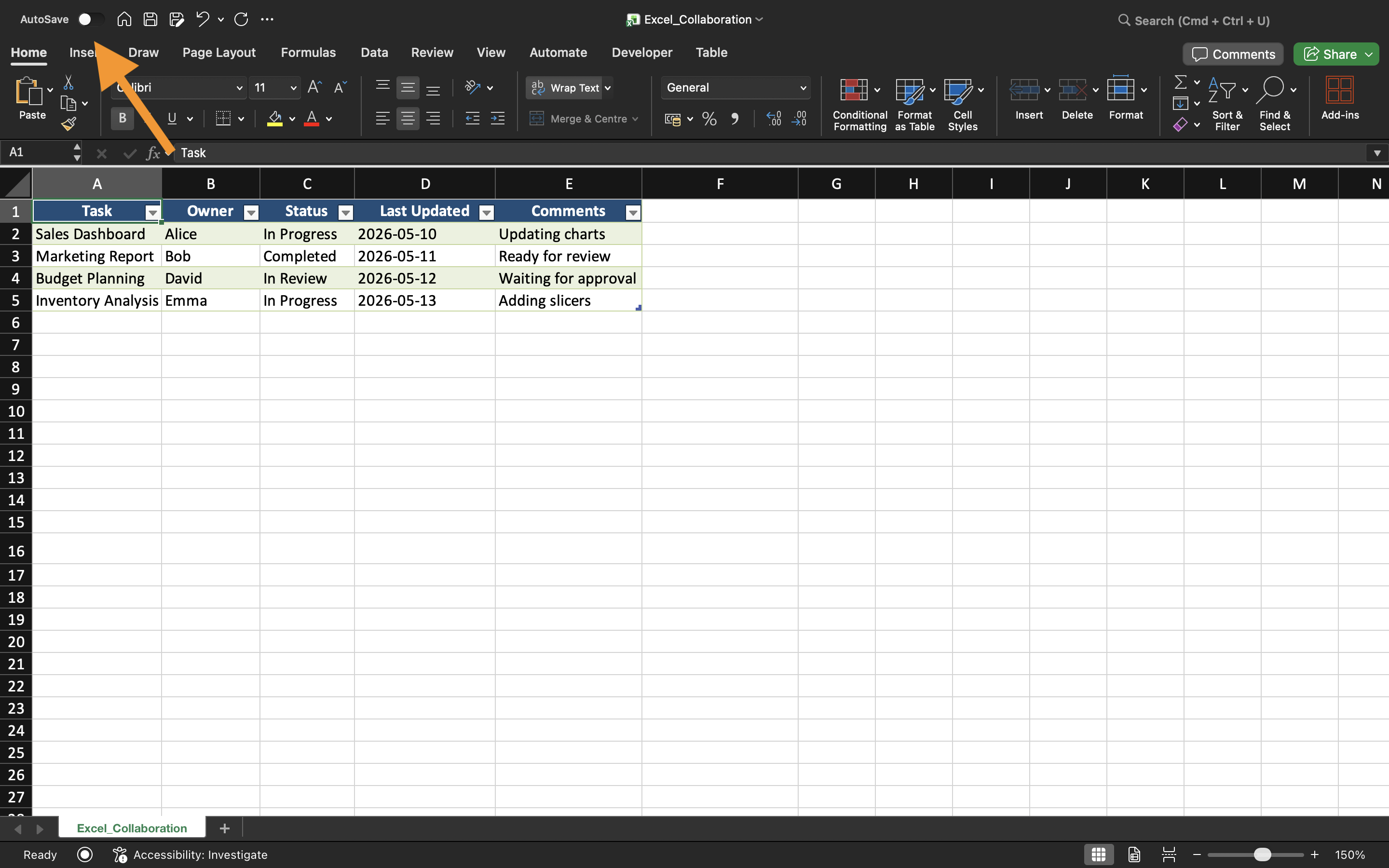
When a workbook is stored in OneDrive, Excel automatically enables AutoSave. This feature continuously saves workbook changes while users work inside the file.
AutoSave helps reduce data loss caused by application crashes, network interruptions, or unexpected shutdowns. The AutoSave toggle appears near the top-left corner of Excel.
How Shared Workbooks Work
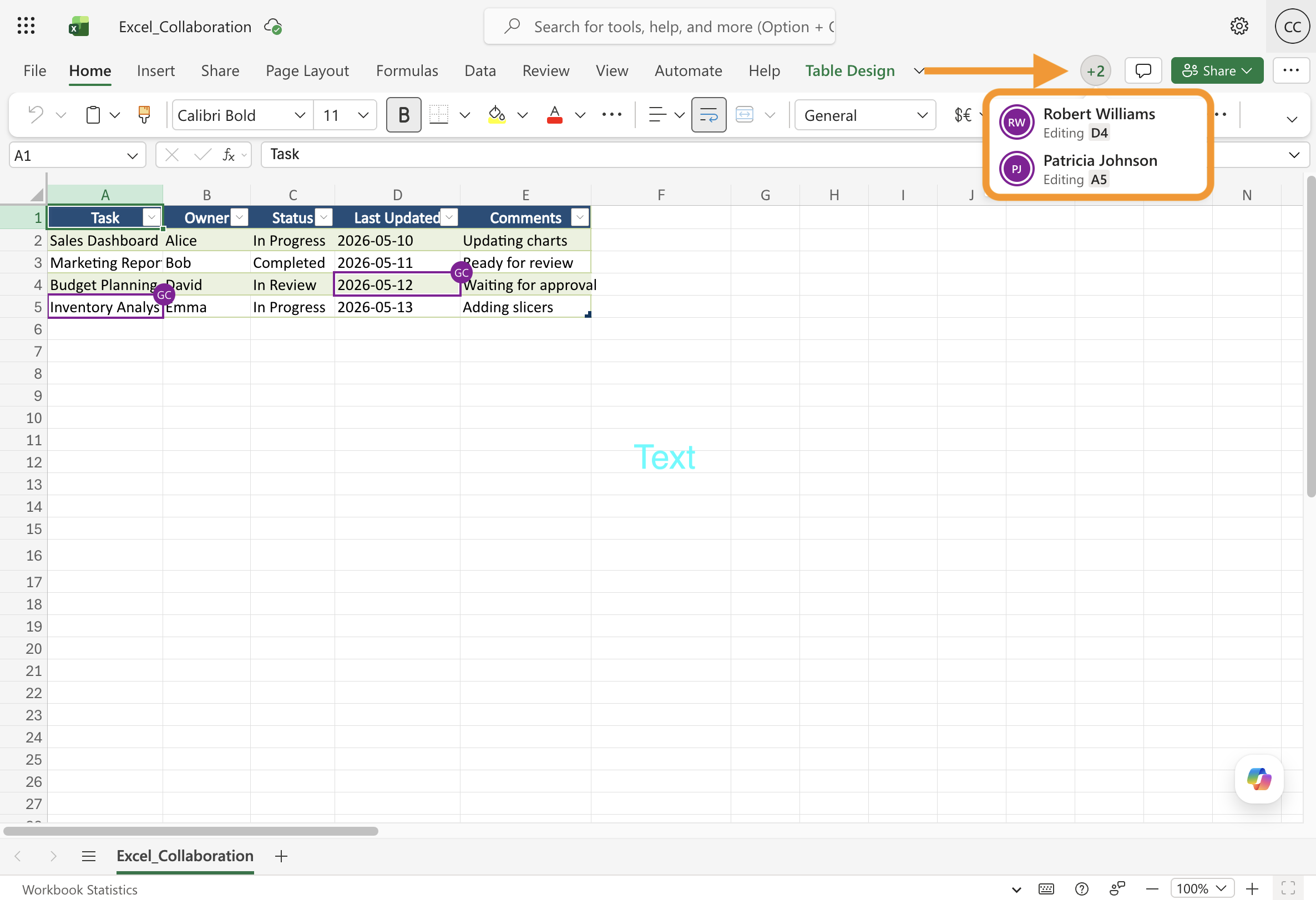
A shared workbook allows multiple users to work inside the same Excel file. Depending on permissions, collaborators may view workbook contents, edit worksheets, add comments, or review workbook changes.
When several users edit the workbook simultaneously, Excel synchronizes updates automatically. This creates a much smoother workflow compared to sending workbook attachments manually.
Benefits of Excel Collaboration
Modern Excel collaboration improves teamwork by:
- Reducing duplicate workbook copies;
- Simplifying communication;
- Improving version tracking;
- Keeping files synchronized across teams.
These workflows are commonly used in finance, marketing, operations, sales, and project management teams.
Thanks for your feedback!
Ask AI

Ask AI

Ask anything or try one of the suggested questions to begin our chat
