Performing a Rebase Operation
Swipe to show menu
Rebasing Changes onto the main Branch
Before we can rebase our changes, we first need to switch to the main branch and pull the latest changes:
git checkout main
git pull
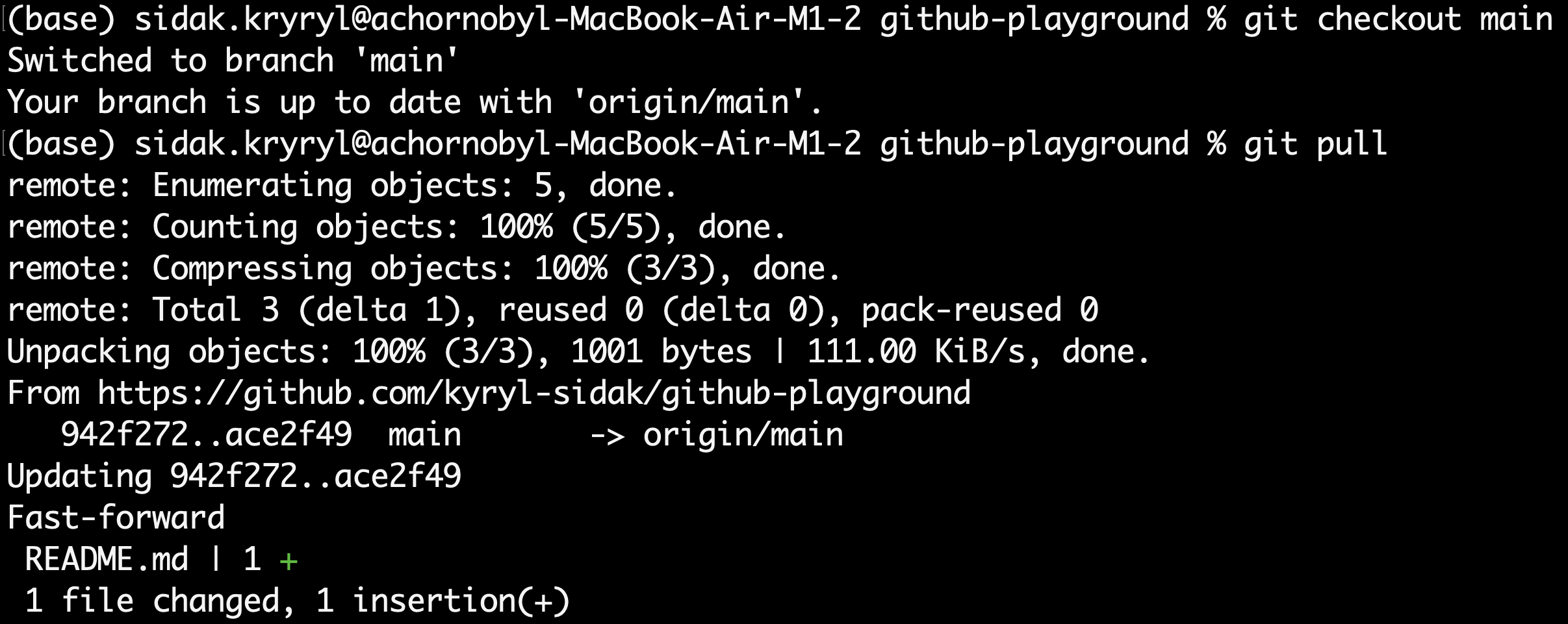
Let's now take a look at the commit tree:
git log --graph --oneline --all
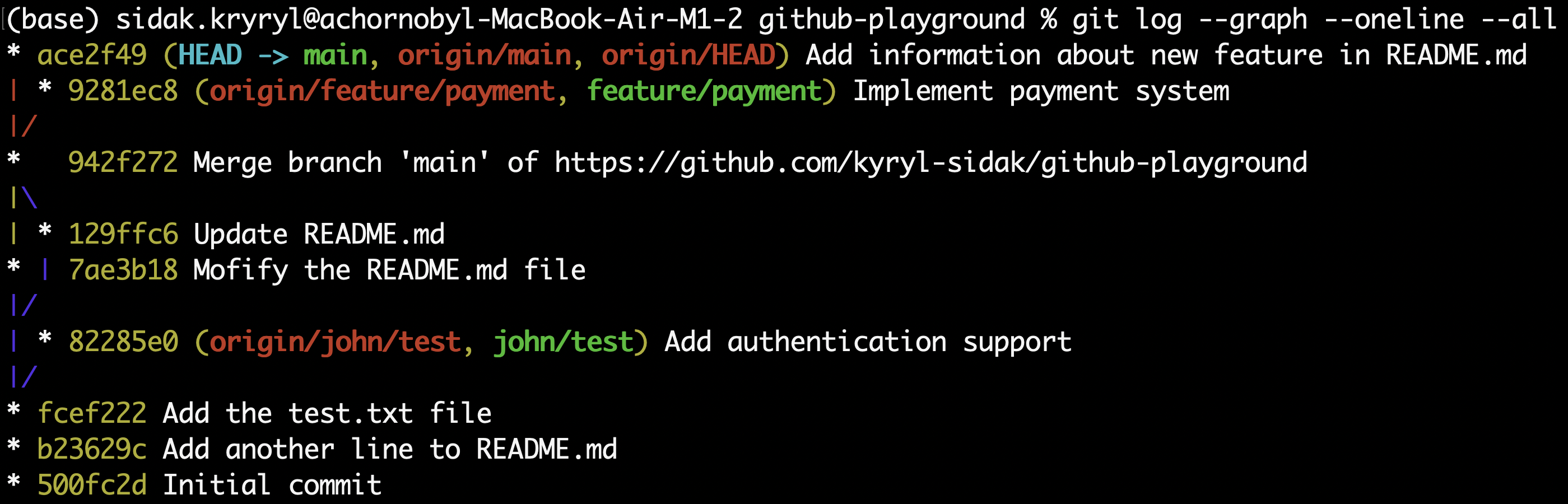
As of now, both the main and the feature/payment branches have commits after the most recent common ancestor. This indicates that a fast-forward merge cannot be performed.
If we were to merge these branches, a three-way merge would occur. However, we want to keep our history linear, so let's perform a rebase of the feature/payment branch onto the main branch. This can be done by switching to the feature/payment branch and running the git rebase command:
git checkout feature/payment
git rebase main

Fast-forward Merge
Since the rebase is successful, let's take a look at out commit tree once again:
git log --graph --oneline
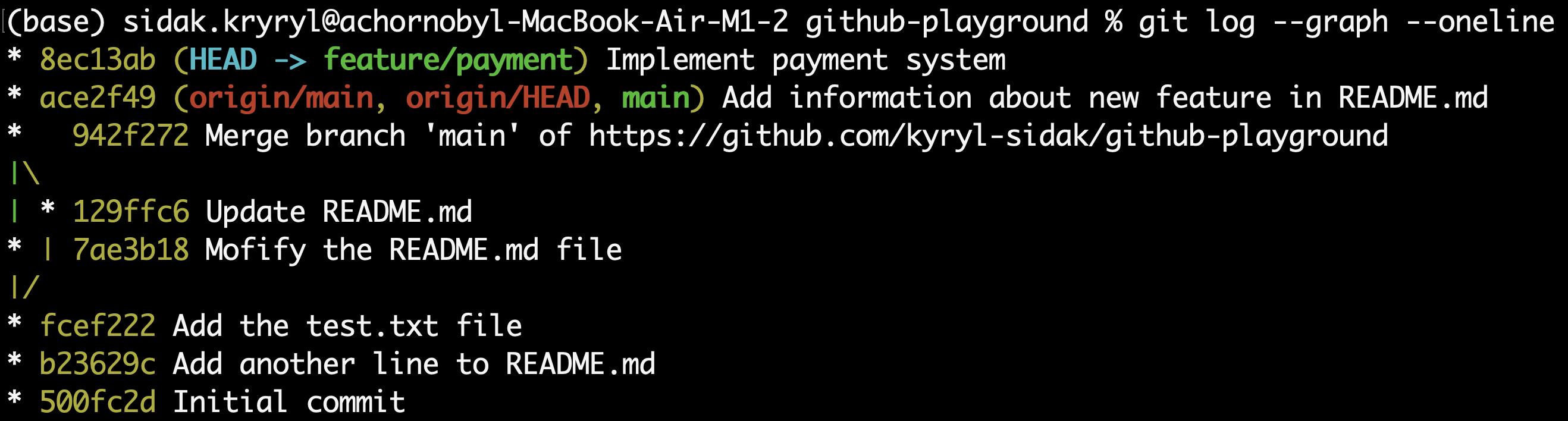
As expected, the commit history is now linear with the latest commit being on the feature/payment branch. Now, we can perform a simple fast-forward merge onto the main branch:
git checkout main
git merge feature/payment

Let's verify that both branches point to the same commit by taking a look at the latest commit:
git log -n 1

Removing the Feature Branch
The main branch now contains the latest commit with the payment system implemented, so we can safely remove both the local and remote feature/payment branch. The following command removes the remote branch:
git push --delete origin feature/payment
Now, we can remove the local branch:
git branch -d feature/payment

Finally, all the changes we made can be pushed back to the remote repository:
git push
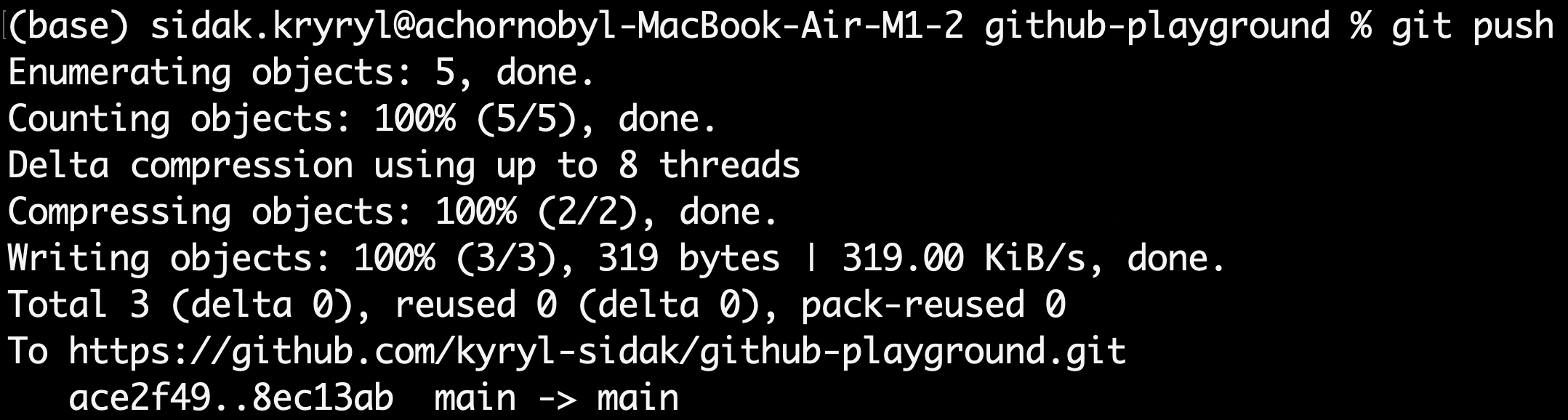
To verify that the feature branch was deleted both locally and remotely, you can run the following command, which lists all (-a stands for all) local and remote branches:
git branch -a

As you can see, the feature/payment branch was successfully deleted, and there are now only two branches: main and john/test with their remote counterparts.
Overall, rebasing works well for local changes that haven't been shared yet, but it can cause significant issues for changes that have already been published to a remote repository and possibly downloaded by other collaborators. Rebasing commits that others are using can create confusion and conflicts due to rewriting commit history.
As a general rule, avoid rebasing changes that have been pushed to remote repositories to prevent these problems.
Thanks for your feedback!
Ask AI

Ask AI

Ask anything or try one of the suggested questions to begin our chat
