Scatter Plots and Basic Correlation
Swipe to show menu
Scatter plots show the relationship between two numerical variables. They are used to identify patterns, trends, and possible correlations. Unlike column or line charts, scatter plots do not use categories. Both axes represent numeric values.
Use a scatter plot when:
- You want to analyze the relationship between two variables;
- Both variables are continuous numbers;
- You need to see whether values move together.
Creating a Scatter Plot
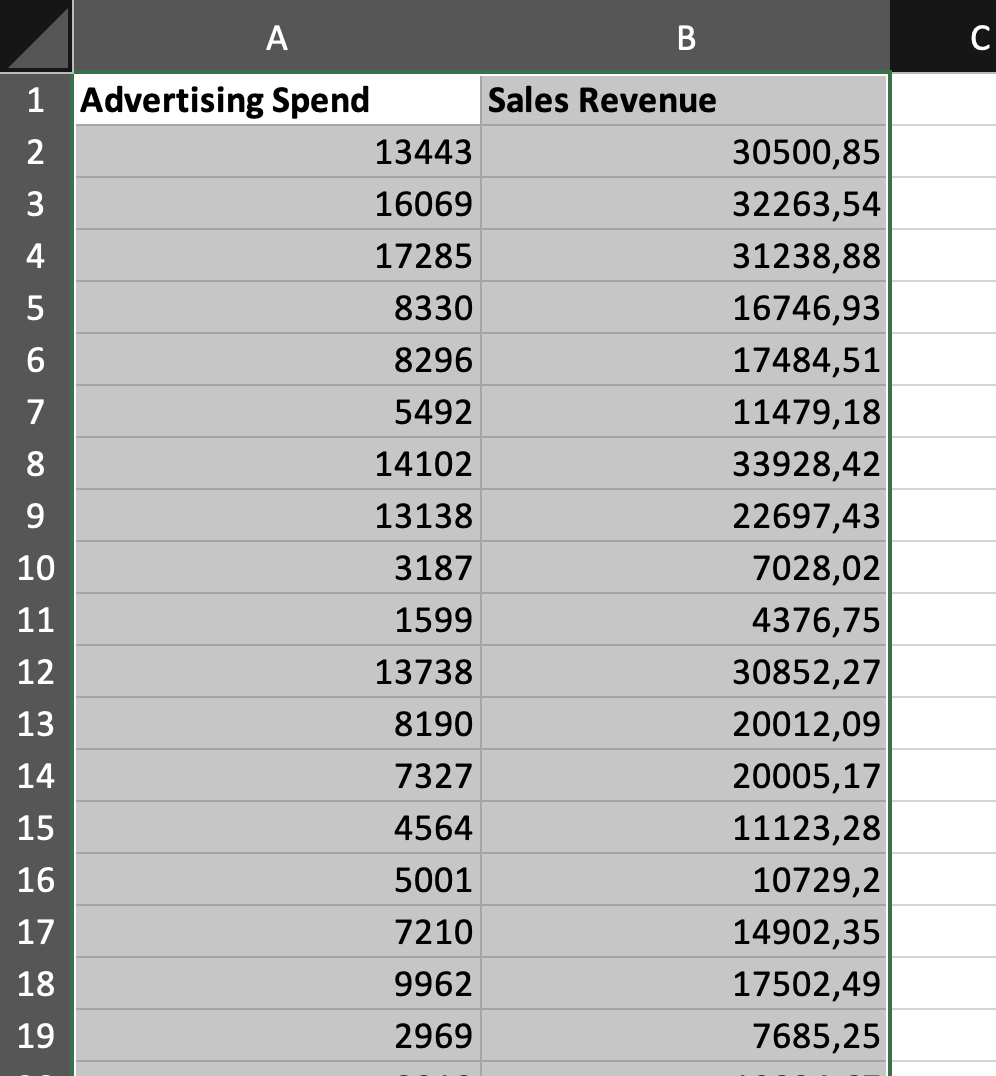
- Select two numeric columns;
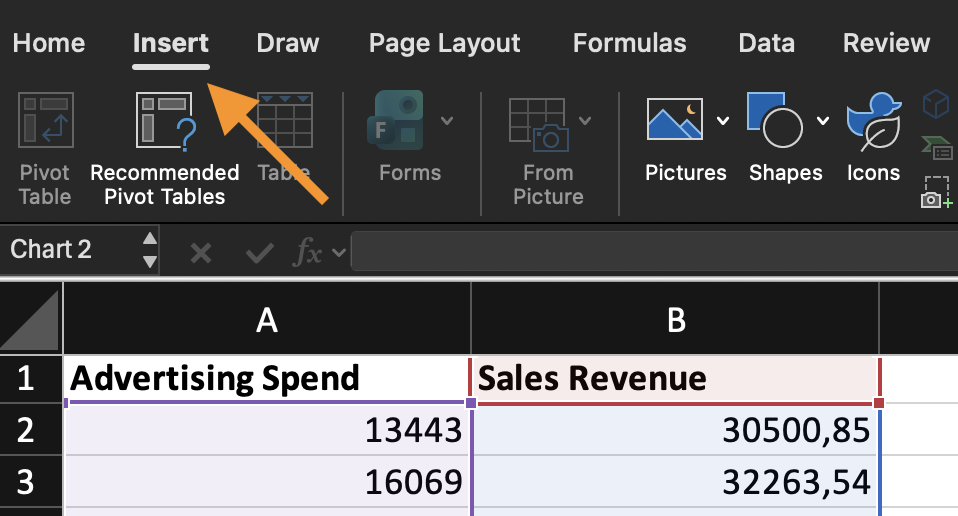
- Go to Insert;
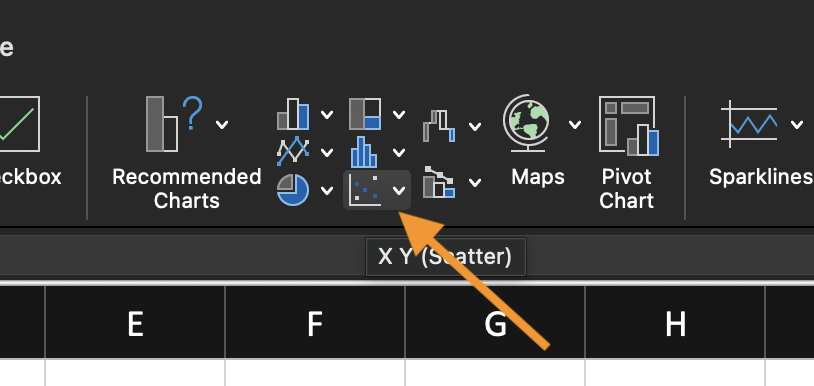
- Choose Scatter (X, Y) Chart;
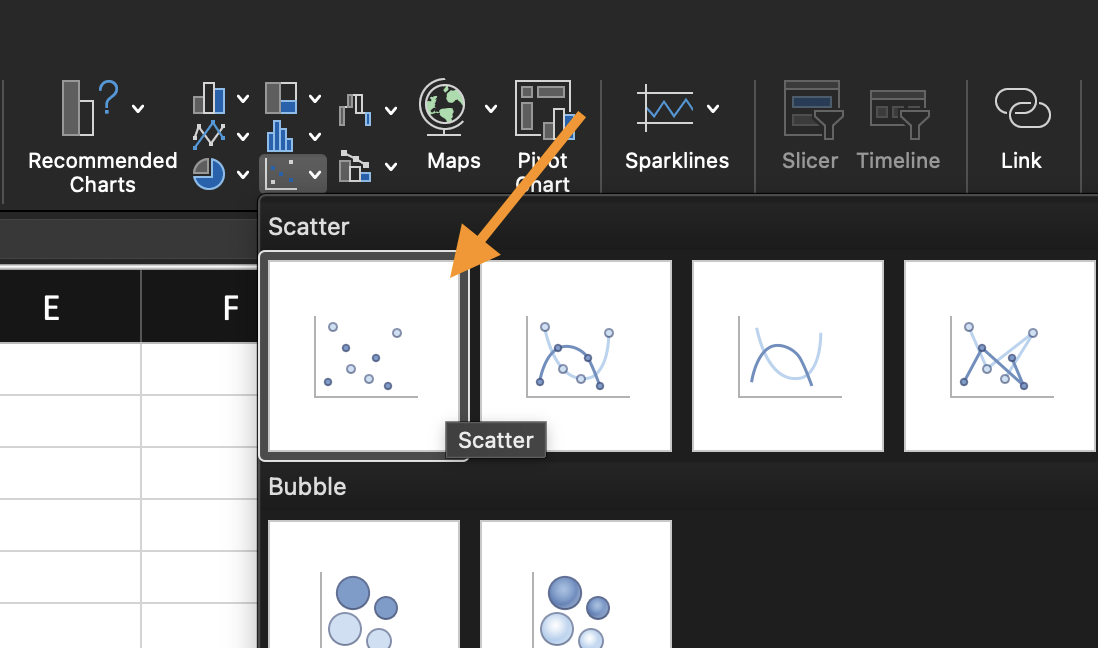
- Select the basic scatter option.
Excel places the first selected column on the horizontal axis and the second on the vertical axis.
Make sure both columns contain only numbers, and there are no text values in the selected range.
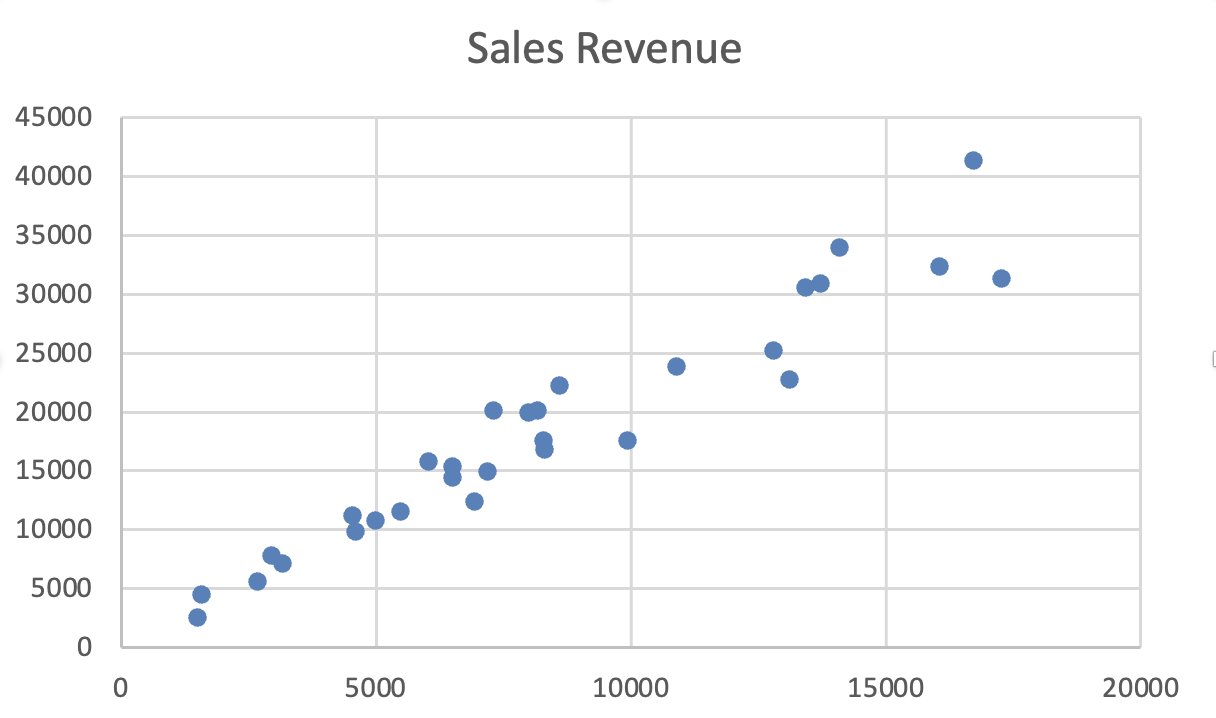
Understanding Correlation
Correlation describes how two variables move relative to each other.
- Positive correlation: as one variable increases, the other increases;
- Negative correlation: as one variable increases, the other decreases;
- No clear correlation: points are scattered without a visible pattern;
- A scatter plot shows direction and strength visually, but it does not prove causation.
Using the provided dataset:
- Insert a Scatter (X, Y) Chart using both numeric columns;
- Observe the pattern of the data points;
- Determine whether the relationship appears positive, negative, or unclear.
Goal: identify the direction of correlation visually.
Everything was clear?
Thanks for your feedback!
Section 1. Chapter 4
Ask AI

Ask AI

Ask anything or try one of the suggested questions to begin our chat
